

Participant
September 30, 2020
Answered

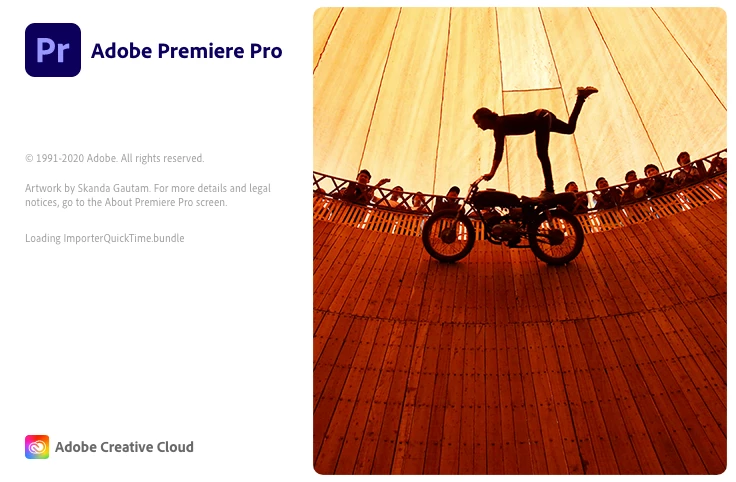
Premiere Pro stuck in "Loading ImporterQuicktime Bundle
  • September 30, 2020
  • 24 replies
  • 39822 views

Do you know why Premiere won't start and stuck in this stage? I turned off Firewall, empty Adobe folder and reinstalled Adobe CC. It still does not work. Please help!

Correct answer diarmidsloan

I've been through this at length with Apple Support, who have been superb, and got this resolved. It isn't an Adobe issue, but an underlying OS issue. 


On a Mac, the issue appears to be mainly due to missing Desktop and Documents folders within your user profile (Macintosh HD > Users > YOURNAME. Creating a new profile allowed it to work ok, although that is just a workaround / test, not a solution. I had recently uninstalled DropBox, but I believe iCloud Drive has a similar impact. Due to underlying OS permissions you cannot simply recreate these folders. 


Ultimately I had to delete the existing Documents and Desktop links (since they weren't linking anywhere) and reinstall the MacOS. This only took about 30 minutes and doesn't affect your existing files, it just fixes any underlying system files and folders. It recreated the Documents and Desktop folders and all started fine and is now running perfectly.

24 replies

Participant
July 26, 2021

Do u fix it finally?

how u made it?


Participant
July 27, 2021

Hi, it's not a definitive solution because it continue doing the same "Loading QuickTime importer".

but i fix it running before clean my Mac every time before star premiere pro.


im sorry if my English isn't too good .

Participant
July 12, 2021

¡Hola! También tengo el mismo problema alguien podría explicar la solución y por qué se genera este problema.


Saludos!

Participant
July 12, 2021

Hola, logre solucionar el problema:

loading QuickTime importer que tenía atorado el inicio del programa. Aún no entiendo a la perfección el problema pero al parecer existía el plug-in duplicado lo cual no permitía que avanzara.


Lo solucióne como dicen más arriba con la app "Clean my Mac".


Espero esto les ayude, saludos.

Participant
May 11, 2021

Descarguen CleanMyMac, vayan a mantenimiento y ahi hay que restablecer los permisos, el cache y esas cosas y con eso ya pudo abrirse, saludos 

Participant
May 4, 2021

Here's how to easily fix it:

Inspiring
May 11, 2021

^ This is the way. Thanks Eira!!!

mattjatkola
Participant
April 26, 2021

I was having the same issue and did the following:


System preferences> Security and Privacy>

Click the Firewall Tab

If Firewall is ON

Click Firewall Options

Click +

Add Adobe Creative Cloud

Click +

Add Adobe Premiere Pro


It worked for me after that.

mattjatkola
Participant
April 26, 2021

BTW - This is on a Mac running Catalina.

camilled68852197
Participant
April 24, 2021

I can't use any of the Premiere Pro version they all freeze at "ImporterQuickTime.Bundle". I've done everything mentionned under this question but nothing seems to be working. (ps: my laptop is a Mac running on BigSur).


Thank you

Participant
April 20, 2021

I've had this issue too and after uninstalling all Adobe products and reinstalling them - I still ran into the same issue! I have now currently however found a workaround which seems to be working...


After force quitting Premiere Pro after being stuck on "Loading ImporterQuickTime.bundle", I headed over to the Activity Monitor and saw that there were 2 x GPUSniffer.exe running in the background. They both had the biggest % CPU so were right at the top of the list. 


After searchning online and reading this article - http://windowsbulletin.com/files/exe/adobe-systems-incorporated/adobe-premiere-pro-cs6/gpusniffer-exe , I checked that the files were genuine and Force Quit them. I restarted Premiere Pro and it loaded near instantly!


I'm not whether this is directly correlated however it seems to have done the job for me. Fingers crossed this has fixed the issue and there are no long term implications!

Inspiring
April 21, 2021

That GPU Sniffer is a thing. Had problems with it starting Ae a few versions ago.

I'll give it a try. Thanks.

Participant
April 20, 2021

I've had this issue multiple times and initially I thought it had to do with the OS updates. I ran a full scan and cleanup using CleanMyMac (not an endorsement) and after running it, Premiere opened without issue. 

Current OS: Catalina 10.15.7

Participant
May 11, 2021

te amo we, jalo solo tuve que restaurar los permisos con CleanmyMac

Participant
February 16, 2021

Du gehst auf deine Festplatte, dann auf Library dann auf Adobe dann auf Common  7.0 dann auf Plug ins dann löscht du die Datei dummy, dann gehst du auf Medis vor und löschst da alles. Bei mir ging es dann danach 

Inspiring
March 11, 2021

Wissen Sie wie 'Medis vor' heißt auf Englisch?


Danke schön

Inspiring
February 3, 2021

Meanwhile, I found that this ImporterQuicktime.bundle is part of the actual Premiere Pro package. (Show contents on the App)

Participating Frequently
February 3, 2021

Hi there,


It took me a lot of patience to get in touch with the right representative in Premiere Pro specialized support to get some information about this issue (in my case fresh install of Premiere Pro 2020 was hanging on ImportingQuicktime.bundle).


I have to say that while the last representative really helped it's a shame that I had to spend 4+ hours with technical support uninstalling, cleaning and installing again a fresh install before I was directed to someone who could help and was proposing some test that made sense.


The best test to know if this issue is related to permissions is to create a new admin account and try launching Premiere Pro with this new account.


If it launches with the new admin account then your main account is likely to be corrupted somewhere Premiere does not like (I have to say that so far Premiere is the only application raising such an issue in my case).


To fix your main account Apple Support has a very specific procedure that will involve maintenance operations (specific command lines and actions) and an OS reinstall without loosing any data (basically only the OS files will be replaced by fresh one).


It takes some time but definitely fixed the Premiere Pro 2020 launch issue in my case.


Hope this helps,


Best,


Pierre

Inspiring
February 3, 2021

Great to hear Pierre!

In Cataline permissions are the cause of most evil.

It broke Dynamic Link as well. After repairing that started to work again.

I'll try the new account trick to find out.


Thanks for your effort to inform me. Really appreciate that!