


Participant
July 6, 2026
Question

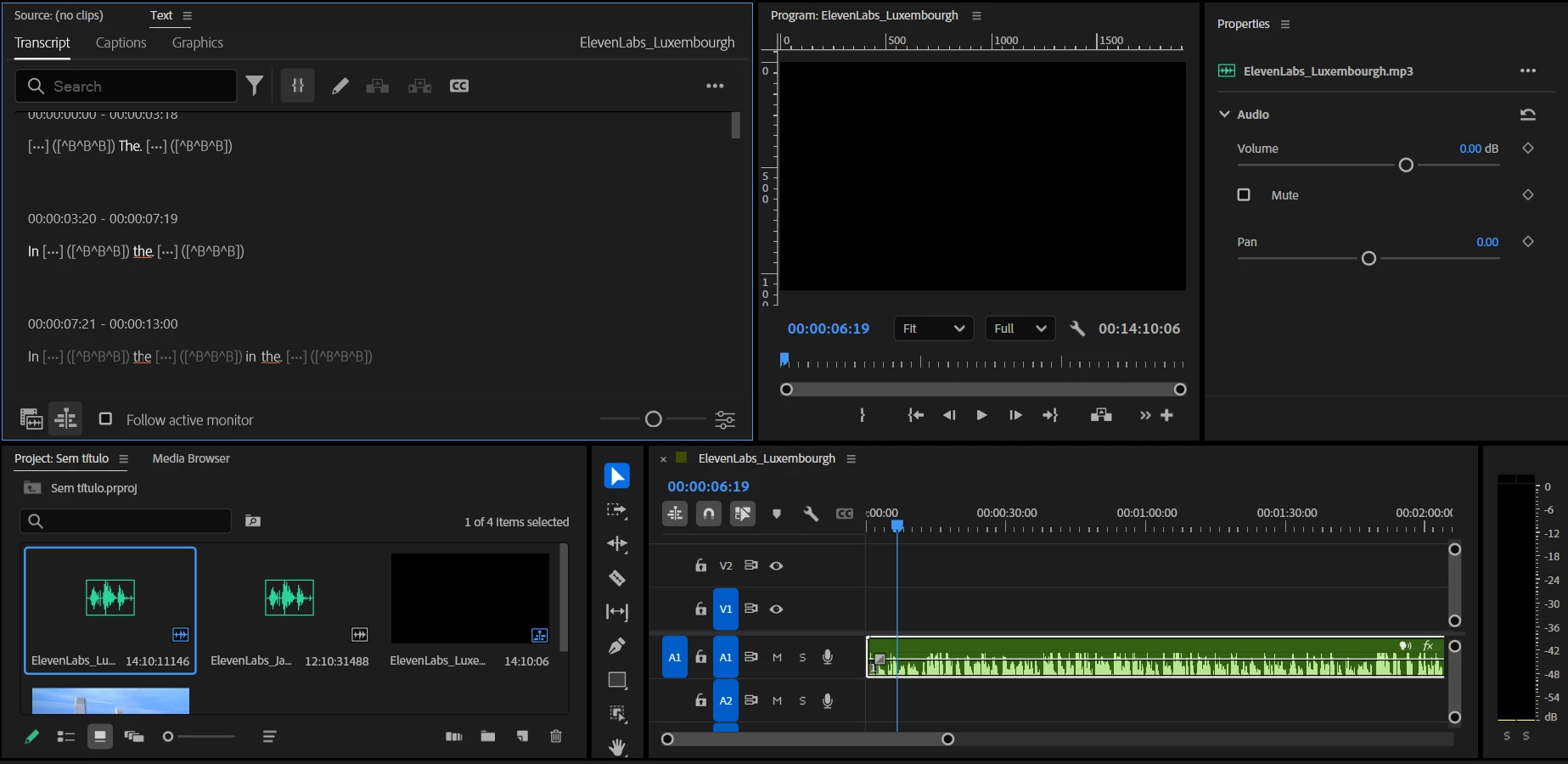
Premiere Pro transcription only displaying a few letters instead of complete words

  • July 6, 2026
  • 2 replies
  • 21 views

I'm having an issue with the Text > Transcript panel in Premiere Pro. The transcription is generated successfully, but instead of displaying the full words, it only shows a few letters and symbols, making the transcript unreadable.

I've already tried reopening the project and restarting Premiere, but the problem persists. Has anyone experienced this before or found a solution?

Any suggestions would be greatly appreciated.


    2 replies

    Stan Jones
    Community Expert
    Community Expert
    July 6, 2026

    @PaulMurphy,


    Another user with what sounds like the same problem reported success using Render and replace, but they did not specify the settings used.


    I find it odd, since the first step in transcription is what amounts to a render/audio processing step.


    Stan


    Community Expert
    July 6, 2026

    Files produced by ElevenLabs sometimes use unusual sample rates or encoding settings, and the transcription engine can decode them differently than playback does, so it might be worth transcoding before you transcribe. Try running them through Adobe Media Encoder as a clean 48 kHz 16-bit WAV, then re-import the audio and run the transcription again.

    Participant
    July 6, 2026

    Thanks for the suggestion. I tried transcoding the audio through Adobe Media Encoder as a clean 48 kHz, 16-bit WAV, re-imported it into Premiere, deleted the transcript, and generated a new one, but unfortunately the issue persists.

    I also tested transcription with a completely different audio file that was not generated by ElevenLabs, and I'm getting the exact same problem (see below). So it doesn't seem to be related to the source or encoding of the audio.

    Do you have any other suggestions?