


Participant
July 24, 2025
Answered

Problems with plugin captioneer at Premier Pro

  • July 24, 2025
  • 5 replies
  • 498 views

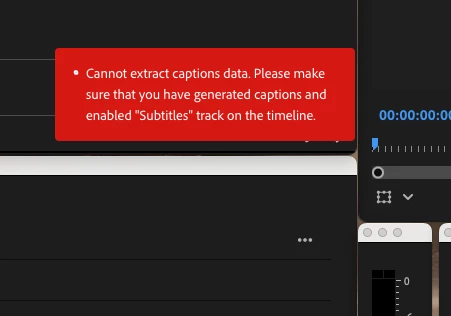
I recently updated to the latest version of Premiere, and I’m getting this error:
 

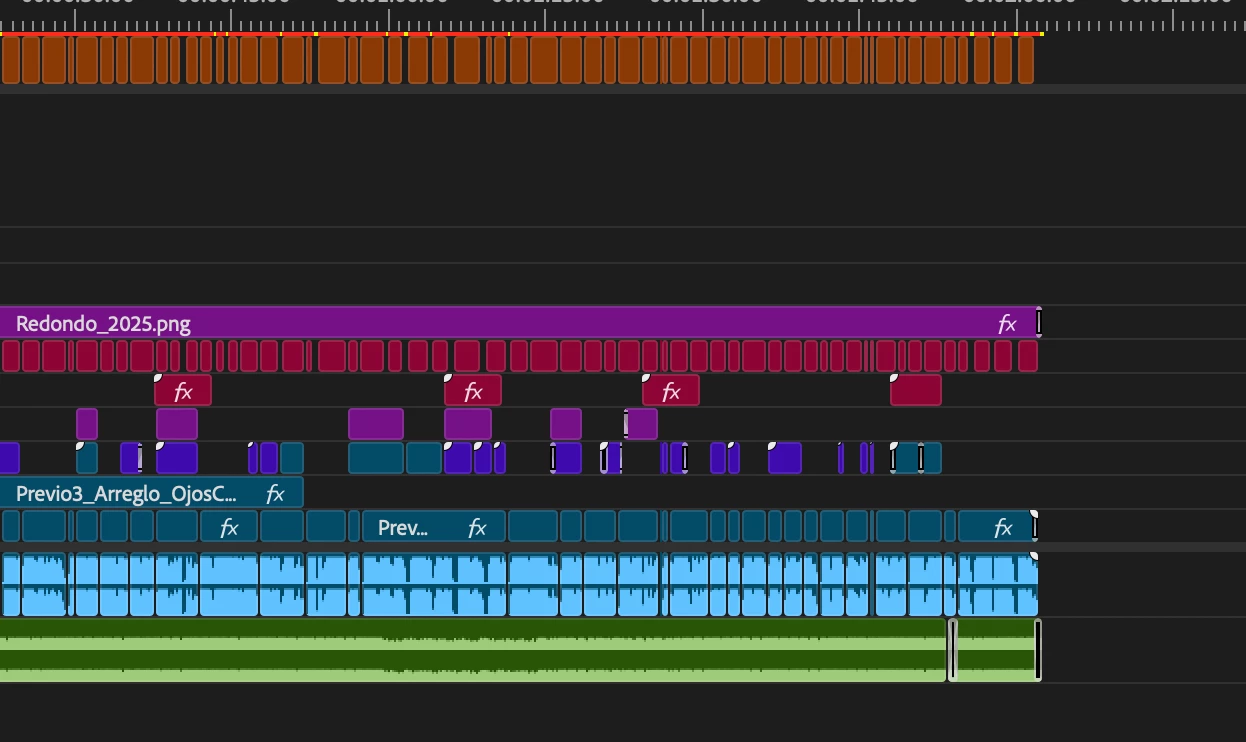
 It no longer recognizes the subtiles tracks:
It worked perfectly in the previous version.


Any suggestions or guidance on how to fix it?

Correct answer _nicdean

Thanks @Stan Jones for the bat signal.


@Santiago_Mx, are you using the Beta version of Premiere Pro? The Beta changes day to day and can have issues.


Some things to try on your end with Captioneer:

  1. Make sure you're on the latest version 1.5.2
  2. Restart the panel
  3. Enable the eyeball on the Subtitle track


If those don't work, send us log files from your machine (how-to-export-logs).


Instead of using this Adobe forum, we have a dedicated support email for the plugin: support@captioneer.tv

5 replies

Participant
July 25, 2025

Confirmed, once updated, works without any problems. Thanks again to everyone for their responses.

Participant
July 25, 2025

Thank you for your responses. I have the full version of Adobe Cloud, including Premier.


Most likely, the issue is due to the version of Captionner:


I will first try updating it and then confirm if the problem is resolved. if not, I will export the logs and send a email to support@captioneer.tv.


Thank you. 


_nicdean
Community Expert
_nicdeanCommunity ExpertCorrect answer
Community Expert
July 25, 2025

Thanks @Stan Jones for the bat signal.


@Santiago_Mx, are you using the Beta version of Premiere Pro? The Beta changes day to day and can have issues.


Some things to try on your end with Captioneer:

  1. Make sure you're on the latest version 1.5.2
  2. Restart the panel
  3. Enable the eyeball on the Subtitle track


If those don't work, send us log files from your machine (how-to-export-logs).


Instead of using this Adobe forum, we have a dedicated support email for the plugin: support@captioneer.tv

Stan Jones
Community Expert
Community Expert
July 25, 2025

@Santiago_Mx,


I have not test Captioneer in the versions since multiple caption tracks were enabled. It worked well before. You appear to have only one caption track, but you also appear to have captions upgraded to graphics?


@_nicdean, can you help?


My trial ended so I can't test.


Stan


jamieclarke
Community Manager
Community Manager
July 24, 2025

Hi @Santiago_Mx -  Thanks for submitting your bug report. We need a few more details to try to help with the issue. Please see, How to Report a Problem.


Its hard to see your entire timeline.  Are you generating these through the text panel (captions)?