
Question
Properties panel overlaping
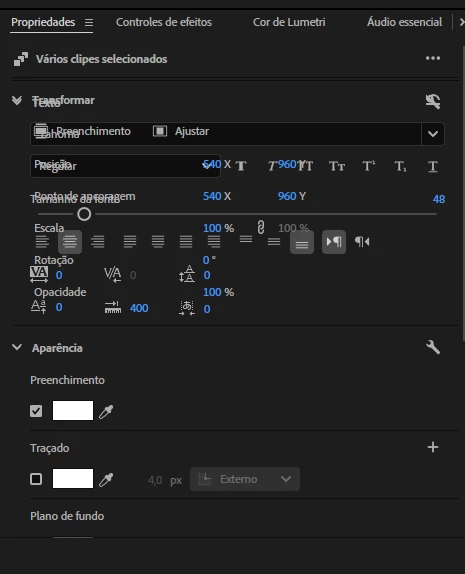
I’m having an issue with versions 25.0 and 25.1 of Premiere Pro. Every time I select multiple graphics (subtitles I created), the Properties panel gets bugged, with the "Transform" section overlapping the "Text" section. I’ve already contacted support, and the only solution they suggested was to either revert to the 2024 version or use nesting to edit all the subtitles at once. I’ll do that to work more quickly, but I want to SOLVE this overlapping issue so I can work smoothly on a service I paid a lot for.


 AdChoices