
stephand81412139
Participant
May 29, 2024
Question

Rendering since update not working.

  • May 29, 2024
  • 7 replies
  • 593 views

Since the update, my renders are not working.

I am using the same projects that I used before the update. Have tried multiple project files and with all of them I am getting these 3 weird files after rendering:
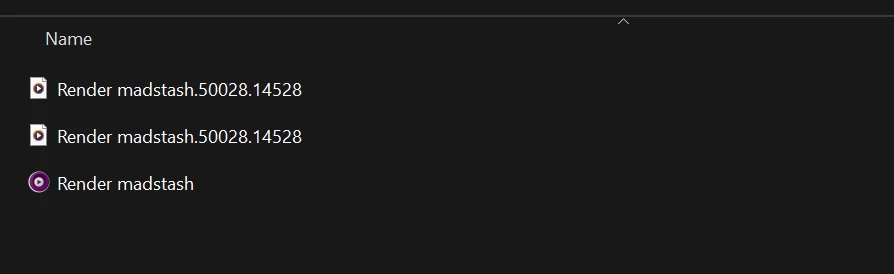


All the files are about 2mb max so that is also weird. When playing the file, it is just a black screen with the music. 

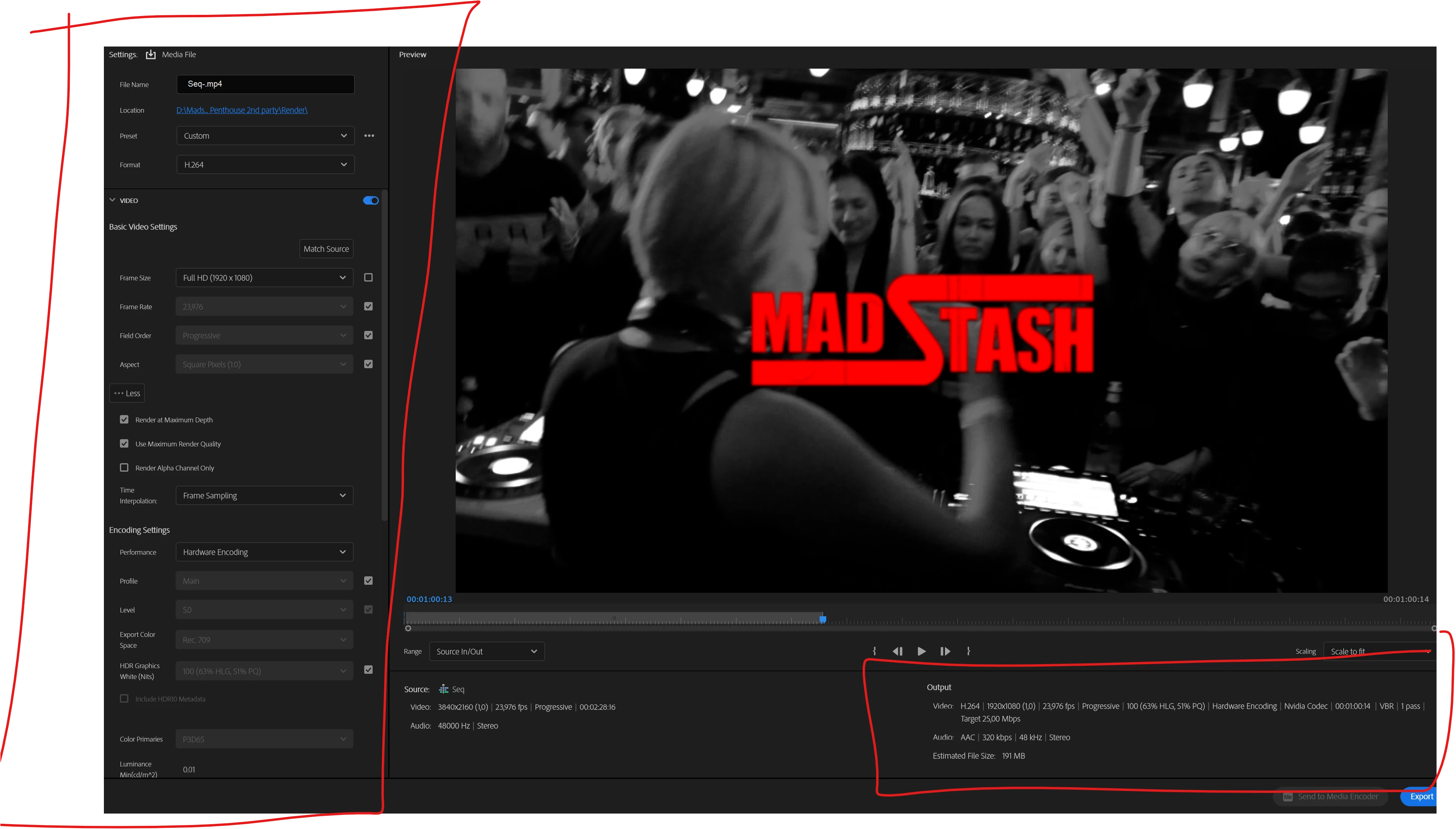
Below you can see my settings for rendering. Please note that I didn't change anything and it worked before the update.


Now that I am trying to open older versions of PR, they problem still exists.

Anyone having these problems?


This topic has been closed for replies.

7 replies

Kevin J. Monahan Jr.
Legend
June 17, 2024

Hello @Joshua26453587v4mh,

Thanks for filing. Will you please upvote the bug? Please also give us full details about your system, media, and work flow. See, How do I write a bug report?


Thank You,

Kevin

Kevin Monahan - Sr. Community and Engagement Strategist – Adobe Pro Video and Audio
Participant
July 9, 2024

I have learned my lesson, never ever I will update to the latest version of premiere, after effects and media encoder. Never really noticed any improvements, only issues.

Kevin J. Monahan Jr.
Legend
June 17, 2024

Hello, @stephand81412139,

We have not heard back from you after requesting more information a couple of weeks ago. I'll move your bug report to the Discussions forum while we await your response.


I noticed your codec says "NVIDIA." Can you try to match sequence settings for H.264 instead of using a custom preset? Please also update to the most current NVIDIA studio driver and restart the computer. I hope we can help you.


Thanks,
Kevin

Kevin Monahan - Sr. Community and Engagement Strategist – Adobe Pro Video and Audio
Participant
June 4, 2024

I teach at a high school and we are having the same issue.  Hardware encoding no longer works after the last update.  We just get squiggly lines, but swtiching to software only works. We are using HP z2 workstations with NVIDIA T1000 video card and intergraded Intel UHD Graphics p630.  I assume it is an issue with the graphics card drivers and new updates in premiere. 

Kevin J. Monahan Jr.
Legend
May 31, 2024

Dear @stephand81412139,

Please provide the team full details about your issue. See: How do I write a bug report?


I hope the team can help you ASAP.


Thanks,
Kevin

Kevin Monahan - Sr. Community and Engagement Strategist – Adobe Pro Video and Audio
jamieclarke
Community Manager
Community Manager
May 29, 2024

Hi stephand - Sorry about this issue, thank you for posting.  Would you be able to send me the project file?  What type of media are you working with?  What version of Premiere are you using?

stephand81412139
Participant
May 29, 2024

Apparently, it is the Hardware encoding that is the issue.

I tried another time with Software encoding and it worked. 


Anyone at Adobe please note and check this out. Because this is since the new update. Thank you

stephand81412139
Participant
May 29, 2024

I tried, hardware encoding, software encoding, using Media encoder, and totally different project files from months ago. 

Still no luck and all the files have those weird number at the end of the final files.