

Pregunta
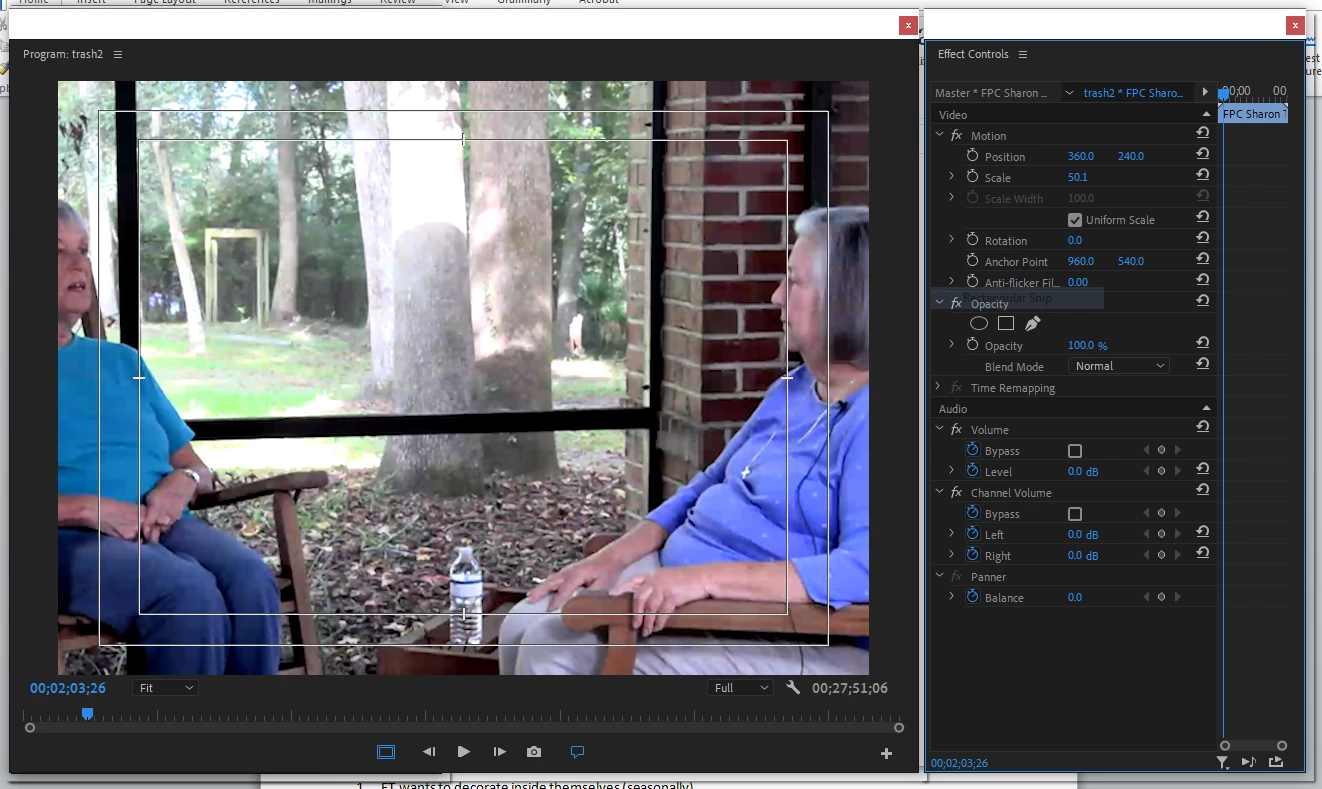
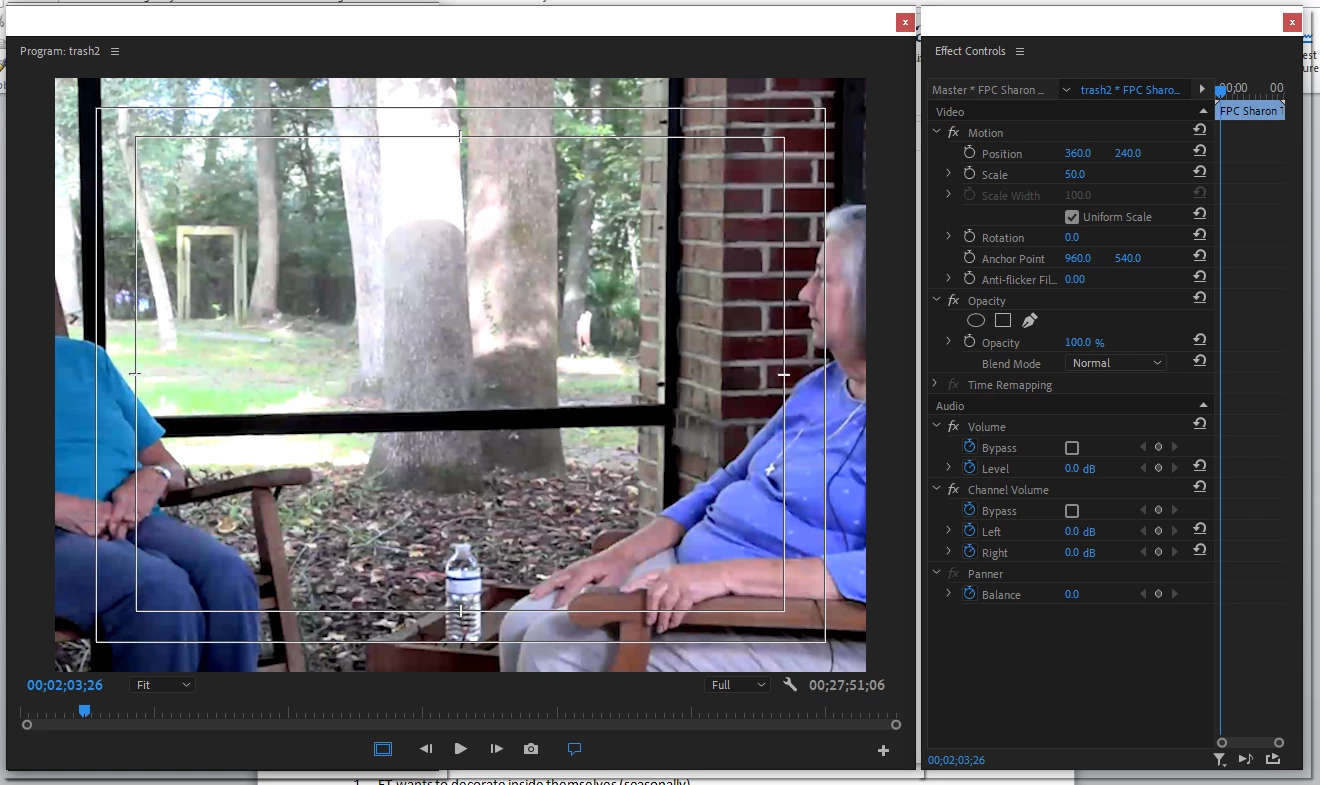
Scaling below 50.1% throws off clip width
As of about one to two weeks ago, anytime I scale a clip to less than 50.1%, it throws off the proportions (it becomes too wide). If I put the 100% clip in its own sequence, I can then place the sequence and scale with no issues. I uninstalled Premiere, including removing the preferences, and reinstalled, and this did not fix the issue. See screenshots. At 50% (anything below 50.1%), the width is no longer to scale. Even if I uncheck Uniform Scale and enter the height and width proportions separately, putting in a number less than 50.1% throws off the width (it is too wide).
 AdChoices