
Participant
February 1, 2025
Answered

screen freezes pr2025

  • February 1, 2025
  • 3 replies
  • 987 views

Hi, I got i7 14700 2.10 ghz Windows 11 Pro RTX 4060 laptop


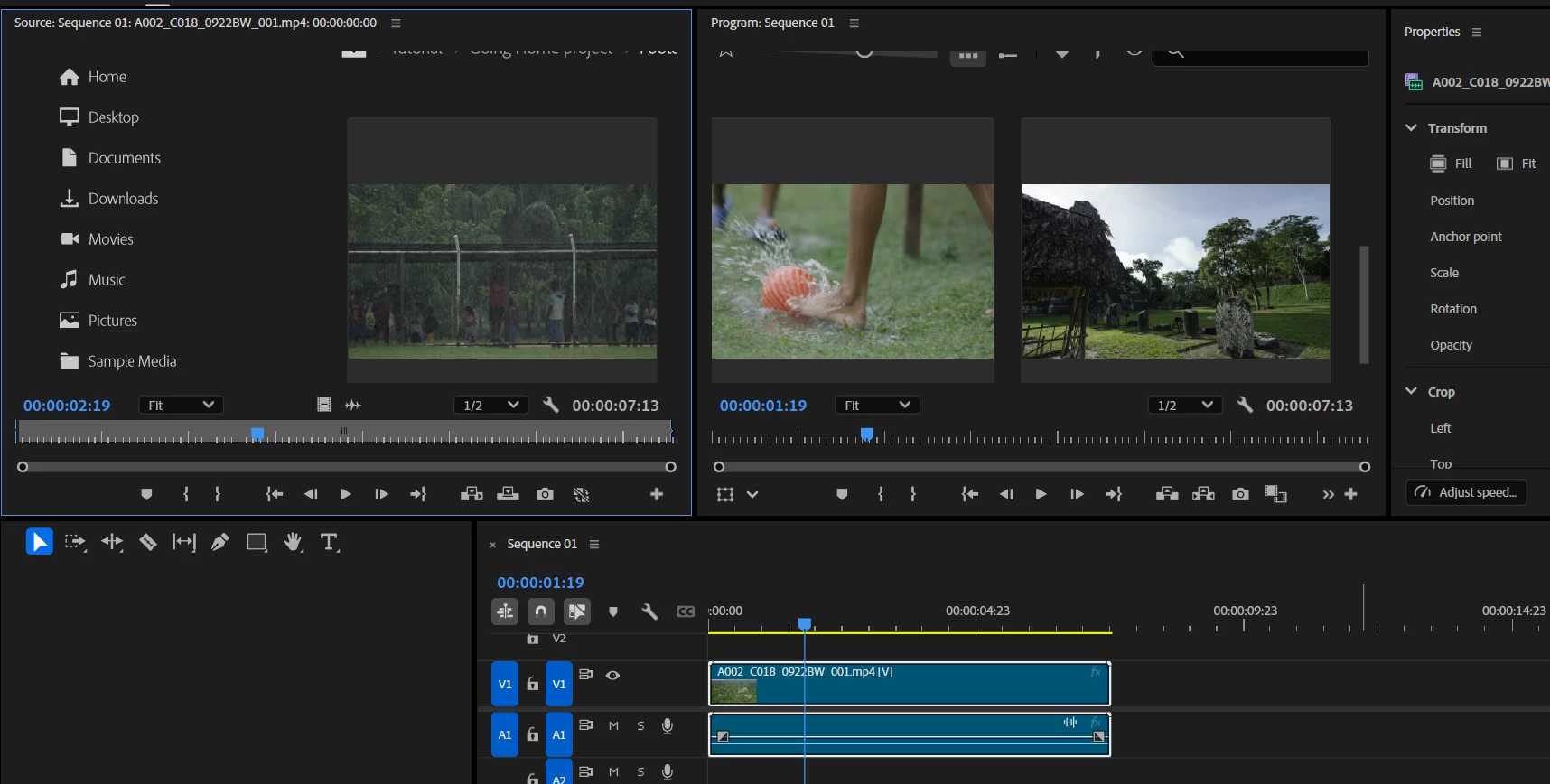
I'm adding a video to the program. The audio plays, but instead of showing anything, the screen freezes and remains stuck on the visual from the previous screen. I cant watch the video (even tutorial videos) on Program section, it makes sound but nothing play. Here is the example below. Help me plz..


Correct answer MyerPj

That's kind of an older fix, we had to disable one GPU typically from the BIOS. These days they both can be used, especially when decoding h.264/5. If that works, great! Try them both one at a time, see if one plays better than the other, but probably the intel.

3 replies

MyerPj
Community Expert
MyerPjCommunity ExpertCorrect answer
Community Expert
February 2, 2025

That's kind of an older fix, we had to disable one GPU typically from the BIOS. These days they both can be used, especially when decoding h.264/5. If that works, great! Try them both one at a time, see if one plays better than the other, but probably the intel.

Peru Bob
Community Expert
Community Expert
February 1, 2025

Delete the Media Cache and Media Cache files:
https://community.adobe.com/t5/premiere-pro/faq-how-to-clear-your-media-cache-in-30-seconds-in-premiere-pro-2020/m-p/11017257/thread-id/260446?page=1

If that doesn't work, try Preferences > Audio Hardware and set Input to None.

If that doesn’t work, try updating or rolling back your graphics driver directly from the video card manufacturer’s site. If NVIDIA, do a clean installation of the latest Studio Driver (NOT the Game Driver).

If that doesn't work, try creating a new project and import the old one into it.

Participant
February 1, 2025

Thank you for your answer. I find new thing that if i click the full screen video it plays the video that i import. However i tried everything you said nothing change 😞


HP Victus Gaming 16-r1045nt (9J247EA) Notebook


Ann Bens
Community Expert
Community Expert
February 1, 2025
Participant
February 1, 2025

Use the template below to provide us with information: 

  • Issue - Freezes Program 
  • Adobe Premiere Pro version number: 25.1
  • Operating system - Windows
  • System Info: CPU, GPU, RAM, HD:
    • CPU i7 14700HX

    • GPU

      There are 2 GPU section. 

      Could this be the real problem?
    • GPU driver (PC)
    • RAM

  • Video format: mp4 h264
Participant
February 1, 2025

I solve the problem thank you so much. 

Right-click the Windows Start button. Select Device Manager. I disabled Intel and the problem was solved.


Should i disabled Intel or Nvidia btw..