


Inspiring
March 31, 2023
Answered

Shape Layer - Missing handles / Unresponsive

  • March 31, 2023
  • 15 replies
  • 1405 views

This has been going on in several versions including V23.2.0 (Build 69). Whenever I create a new shape layer in the timeline, say a rectangle, the handles would appear and then disappear. Immediately clicking out of that layer and back in will not make the handles appear. You will need to move the playhead further down the timeline in order for the handles to reappear. But that wouldn't be the "in" point you want the shape to be in, so you move the playhead again.


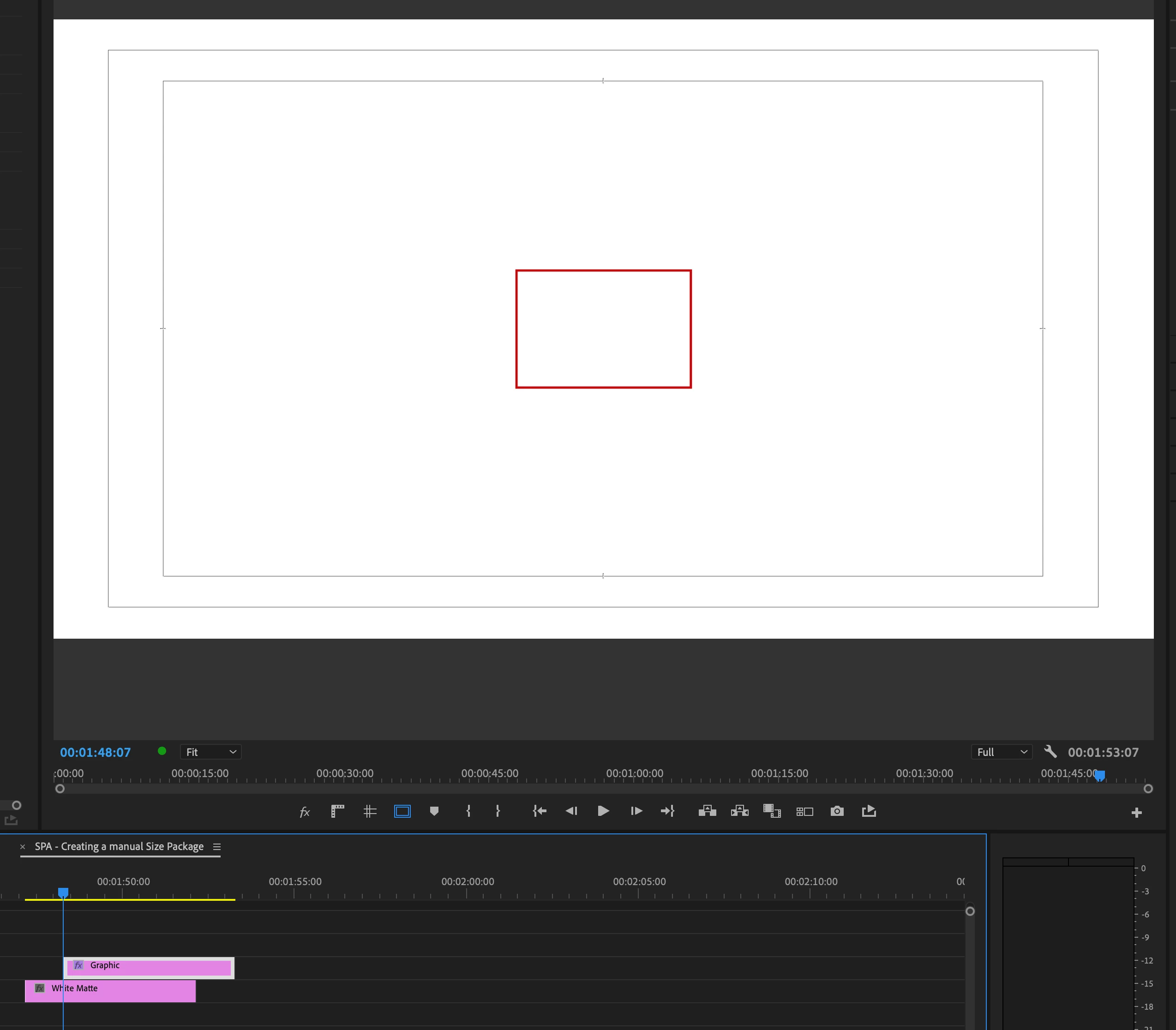
Top screenshot shows a rectangle shape layer with no fill. Playhead is at the beginning of the shape layer, but the handles for the shape are not appearing EVEN if the shape layer has been selected.


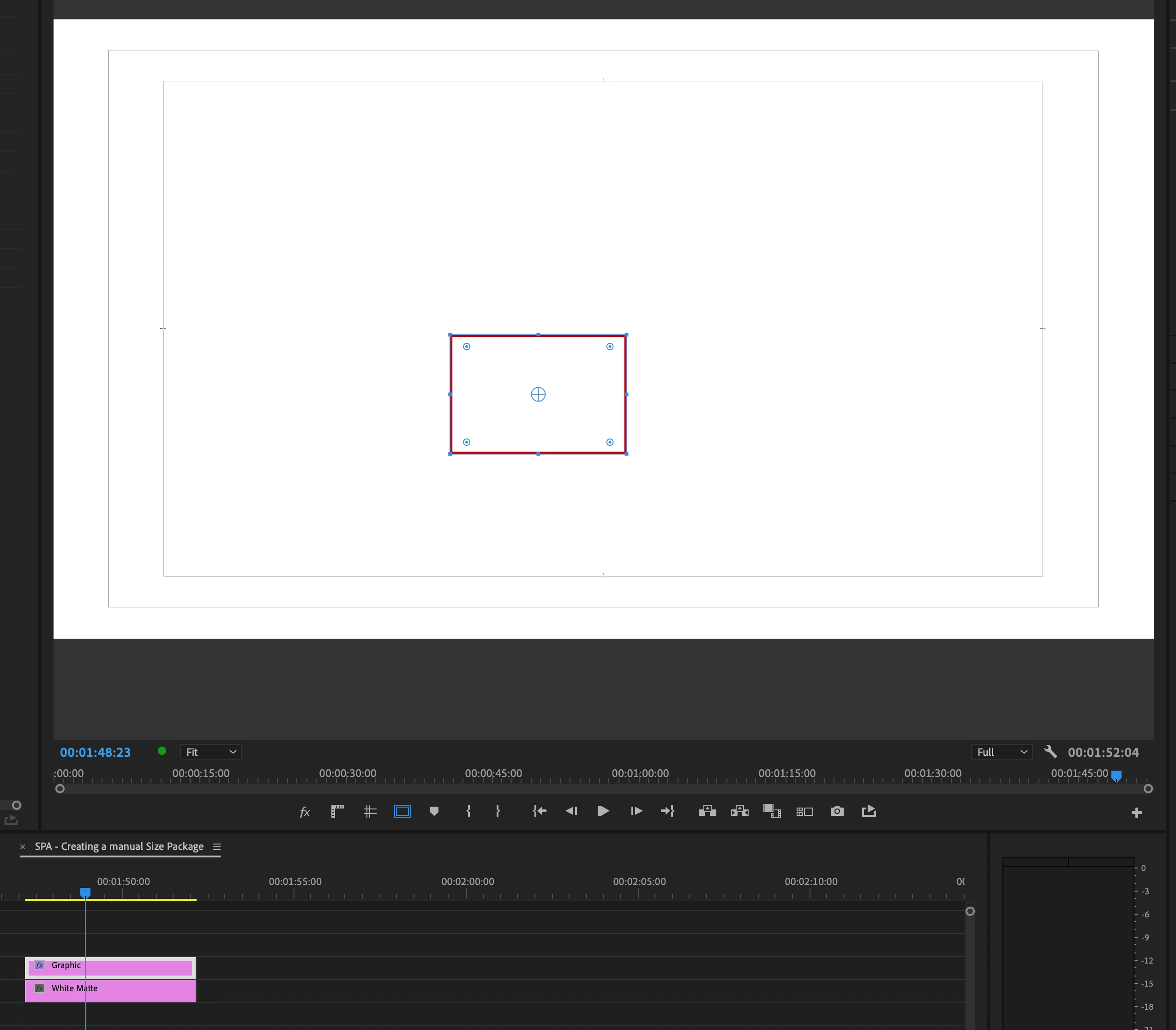
Second screenshot shows the playhead has been moved further into the rectangle shape layer in order for the handles to now appear. But that isn't the "in" point where I would make the shape adjustment so I have to move the playhead back to where it originally was.


Please fix to make the handles appear once the shape layer has been selected. Sometimes it does and sometimes it doesn't. You have to "play" around with it to make it appear.
 

This topic has been closed for replies.
Correct answer raymondocampo

Hi @Kevin-Monahan appreciate the late follow up. This issue has been fixed in the latter uodates of the app.

15 replies

Ann Bens
Community Expert
Community Expert
March 31, 2023

You need the selection tool to adjust the shape.

Probably still have the rectangle tool selected.

R Neil Haugen
Legend
March 31, 2023

That seems odd ... when I go over the shape, if I click in the shape, the handles appear. Apparently they don't for you?


Neil

Everyone's mileage always varies ...
Inspiring
March 31, 2023

Also to add clarify, I'm not trying to align the shape. I need to "reshape" it and will need the handles to do that which do not appear until you jiggle with the playhead along the timeline.

Inspiring
March 31, 2023

I appreciate the attempt to assist. I always have the Essential Graphics panel and every other panel on hand. If you take a look at my expanded screenshot, the EG panel is open, the shape is selected there. In the timeline, the shape layer is also selected, but the handles do not appear.


It's a bug that never was an issue in previous versions.


R Neil Haugen
Legend
March 31, 2023

This is all designed to be controlled from the Essential Graphics Panel (EGP). So you really should either be in the Graphics workspace to do graphics, or add the EGP to your workspace.


Then select the parts you work on from the EGP layer stack, and what you want done to them in the options that appear below.


Working graphics without the controls 'up' is a bit ... slow.


Neil

Everyone's mileage always varies ...