Participant
February 1, 2022
Question

Slog2 footage imports to timeline with automatic color grade applied

  • February 1, 2022
  • 2 replies
  • 2646 views

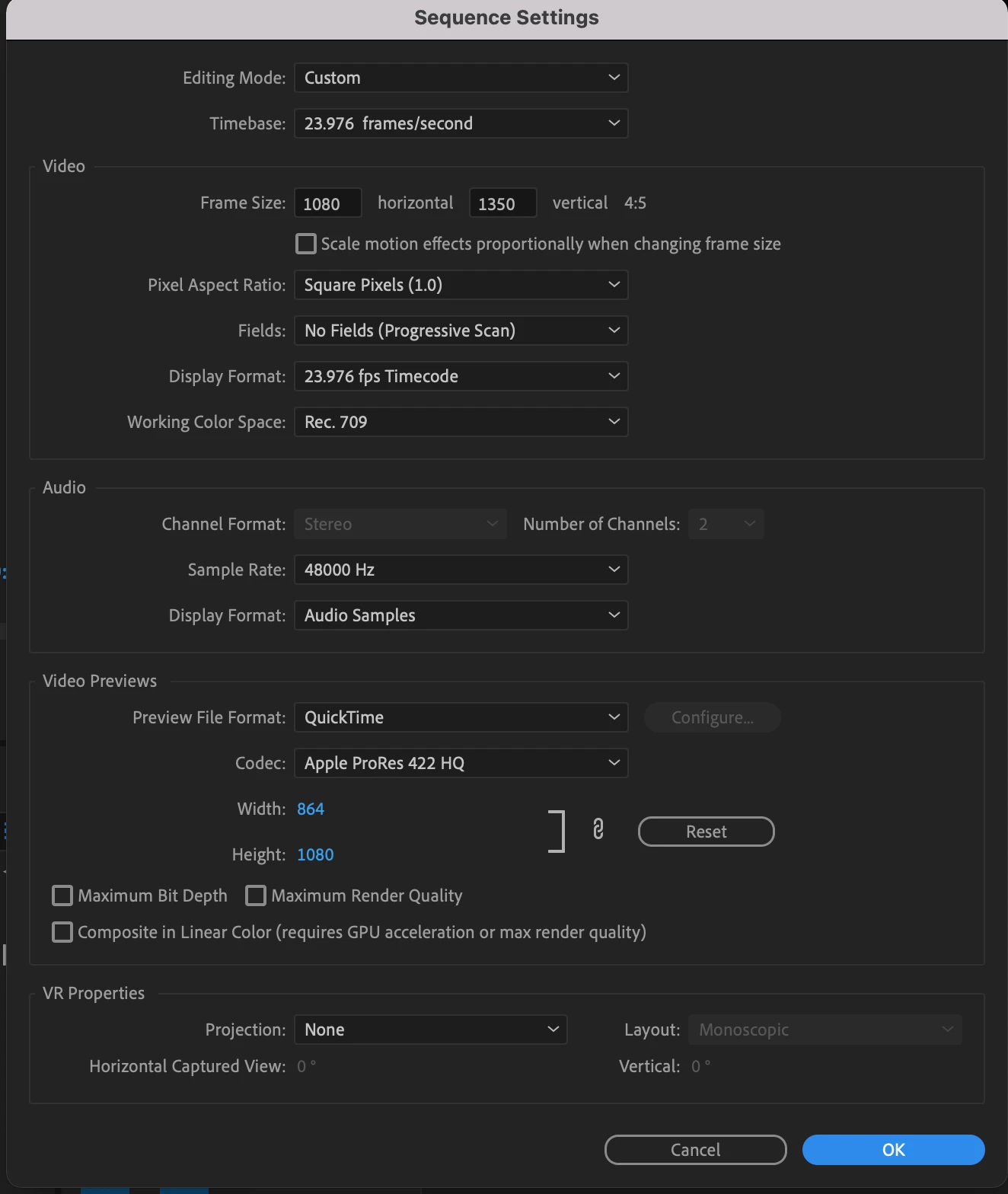
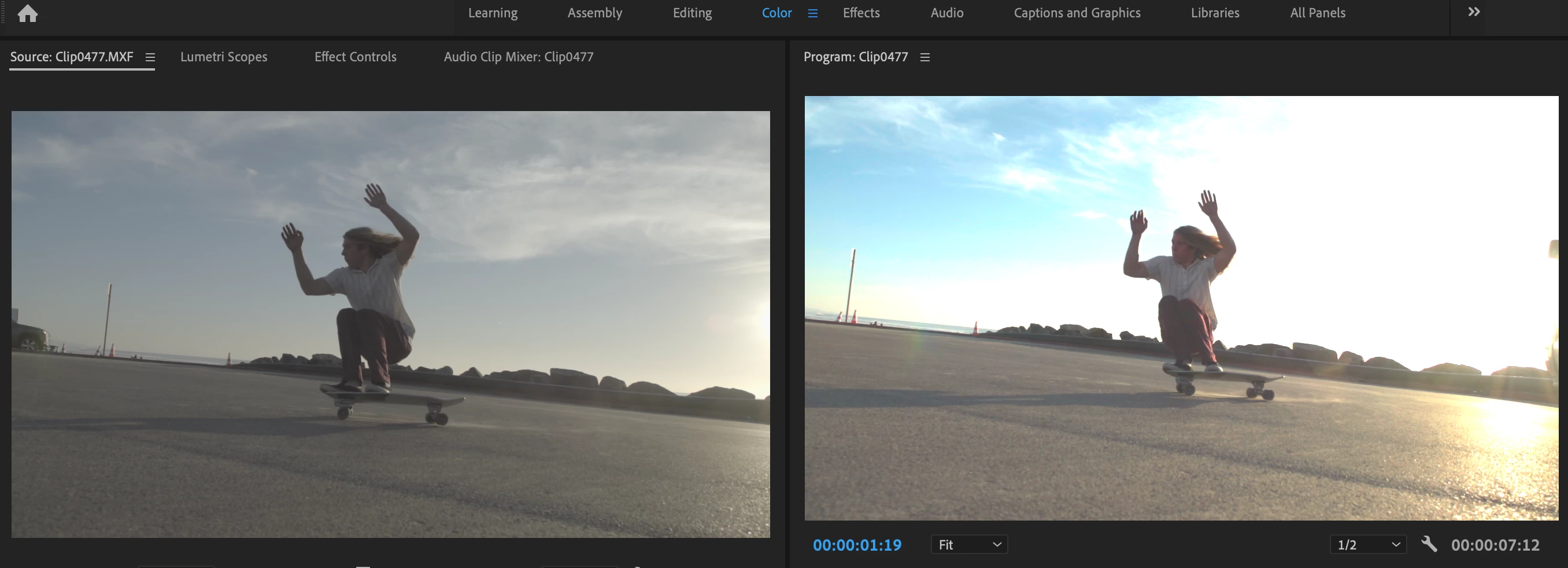
I'm going crazy trying to figure out why premiere is adding a color grade to my slog2 footage when i drop in in my timelines. I'm even creating the timeline from the clip and still getting the same result. i can't figure out how to work around this. Does anyone have any ideas. I tried it on two different computers and the same thing happens. I did import the clips into after effects and i'm able to view them in the log picture profile which is even more confusing but leads me to believe the issue is in my timeline settings. below is a screen shot of what is happening. 
This topic has been closed for replies.

2 replies

R Neil Haugen
Legend
February 1, 2022

The LONG take on what's changed, how to work with what's here now, and what's broken currently (like proxies from HLG footage) are in the first FAQ here. The second is how to monitor HDR (if you really want to do HDR) in Pr2022, as it's also changed.


Neil


FAQ:PremierePro 2022 Color Management for Log/RAW Media


How to Set Monitors for HDR work in Premiere Pro 2022?

Everyone's mileage always varies ...
R Neil Haugen
Legend
February 1, 2022

Yup, real clear what's happening. Been a bazillion threads here on it.


They completely rebuilt the entire underlying color system for Pr2022. And some changes aren't working as they expected, besides most users having no warning of what's changed.


It has to do with the difference between HDR, SDR, and log encoding. All HDR media is log-encoded. Most SDR (Rec.709) media is "integer encoded", essentially. And then there is log media that is also supposed to be in Rec.709, like your s-log.


However, Premiere sees the log-encoding on some clips and automatically assumes it is supposed to be HLG ... Hybrid Log Gamma, one form of HDR.


You need to select the clips in the project panel bin, right-click/Modify Interpret Footage and use the Override to Rec.709 option for now.


Neil

Everyone's mileage always varies ...
Participant
February 1, 2022

Thank you. Sorry to add another thread when you already diagnosed this same issues before. Very happy to have the fix, and I appreciate your prompt resonse Neil.

R Neil Haugen
Legend
February 2, 2022

Hey, it's been a thing, you know? When something this different gets given out to the users, well ... gonna be some issues.


And that's not including the things that are acknowledged broken and under repair ... sigh.


Neil

Everyone's mileage always varies ...