
Participant
March 1, 2023
Question

Smashed black levels on Z6 footage

  • March 1, 2023
  • 5 replies
  • 289 views

I have some footage shot on a Nikon Z6. I didn't shoot it so I don't know what the camera settings were.

When I bring the footage into Premiere the black levels are smashed flat. There is no detail.

Raising the levels doesn't work... they just go grey with no detail. I do know that the footage was shot in Rec 709.

When I take the footage into Quicktime or Resolve it looks normal.

My system specs are attached.
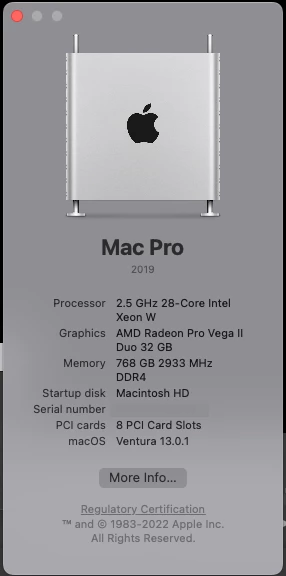
I believe this started when I upgraded the OS to Ventura because of some other issues.

Any Ideas?

This topic has been closed for replies.

5 replies

Kevin-Monahan
Community Manager
Community Manager
May 10, 2024

Hello @4087053 S. Ollerton,

Thanks for the message. It’s been a long time since you filed this bug, and I apologize for the lack of a response. Are you still having this issue? If so, the team will need more information from you to reproduce the bug. Can you provide the information required here? How do I write a bug report?


I'll move your post to the Discussions board while we await your information.


Thanks,


Kevin

Kevin Monahan - Sr. Community and Engagement Strategist – Adobe Pro Video and Audio
R Neil Haugen
Legend
March 14, 2023

I'd still like to have the details on that media ... is it Nikon raw, or ProRes raw out of the Ninja, what?


And is it full range or legal?


Neil

Everyone's mileage always varies ...
Participant
March 14, 2023

The color space is Rec 709. Toggling Display Color Management made no difference.

I have had to go to Resolve to color this footage.

R Neil Haugen
Legend
March 2, 2023

What is the color space that Premiere is seeing? Check clip properties in the Project panel. Make sure it's Rec.709.


Is it possible this is the Nikon raw? If so, that's ... a problem ...


Neil

Everyone's mileage always varies ...
Jeff Bugbee
Community Expert
Community Expert
March 2, 2023

Edit - Preferences - General - Toggle Display Color Management, see if that makes a difference