Participant
January 19, 2023
Answered

Source clip monitor bug

  • January 19, 2023
  • 2 replies
  • 453 views

Hey, so I've been having this bug that has slipped through the latest update. I'm on version 23.1.0

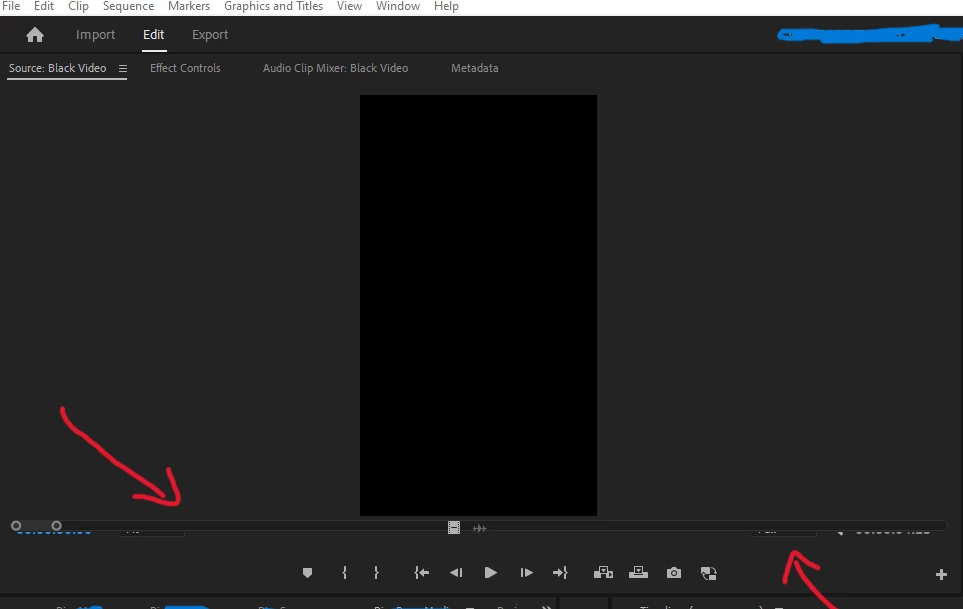
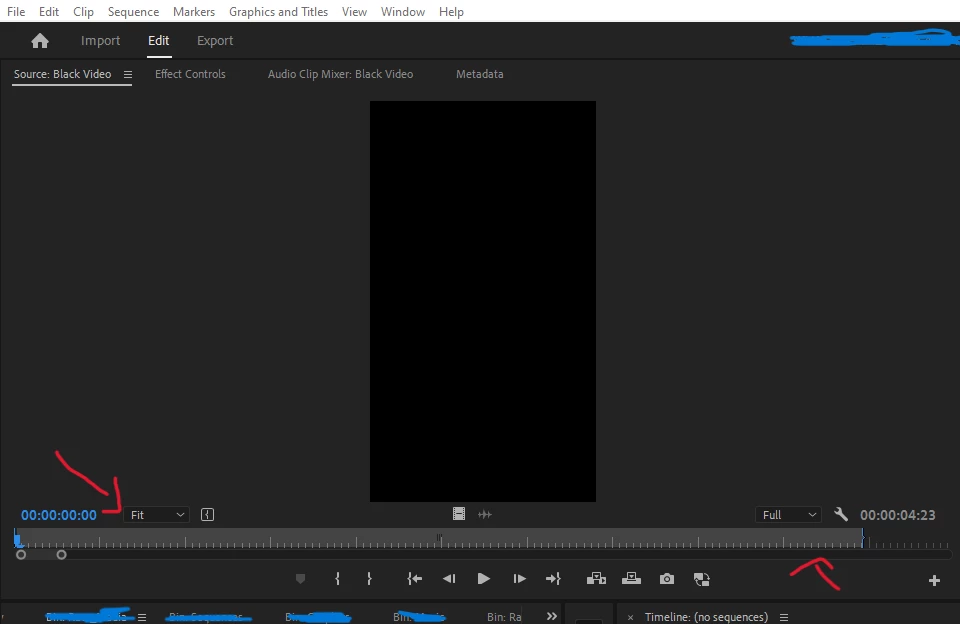
It's not consistent but it happens often. The source monitor loses the "timeline scrub playhead thingy" under the display. My only workaround is to close the project and reopen it. Just checking to see if anyone else has had a similar issue and if so hopefully it can be fixed. Thank you! would love to hear any feedback or other workarounds to help fix this.

Resetting the saved workspace layout doesn't bring it back to normal either.

Thanks again in advance
 

System information

OS Name Microsoft Windows 11 Home

System Manufacturer LENOVO

System Type x64-based PC

Processor 12th Gen Intel(R) Core(TM) i7-12700, 2100 Mhz, 12 Core(s), 20 Logical Processor(s)

Installed Physical Memory (RAM) 16.0 GB

Total Virtual Memory 49.7 GB


This topic has been closed for replies.
Correct answer Ann Bens

This bug has been around for a long time now.

Close panel and open with clip from project window or timeline.

2 replies

Kevin J. Monahan Jr.
Legend
March 26, 2024

Hello @Sean H Director,

Thanks for the message. I apologize for the lack of response to this bug report. Are you still having this issue? The team will need more info from you to reproduce the bug. Can you provide the information required here? How do I write a bug report?


I'll move your post to the Discussions board while we await your information.


Thanks,


Kevin

Kevin Monahan - Sr. Community and Engagement Strategist – Adobe Pro Video and Audio
Ann Bens
Community Expert
Ann BensCommunity ExpertCorrect answer
Community Expert
January 19, 2023

This bug has been around for a long time now.

Close panel and open with clip from project window or timeline.