Participant
March 5, 2019
Answered

Time Remapping Wont work

  • March 5, 2019
  • 5 replies
  • 79421 views

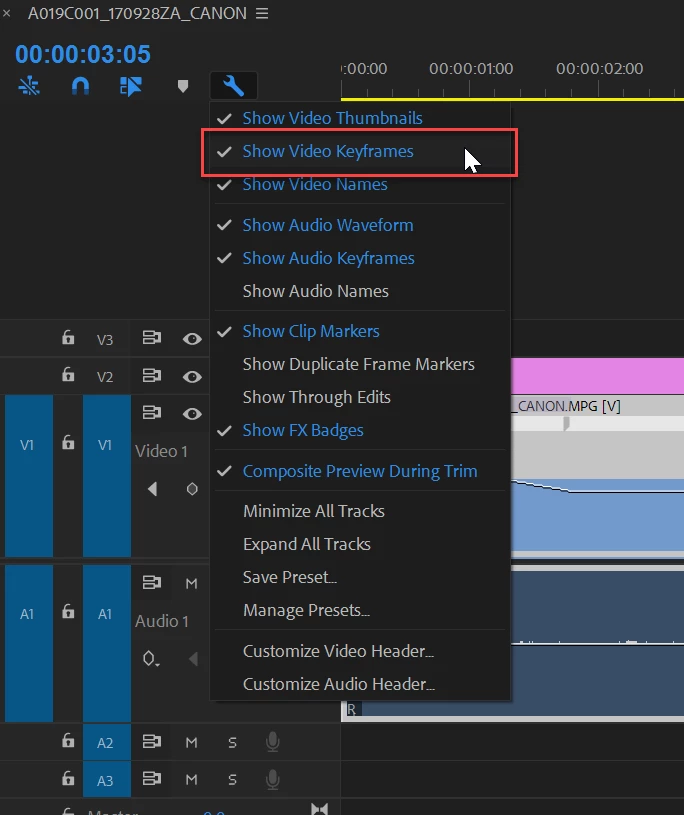
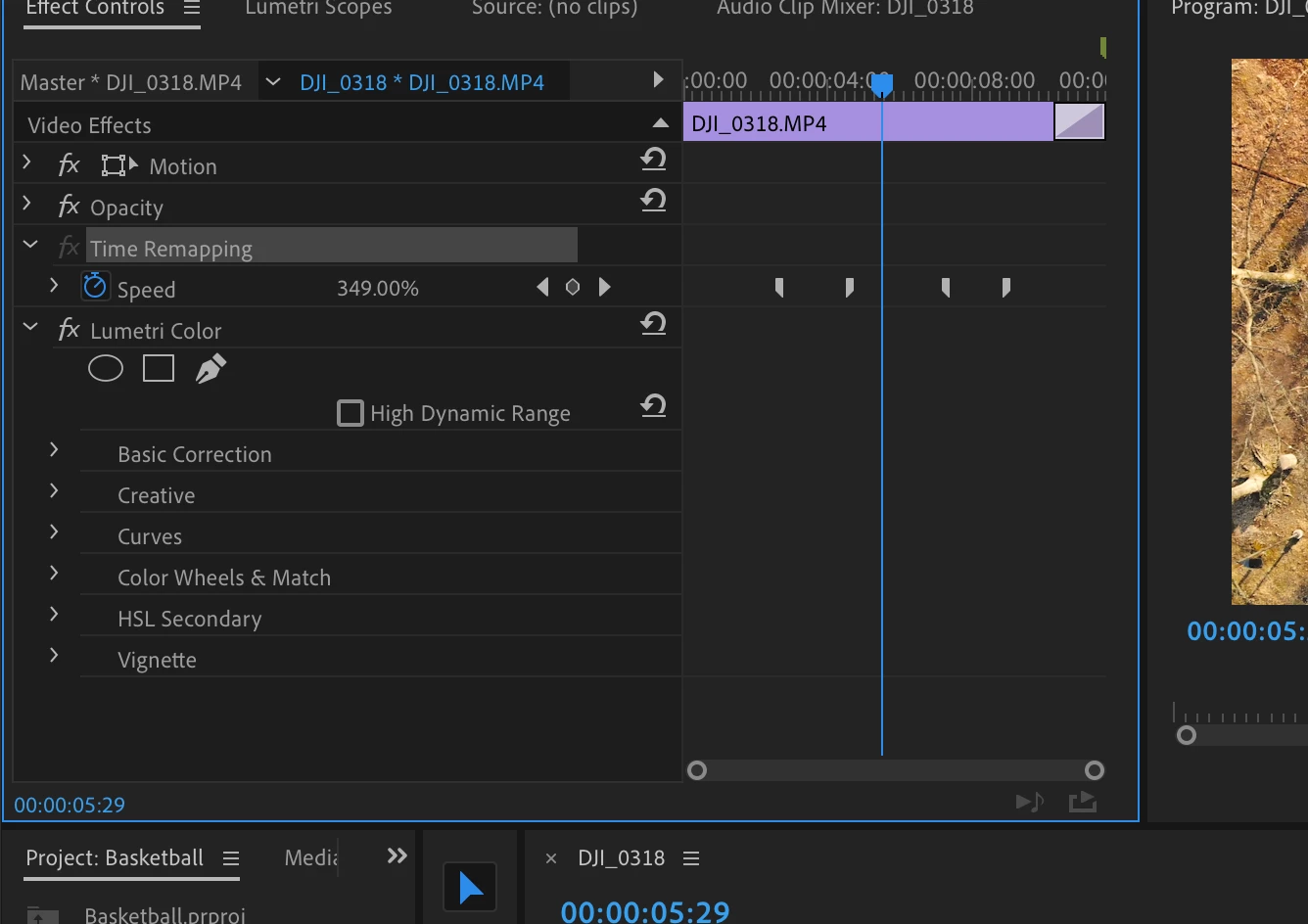
The time remapping is greyed out in premiere pro. I tried toggling it and it wont let me, i tried right clicking > time remapping > Speed, and it still wont work, i cant add key frames, i cant change the speed. I even tried the adobe support but it seemed like he knew less than i did. I reset my preferences, lost my presets, used multiple different clips and different projects and still nothing. It was working earlier and then all of the sudden it stopped. Is there anyone who has had a similar issue that can help? as you can see the FX is greyed out.
    Correct answer Ann Bens

    5 replies

    Participant
    September 17, 2020

    Fixed in 14.4

    Ann Bens
    Community Expert
    Community Expert
    September 17, 2020

    Thread locked as two issues are mixed up.

    EvanLNorthCoast
    Inspiring
    August 25, 2020

    I was having this same issue, which seems to be a bug. Nothing works if when you try to add a keyframe to the line on the clip or drag the line on the clip. However, if you hover on the part of the clip just above the line (and just below the white bar), everything works as usual. You just need to adjust all of your actions up for a bit until the bug is fixed.

    Participating Frequently
    August 25, 2020

    Confirming that Evan's solution just worked for me in 14.3.2

    Participant
    August 25, 2020

    Hmmm - it didn't work for me under windows 10, but maybe that's a windows specific aspect of the bug?

    Ann Bens
    Community Expert
    Community Expert
    August 22, 2020
    Participant
    August 22, 2020

    For what it's worth, that didn't work for me - only a downgrade seemed to do it. 

    Participant
    August 21, 2020

    I having the same issue with remapping not allowing any speed change. Did everything Ann stated here but Premiere will not allow any change in speed on the clip.  Can add keyframes using the Effct window but not with the Pen tool in the timeline. 

    Can confirm it is a bug with 14.3.2.  Remapping was working find last week on 14.3.1, updated and now not working. I rolled back to 14.3.1 and working fine now.  

    Participant
    August 22, 2020

    +1 for this problem. The update hosed my ability to edit time remapping - will downgrade tot he last version and see if that works. I'm on Windows 10. 

    Participant
    August 22, 2020

    Also having this problem.
    How do you downgrade to the last version? I'm trying to edit a project but it won't let me do time remapping.

    Ann Bens
    Community Expert
    Community Expert
    March 5, 2019

    Time Remapping is best done on the timeline.

    Hold down ctrl to set the keyframes.

    Participant
    March 5, 2019

    I've tried this, the white bar the comes up to higher and lower the speed doesn't show up. Im pressing ctrl and it still wont set a keyframe. As you can see, the speed is toggled on, and the keyframes are still greyed out.

    Ann Bens
    Community Expert
    Ann BensCommunity ExpertCorrect answer
    Community Expert
    March 5, 2019