
Inspiring
March 23, 2025
Question

Timeline on sequence disappeared - display error

  • March 23, 2025
  • 6 replies
  • 476 views

Hi!

I was working normally on a project and after exporting a sequence, Premiere crashed. Went to open the project again and it crashed.

I reset preferences, etc. and when I opened the project again, everything seems 'normal' but the sequence I exported 'is there' but the window is empty! I can't see the timeline or clips.
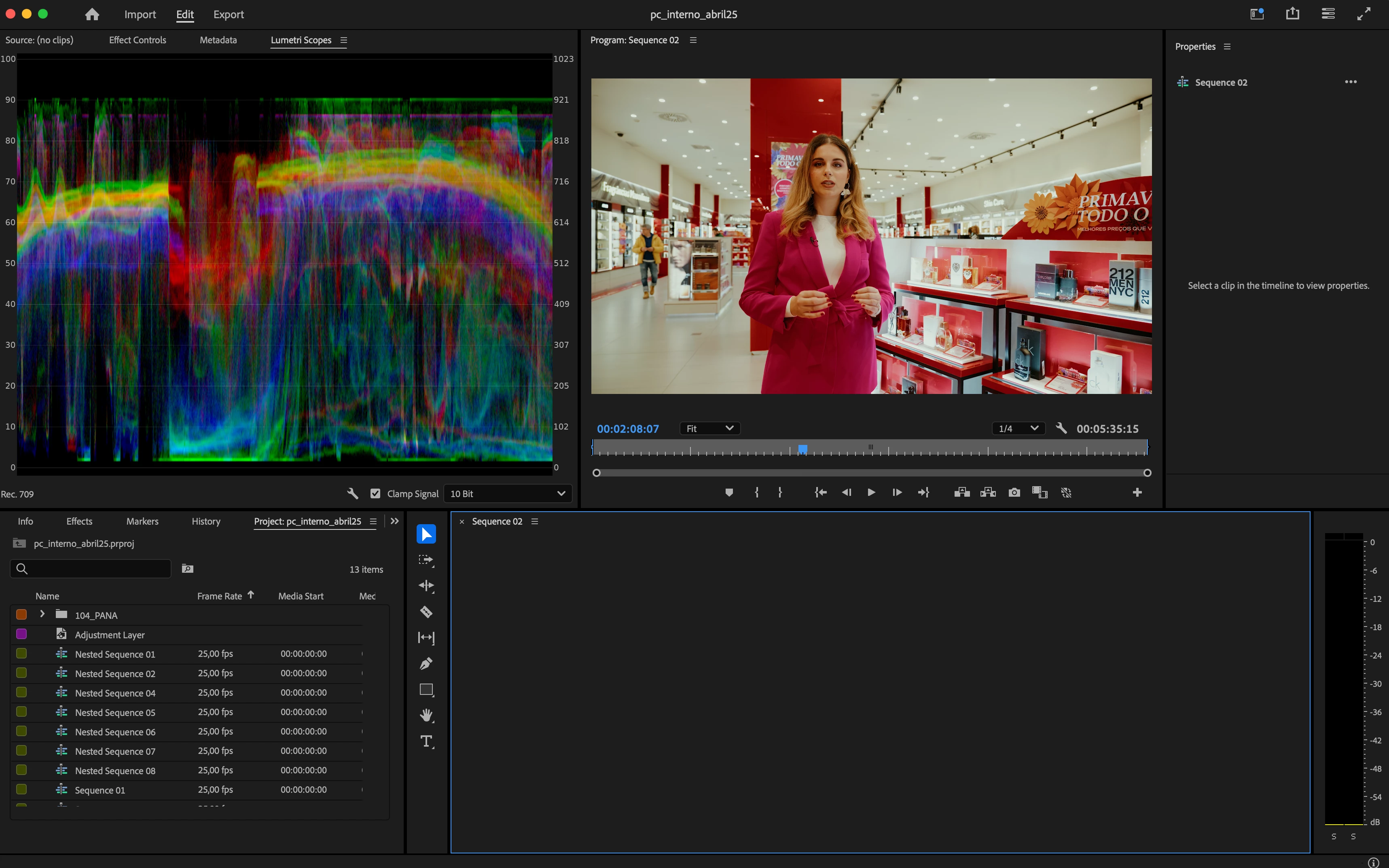
https://imgur.com/a/KRLlwLP


The sequence plays on program window but I can't see the timeline/clips/layers.
Already went through reboot, importing to a new project, resetting workspace, etc.

Other sequences on the same project are normal apparently.


I can't lose the work I already have 😞 Anyone know what to do?

6 replies

Inspiring
March 24, 2025

@Rach McIntire 

I'm running MacOS! Sequoia 15.3.2

I've tried opening the project with the Beta version, same result.


Participant
June 10, 2025

I'm having the same exact problem. So frustrating. Did this ever get resolved? 

Inspiring
March 24, 2025

Right! Can't believe I wrote that ahah

Community Manager
March 24, 2025

Thanks @João Descalço  for that extra info.  Since you are on a Mac, can you tell me exactly which version of the OS you are using?  Is it Sequoia 15.3.2?  Also, if you download the Beta version of Premiere and open the sequence (please duplicate your project and don't update the original project) does it show up?

Peru Bob
Community Expert
Community Expert
March 24, 2025

@João Descalço 

You mean Mac OS 25.1

IOS is a phone operating system.

Inspiring
March 24, 2025

Hi @Rach McIntire 

Thank your for replying. I'm on 25.1 (ios).

I'm not sure how to reproduce the issue, it happened just this time but bugged the project (at least this specifc Sequence):
- This sequence timeline disappeared from its window. The sequence is still 'there' as it can play on program window but I can't see any detail of the timeline: clips, clip properties, every item on context menu is disabled on the project manager, etc. I can't do anything to it.

- I finished working on this sequence and exported it sending it over to Media Encoder. As this happened, Premiere just crashed but the Sequence exported normally on Media Encoder. When I opened it again, the project was behaving normally but this specific Sequence.

- Premiere should show the Sequence timeline as normally would.

- 25.1 

- IOS
- mov. files exporting to H.264, no 3rd party plugins used.


Thank you!


Community Manager
March 24, 2025

Hi @João Descalço,


Welcome to the Premiere Pro forums!  We’re happy you’ve reached out. Can you tell me what version of Premiere you are working on?  Have you updated to 25.1? See if this post is similar to your issue.   We’ll need a bit more info to try to help with your problem. Please see: How do I write a bug report?  I hope we can help you soon.