Inspiring
August 15, 2024
Answered

Timeline render not matching Preview

  • August 15, 2024
  • 2 replies
  • 536 views

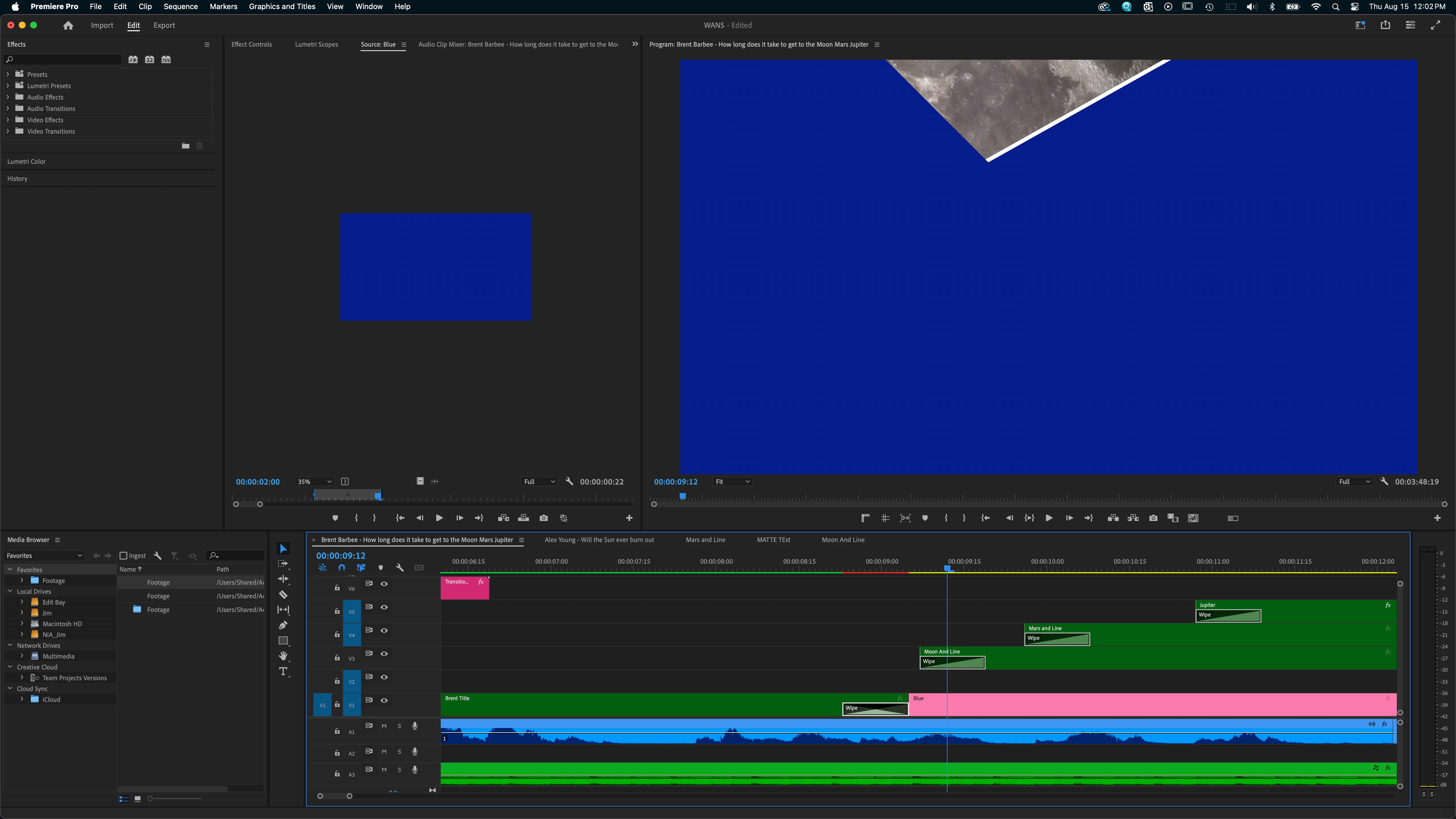
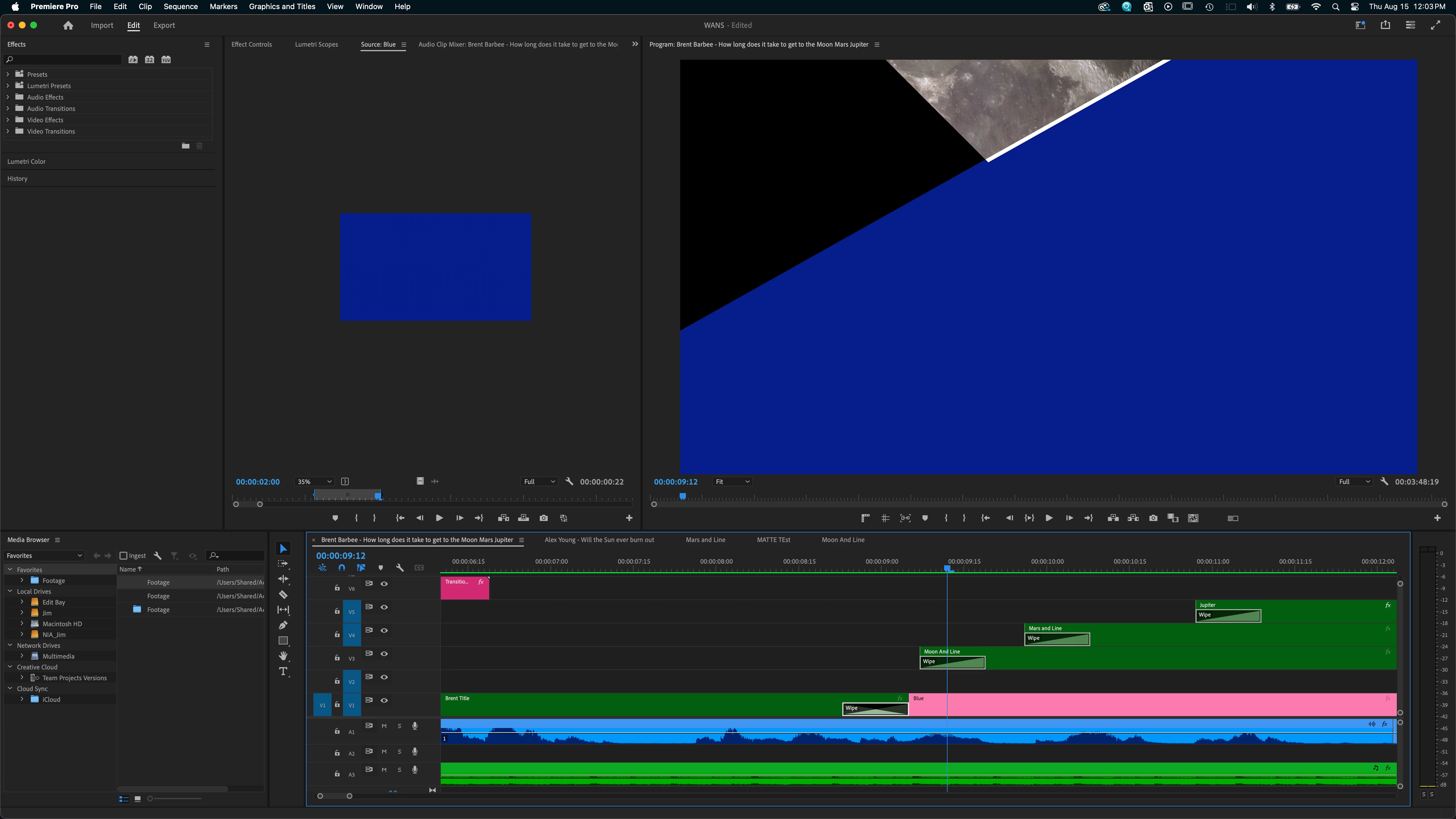
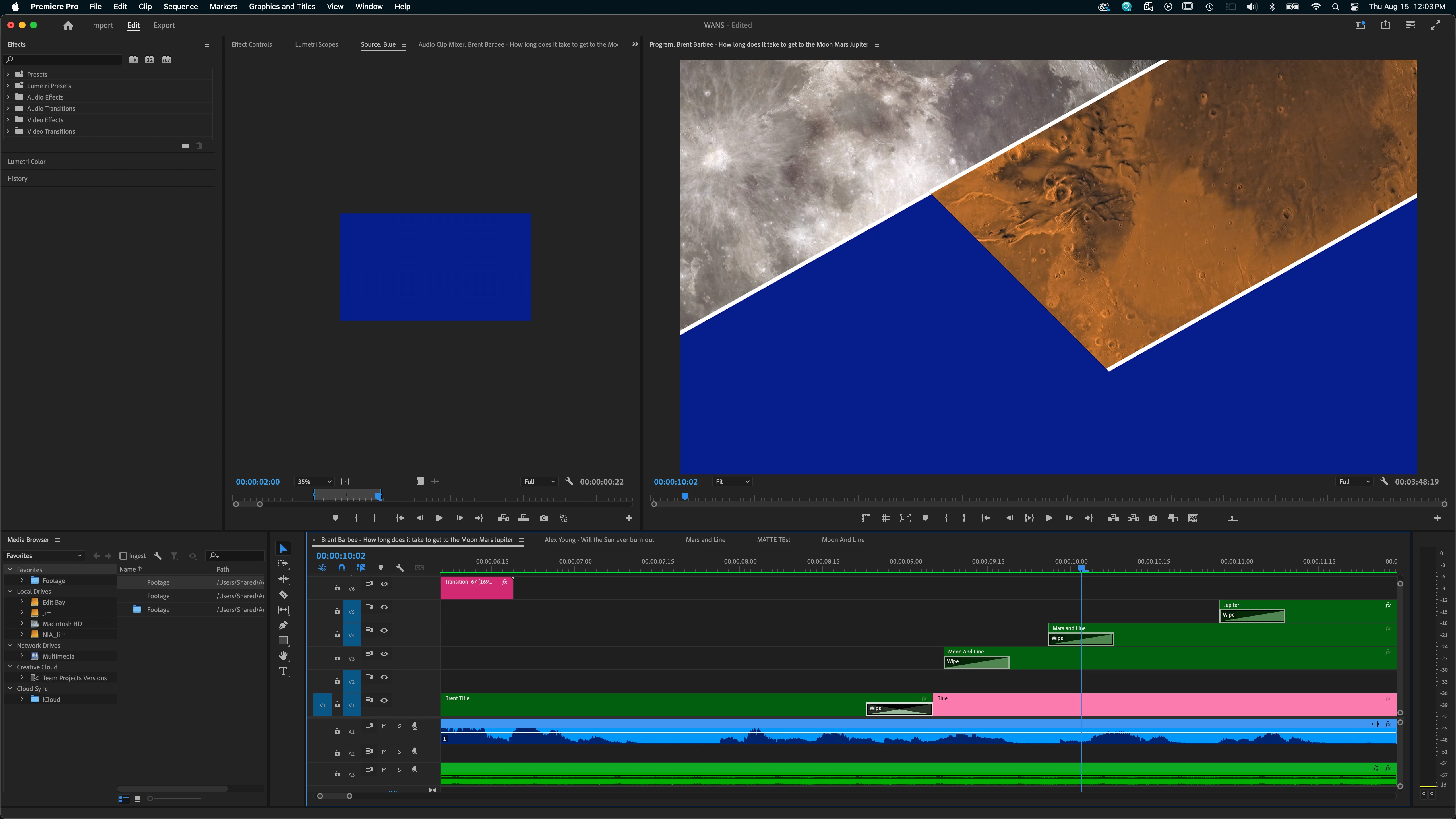
Hello, so I am setting up a ‘three section wipe on’ effect and I’m not getting the same result after I render the effect as I see when it’s previewed. Rendering the effect is changing the effect. I’m using a mask on a video layer, over top a color layer with the same mask expanded to give an outline. I’m then nesting that to wipe on both layers. I’ve done this one three different times on three different layers but one of them does not render properly. I substituted blue here for my video to make it more clear. 


Here’s a still of what I see previewed before I render.
And here’s how the render turns out. 
Here is the same effect being done on the next layer correctly. 
I’m using version 24.5.0 on Mac osx 14.2.1 

Thanks.

This topic has been closed for replies.
Correct answer Kevin-Monahan

Hi @James5FC9,

Thanks for the bug report. Can the team have more information about your version of Premiere Pro, your system, the media you are using, and your workflow? See, How do I write a bug report?


If you see the effect correctly while previewing but not after you render it, I can understand why that is confusing.


Since you are using nesting, a combination of transitions and effects you are using might be the cause of the issue. Try substituting a keyframed wipe effect instead of a transition, for example.


Feel free to send me your project file. The team would be happy to take a look at it.


Sorry for the problem!


Cheers,
Kevin

2 replies

James5FC9Author
Inspiring
August 16, 2024

Thank you, it seems the problem is the wipe transition in combination with the masking layers. Once I tried key-framing a mask wipe instead the render was correct. But just in case you do look into why this combination of effects fails at render my specs are


PP Version 24.5.0 


MacBook Pro Core i9  

OSX 14.2.1 

Radeon Pro Vega 20 4GB 

32GB Ram


Media .JPG stills over H.264 video

Kevin-Monahan
Community Manager
Kevin-MonahanCommunity ManagerCorrect answer
Community Manager
August 15, 2024

Hi @James5FC9,

Thanks for the bug report. Can the team have more information about your version of Premiere Pro, your system, the media you are using, and your workflow? See, How do I write a bug report?


If you see the effect correctly while previewing but not after you render it, I can understand why that is confusing.


Since you are using nesting, a combination of transitions and effects you are using might be the cause of the issue. Try substituting a keyframed wipe effect instead of a transition, for example.


Feel free to send me your project file. The team would be happy to take a look at it.


Sorry for the problem!


Cheers,
Kevin

Kevin Monahan - Sr. Community and Engagement Strategist – Adobe Pro Video and Audio