
Inspiring
December 6, 2023
Question

Transcription fails on random clips

  • December 6, 2023
  • 6 replies
  • 761 views

I'm nearly finished a large project and was in the midst of doing the captions. This one is strange - I've re-transcribed a source clip a number of times. I've even modified the audio channels so only audio 2 which has the dialogue on it is available. No matter what I do transcription fails saying no dialogue found (there is definitely dialogue on the track). I load the clip into the source window and get the following 
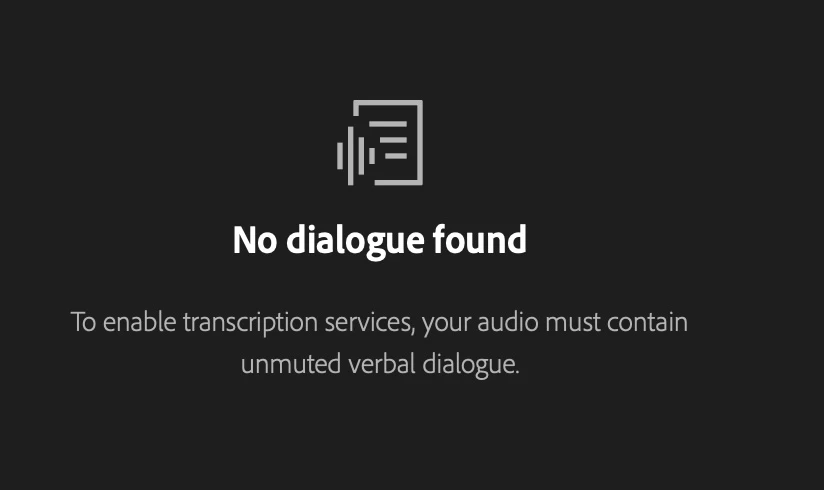
However, when I create a sequence with the exact same clip and do a static transcript (no adjustment to audio, levels etc - just the raw clip) PP happily transcribes the clip.

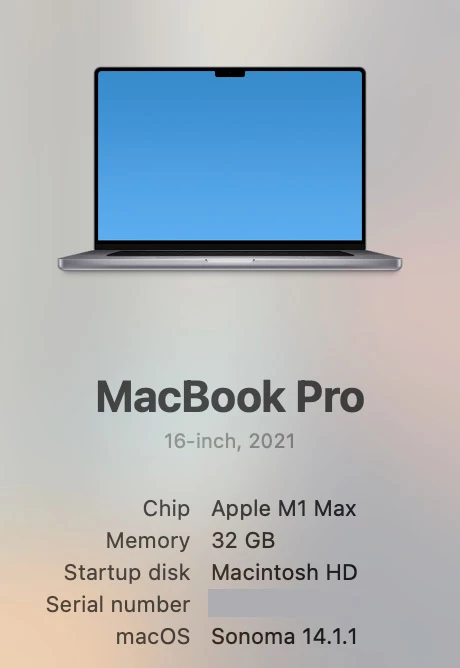
My process for captions is to adjust the transcript and then generate the captions and then go through a second pass to check captions before sending to client for their feedback.  There doesn't seem to be any way to manually enter a transcript. So I'm a bit stuck. I will try to do a static transcript in to out top get around this. The media in question was a Sony FX9 clip if that's relevant. Machinespecs in image below.
 

This topic has been closed for replies.

6 replies

Stan Jones
Community Expert
Community Expert
December 7, 2023

Release version 24.1 is now out. I'll try to test soon....


Good ideas. I suspect the problem with an auto-update from the transcript would be a) how to avoid overwriting captions adjustments and b) The programming that translates transcript times and segments into caption times and segments would affect more than the small change made in captions. But this is an important time saver when your only choice is to redo the entire caption track.


Stan


Inspiring
December 7, 2023

Thanks for the suggestion Matt but no - it was an FX9 - 8 mono channels with main (and only) audio on channel two. PS I record all main dialogue to discrete mono channels. As Stan said the issue has been addressed in the beta . Hopefully some of the beta features will hit the release version soon. 

Inspiring
December 7, 2023

PS _ I would have thoughr a much simpler soplution would have been to add a "+" button into the transcript window... infact it would be great if you could change paragraph structure inthe transcript window as quite often the engine does some weird things.... so buttons similar to the ones in the caption window. Split, join, add.

Inspiring
December 7, 2023

Hi Stan 


I can report the beta solved the issue 🙂 Unfortunately I had to get something out ot my client before your response. My workaround was a bit Rambo. I put the clip down in a separate sequence and then copied the resulting captions into the caption line - I gave up trying to fix the transcript. This would actually be a feature request of mine which I'll have to post - that any corrections to captions get carried through to the transcript and similarly any changes made to the transcript get reflected in the captions - sort of a "live transcript" buttton.

Thanks


John

Stan Jones
Community Expert
Community Expert
December 6, 2023

John,


@nbechere found the problem with a very odd situation in the link @mattchristensen gave you. Check it out.


You are more likely to be having the problem in the Release versions (PR 2024.0.0 and 2024.0.3) with Sony FX MXF footage.


The problems are fixed, I think, in the Beta. And I think the crashing problem you had in the Beta is fixed in the newer builds. Give it a shot and let us know.

Thread with some discussion of the mxf issues:

https://community.adobe.com/t5/premiere-pro-bugs/premiere-pro-2024-0-not-transcribing-source-clips/idc-p/14201112#M16938


> I've even modified the audio channels so only audio 2 which has the dialogue on it is available. 

Some users reported success with some formats with changing audio channel assignments. I have not. If that is what you did, it may not work. If the Beta is not an option, you're stuck with one of the workarounds:

https://community.adobe.com/t5/premiere-pro-ideas/audio-track-selection-for-source-media-transcription/idi-p/13828019


> There doesn't seem to be any way to manually enter a transcript. 

The still relatively new "import corrected transcript" may be able to do this.


  1. In PR, create a static transcript of your sequence. You can use source transcripts, but then you have to import corrected transcripts for each clip.
  2. Correct text in the transcript.
  3. Remove line endings, timecodes, and speaker identification to create a single, word-wrapped paragraph with the original lines only separated by a single space – no lines. There will be no timecodes, and no speaker information. There is no added space at the beginning or end and only one final return. I do this using macros/regex in Notepad++.
  4. In PR, in the Transcript tab for the Sequence, import this file as corrected. The text is divided by the original PR transcript timecodes (and I think Speaker ID).
  5. You create captions from this “new” transcript.


"Import corrected" is still being improved, but this worked pretty well the last time I tested it.


Let us know.


Stan


mattchristensen
Legend
December 6, 2023

@JOHN MONDO Which version of Premiere Pro are you using? Also, what is the audio channel configuration of your media? If it's Stereo, see the answer here as maybe it was recorded with an inverted phase and so the transcription engine is essentially hearing silence: https://community.adobe.com/t5/premiere-pro-beta-discussions/text-based-editing-transcription-not-recognizing-dialogue-audio/m-p/14269062#M8411