


Known Participant
May 8, 2022
Answered

Transcription taking a long time.

  • May 8, 2022
  • 3 replies
  • 18171 views

My subject is speaking Spanish. Transcribing to English to use as captions in PremierPro. Using audio track only (A1) and transcribing only from in-point to out-point. The clip is 48 seconds in duration. The transcription appears to be stuck. Showing "Creating auto transcription... Initializing local transcription engine." It has now been running for about 15 minutes. Should it take that long?
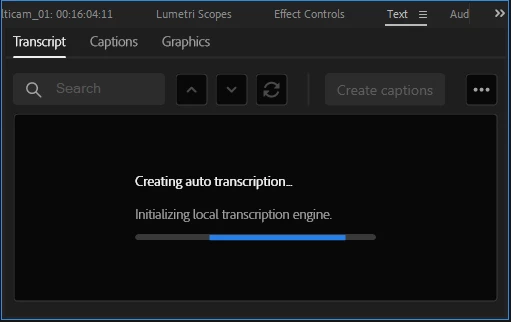
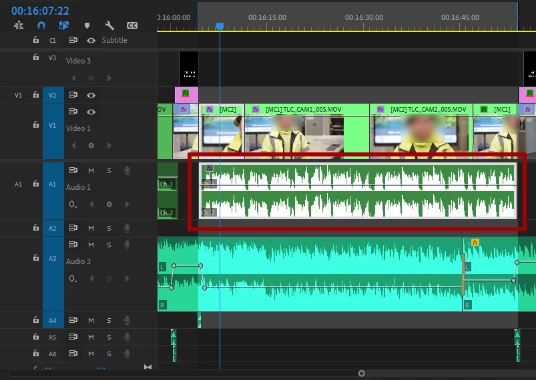
 

***Please note: the selected audio track (A1) is from a MULTI-CAMERA SEQUENCE. Not sure if that should have any adverse effect.


Thanks in advance....

Correct answer Stan Jones

Same here. I'm only transcribing myself, an English speaker, to English in a 3-second audio clip. The video is only around 2 mins 50 secs in length. It keeps getting stuck on "Beginning Language Pack Download". I'm new to Premiere Pro, does anyone know how to exit to try again or what I can do to solve it?


See this post:

https://community.adobe.com/t5/premiere-pro-discussions/inicializando-el-motor-de-transcripci%C3%B3n-local/m-p/12756310#M395633


What version of PR are you running? Is it an English installation?


Stan


3 replies

Participant
July 20, 2025

I had this problem and found a working solution for me. I uninstalled the versions of Premier pro and Speech to Text apps from my Windows PC then installed the right Speech to Text (year of Adobe software e.g. 2023 in my case since 2025 and 2024 had issues) then next install Adobe Premier pro 2023. This solved the issue for me.

OldScoutAuthor
Known Participant
May 16, 2022

I must have overlooked something because after I tried a few more times, it worked fine.


Thanks for your help.

Stan Jones
Community Expert
Community Expert
May 16, 2022

Thanks for reporting back.


Stan

Stan Jones
Community Expert
Community Expert
May 8, 2022

OldScout,


> My subject is speaking Spanish. Transcribing to English to use as captions in PremierPro. 


I'm not sure what you mean. The audio/speech is Spanish. You can only create a spanish transcription using the PR speech to text. Then you will  create a translation?


Your operating system is English or Spanish? You have the spanish language pack downloaded?

https://community.adobe.com/t5/premiere-pro-discussions/inicializando-el-motor-de-transcripci%C3%B3n-local/m-p/12756310#M395633


I have not tried a multicam track, but it should work. I might try exporting that segment to wav and importing that for speech to text.


Stan