Participant
June 14, 2021
Answered

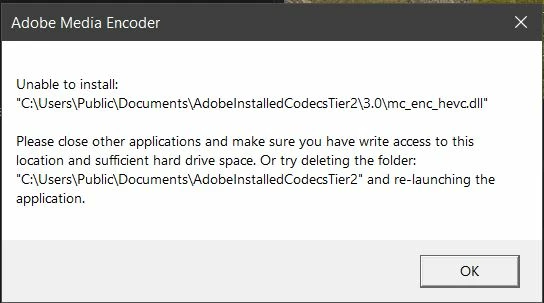
Unable to install mc_enc_hevc.dll
  • June 14, 2021
  • 18 replies
  • 28190 views

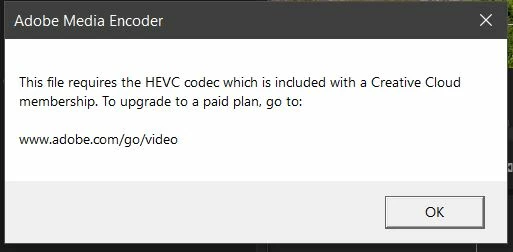
I have tried all solutions found through google and used the adobe cleaner to do a fresh install of premiere, nothing seems to get this DLL to load properly. I do have an active Adobe CC subscription as well.


  1. OS: Windows 10

  2. Version: Adobe Premiere Pro Version 15.2.0 (Build 35)

  3. System: 1700x 32gb RAM RTX 3070rakc

  4. Footage form Canon R5: H.265 4:2:2 10-bit UHD 4k @ 59.94fps

Correct answer marcelov96479431
Logré reparar el problema. Se soluciona creando otro usuario administrador
en windows. Al activar el nuevo uso de Adobe premiere termina funcionando.

18 replies

Participating Frequently
February 8, 2022

I have the same issue. Any solution?

Participating Frequently
February 8, 2022

Yep if you have Microsoft family restrictions. It won't let you install it into the folder. You have to do it on a side that has admin.

Participating Frequently
January 30, 2022

Anyone find the solution?


Participating Frequently
January 30, 2022

Im still looking an answer for this problem. Can't find it! 😞 

Participating Frequently
January 15, 2022

Any fix?

Participating Frequently
January 30, 2022

Still looking for this fix. Adobe cant solve it?


Participating Frequently
October 20, 2021

Any update on this?


rackermanAuthor
Participant
October 20, 2021

I have since updated to the latest version of premiere and did some
hardware changes to my PC and the issue has been resolved. Wish I had
better advice to give. --
Robert Ackerman
[personal info deleted by mod]

Participating Frequently
October 23, 2021

Darn this sucks i cant render my project or anything. 

Participant
August 28, 2021

Conseguiste solucionarlo?


Known Participant
June 27, 2021

same issue

prbarfield
Participant
June 16, 2021

Same issue here.

Think it may have been from the recent Nvidia Driver or Windows update. I hope..

prbarfield
Participant
June 27, 2023

Two years later still having this issue....