


yoyf50075118
Participant
June 22, 2025
해결됨

Unable to show all audio in a single row with a single waveform on a timeline

  • June 22, 2025
  • 1 답변
  • 131 조회

Hi Experts, do you konw how to chagne my default settings, so that whatever audio I dragged onto my timeline will be displayed in a single track with a single waveform?


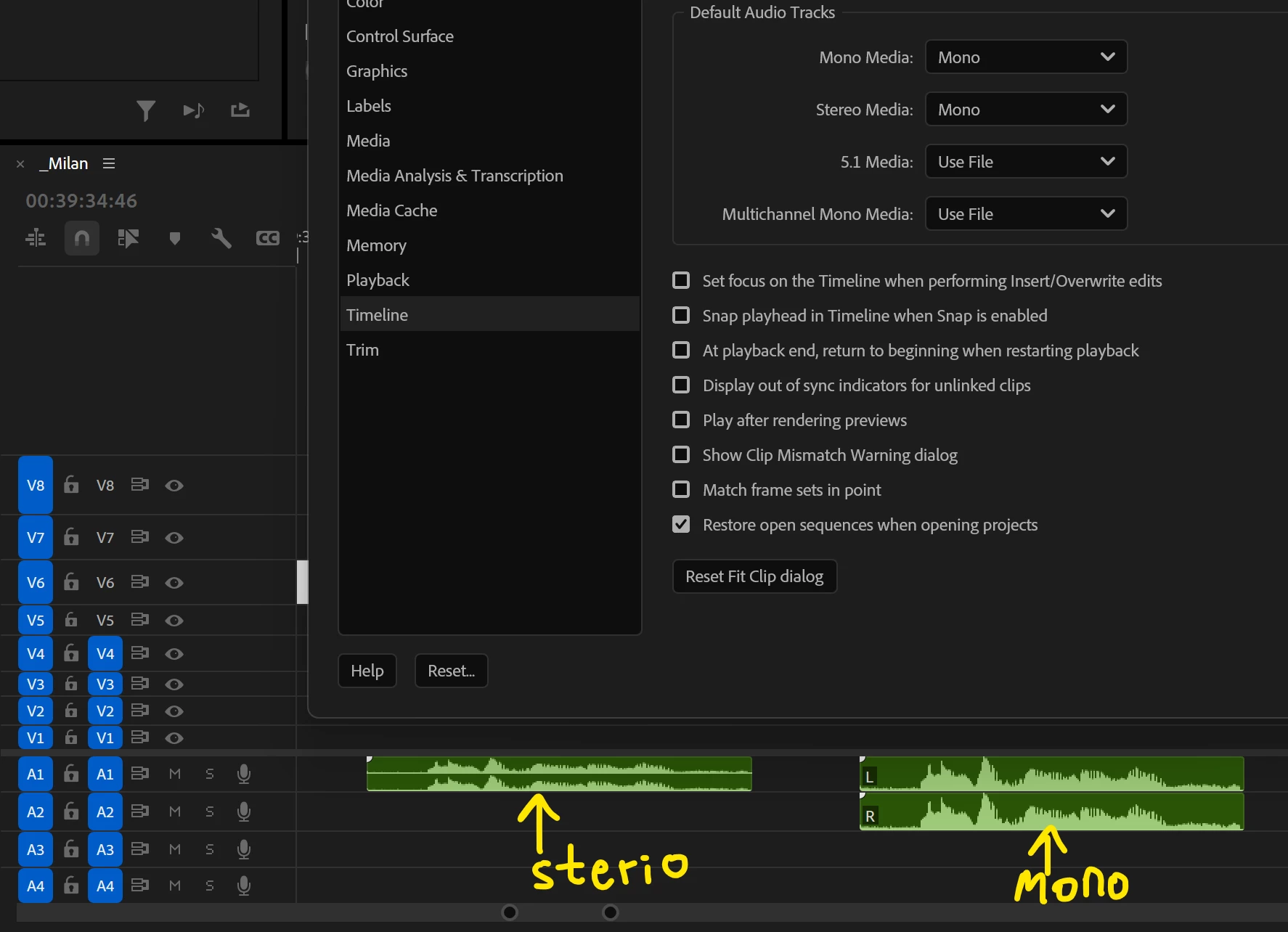
I tried Preference > Timeline > Default Audio Tracks, set it to "Sterio" , gives me two waveform in a single track ;

I also tried Preference > Timeline > Default Audio Tracks, set it to "Mono" , gives me one waveform in two tracks ;


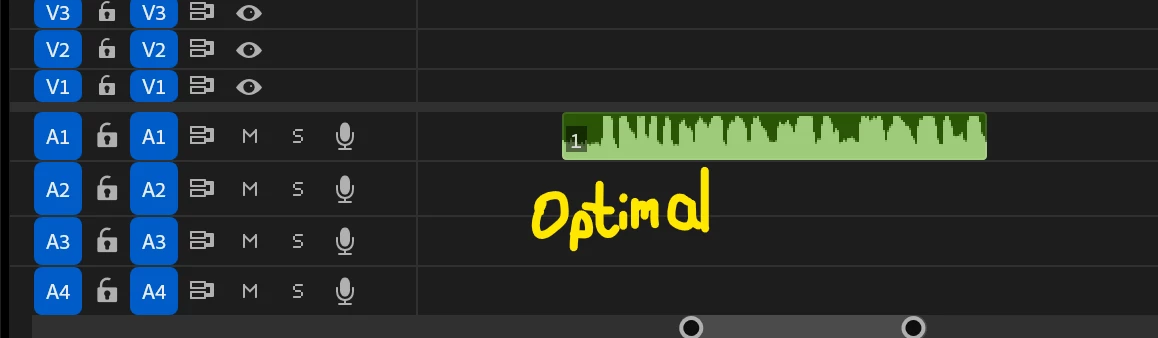
but none of these are optimal. Anyway to default all audio as one waveform in one track in my project?

Thankssss!


최고의 답변: Sumeet Kumar Choubey

Hi yoyf50075118,

Welcome to the community! For this, you may set Default Audio Tracks preferences to Mono & then create a New sequence preset with the Track Type set to Mono instead of Standard (File > New > Sequence > Tracks). Please note that this will only affect new sequences which are created based on this new preset. For existing sequences, you can remove existing tracks & add new Mono tracks if required. Hope this helps.


Thanks,

Sumeet

1 답변

Community Manager
June 23, 2025

Hi yoyf50075118,

Welcome to the community! For this, you may set Default Audio Tracks preferences to Mono & then create a New sequence preset with the Track Type set to Mono instead of Standard (File > New > Sequence > Tracks). Please note that this will only affect new sequences which are created based on this new preset. For existing sequences, you can remove existing tracks & add new Mono tracks if required. Hope this helps.


Thanks,

Sumeet