




Welcome to Premiere Pro 15.4!
Welcome to Premiere Pro 15.4!

Hello and welcome to July release of Premiere Pro! Premiere Pro 15.4 is now available for download from the Creative Cloud desktop app. Premiere Pro 15.4 introduces Speech to Text, the first integrated and automated workflow for adding and customizing captions for video. This release also adds native support for Apple M1 devices, new tools for stylizing titles and captions, and other workflow improvements that help you work faster and deliver content that connects with your audience.
This update is recommended for all users.
If you are experiencing any issues, please create a new post explaining your issue so we can help.
If you have a bug to report or any complaint, please do that on User Voice.
New Features in Premiere Pro 15.4
Speech to Text
The industry’s only integrated NLE solution for captioning videos, includes automated transcription, a dedicated Captions track on the Timeline, design tools for customizing captions, and a full range of export options.
More info
Transcript editing tools
Review and edit transcripts easily, with tools like search and replace, insert pauses, the ability to distinguish between speakers, and an option to export text files from the Transcript panel.
Generate captions automatically
Powered by Adobe Sensei, Speech to Text transforms transcripts into caption items on the timeline, matching the pacing of your dialog. If needed, you can apply broadcast captioning presets or create your own.
Native support for Apple M1 computers
For macOS users, everything is faster on the Apple M1 - from launch times to export, and editing is buttery smooth. Premiere Pro allows you to take advantage of the latest hardware advances.

New titling and caption tools
Even more tools for stylizing text and captions, including multiple shadows for text, text background enhancements, and expanded font substitution for 28 different international alphabets.

Upgrade Legacy Titles to Source Graphics
Convert Legacy Titles into Source Graphics within your Premiere Pro projects. Source Graphics are displayed in the Project panel where you can track and sort them like any other project item.

Color improvements: Tetrahedral LUT interpolation
Tetrahedral LUT interpolation in Premiere Pro offers more precise interpretation of color information for better consistency when grading footage with difficult lighting conditions, such as strong shadows and highlights in the same shot, and reducing the chances of introducing banding during post-production.
Faster Team Projects
Premiere Pro offers faster saving for Team Projects, thanks to a lean new project file structure. Now in public Beta, progressive project loading means you can start working faster after opening existing projects and improved media relinking makes it easier to keep local assets organized..
Label colors and clip names
Customize label colors and clip names on the timeline with the option of limiting the change to the current sequence, or applying the change to your source media – helpful for editors working on shared Productions.
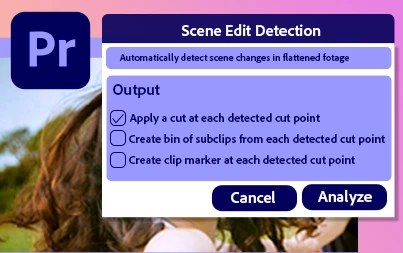
Faster Scene Edit Detection
Scene Edit Detection, powered by Adobe Sensei, is up to 2x faster on macOS and Windows, and 3X faster on Apple M1 devices.
Automatic audio device switching
Premiere Pro on Windows now detects changes and switches automatically when you swap out audio devices, such as interfaces, microphones, or headphones.
Discontinued CUDA and OpenCL support on macOS
As macOS moves towards modern Metal-based graphics, we are discontinuing our support for CUDA and OpenCL graphics.
 AdChoices