



Welcome to Premiere Pro 22.4!
Welcome to Premiere Pro 22.4!

Hello and welcome to the May release of Premiere Pro! Premiere Pro 22.4 is now available for download from the Creative Cloud desktop app. The new features include:
- Export GIFs with transparency
- Distribute objects in titles and graphics
- 10X faster exports for 10-bit 4:2:0 HEVC on macOS and AMD
- Improved QT screen recording playback
- Smart rendering improvements
- HDR proxies
This update is recommended for all users.
If you are experiencing any issues, please create a new post explaining your problem rather than placing it here so that we can help. If you have a bug to report or any complaint, please do that on User Voice.
New Features in Premiere Pro 22.4
Export GIFs with transparency
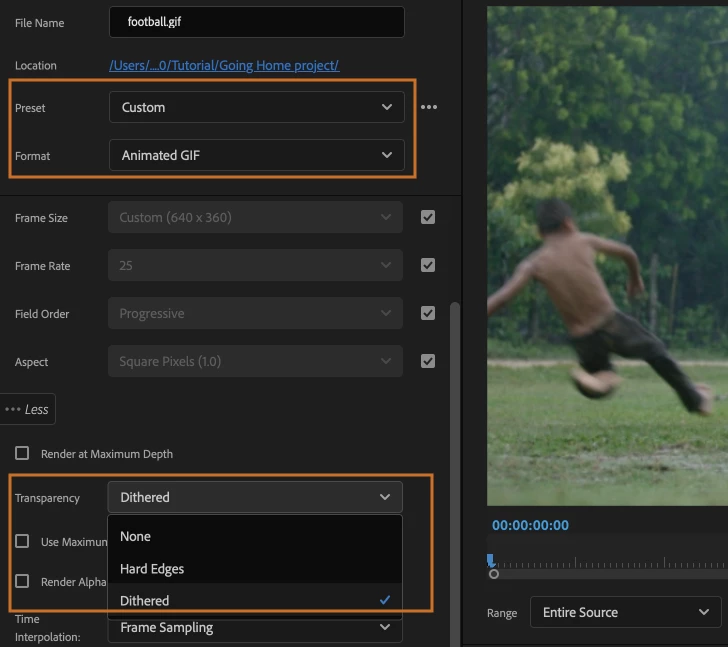
Premiere Pro now supports transparency when exporting GIFs, adding greater flexibility for short social media content.
For more information, see:
Export video
Export settings reference for Premiere Pro
Distribute objects in titles and graphics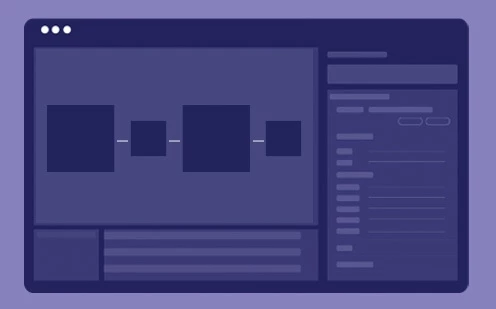 You can now distribute objects on the Program Monitor by moving text or shapes so that their edges are equally distant from each other.
For more information, see Align and distribute text and shapes.
10x faster exports for 10-bit 4:2:0 HEVC on macOS Export times for your 10-bit 4:2:0 HEVC footage are significantly faster on Mac Intel and M1 systems.
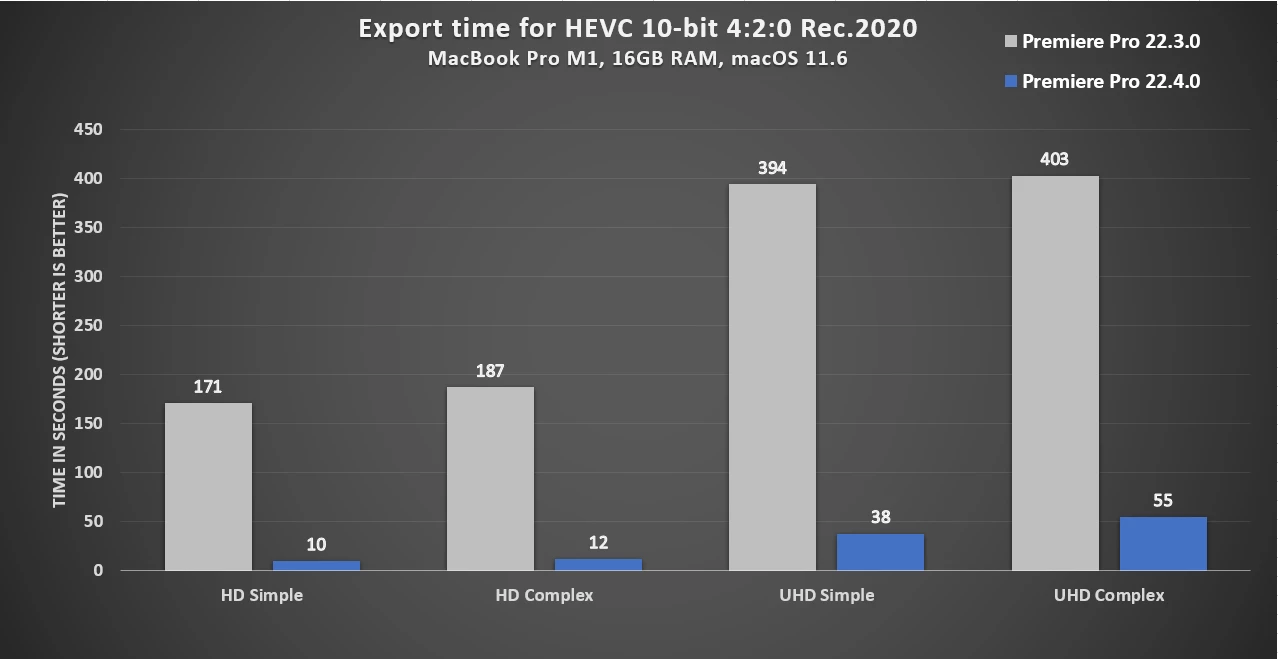
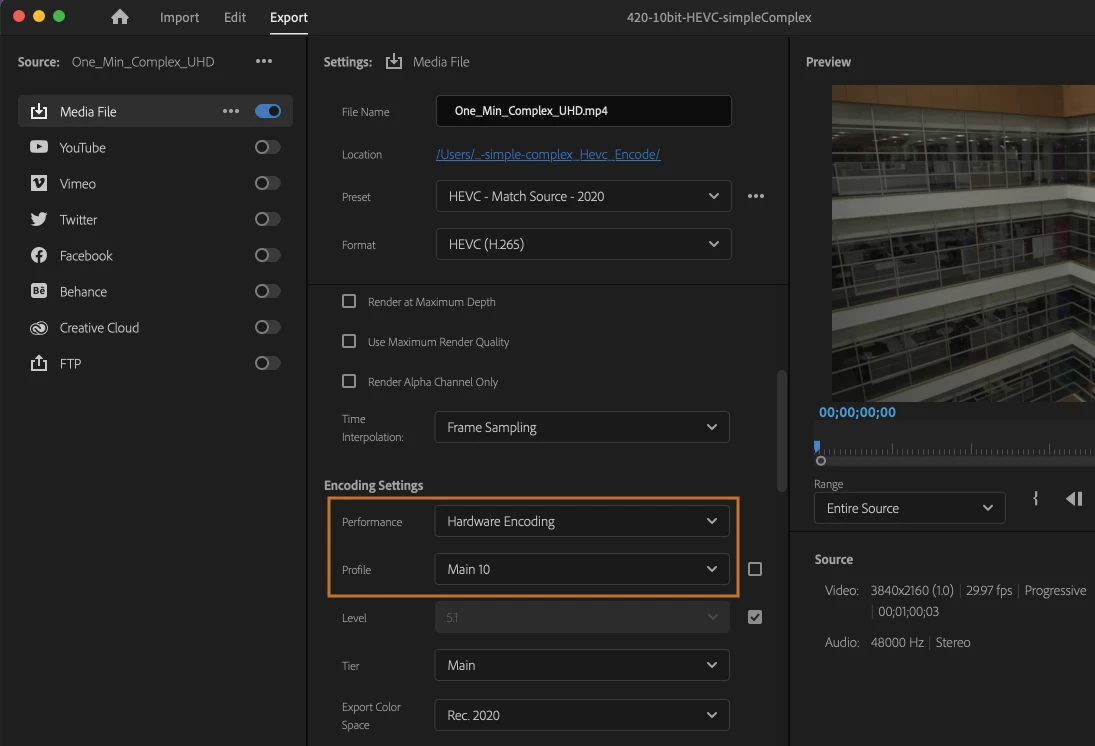
Select HEVC from the Format drop-down under Export Settings to enable this option. Then under the Video tab, go to Encoding Settings. If the system supports hardware encoding, the Performance field is set to Hardware Encoding. Set the profile level to Main 10. Setting it to Software Encoding will disable hardware encoding, and Adobe Premiere Pro won't use hardware to encode the media.
The minimum OS version required for this feature to be enabled is macOS Big Sur (version 11).
On Apple M1 systems, HEVC HLG 4:2:0 10-bit encoding still encodes via software.
10x faster exports for 10-bit 4:2:0 HEVC on AMD Exports for 10-bit 4:2:0 HEVC footage are up to 10x faster for supported AMD GPUs on Windows.
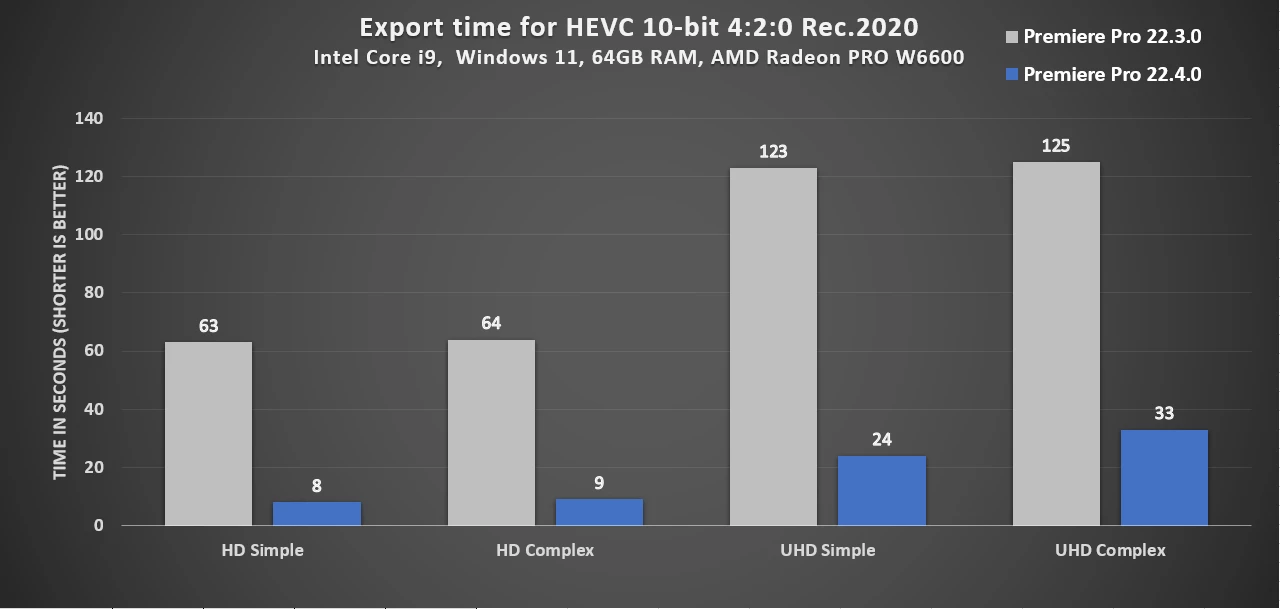
Select HEVC from the Format drop-down under Export Settings to enable this option. Then under the Video tab, go to Encoding Settings. If the GPU card supports HW encoding, the Performance field will be set to Hardware Encoding. Set the profile level to Main 10. Setting it to Software Encoding will disable hardware encoding and Adobe Premiere Pro won't use AMD hardware to encode the media.
If you have an AMD GPU card that supports 10-bit 4:2:0 HEVC encode on your Windows machine, you will be able to use this feature.
HEVC 10-bit encoding is enabled in Navi10 and up. Consumer: RX 5XXX, RX 6XXX, Pro: W 5XXX, W 6XXX. The minimum driver version required is 21.10.1. Its corresponding Windows Driver Store version for Win 10/11 is 30.0.13025.1000.
Improved QuickTime screen recording playback Work more easily with screen captures, thanks to smoother playback and scrubbing of QuickTime screen recordings in this release of Premiere Pro.
Smart rendering improvements Use smart rendering to speed up exports by taking advantage of matching codecs and sequence previews. Smart rendering improvements in this release provide greater reliability and faster exports for supported formats.
For more information on smart rendering, see Smart rendering.
HDR Proxies Work faster with HDR footage by creating HDR proxies of your media. Generate smaller medium- and high-resolution copies of your files in the correct color space automatically. HDR proxies match the originals visually and offer improved performance while editing.
To create proxies in Premiere Pro, right-click on your media in the Project panel and choose Proxy > Create Proxies. Then select your preferred format. Adobe Media Encoder generates proxies in the background so you can continue editing. Once your proxies are ready, Premiere Pro automatically swaps them in, providing better performance while you edit. You can easily toggle back and forth between the proxies and your source files, for example, to check for quality, crop in on high-resolution footage, or color grading.
For more information, see Create proxies.
-----------------
Premiere Pro Beta
There are currently no new features in Beta. Premiere Pro's import, export, header bar, and Auto Color (called Auto Tone while in Beta) features are now available in the latest main release of Premiere Pro. Download it from Creative Cloud Desktop and get started editing.
 AdChoices