Participant
February 8, 2020
Question

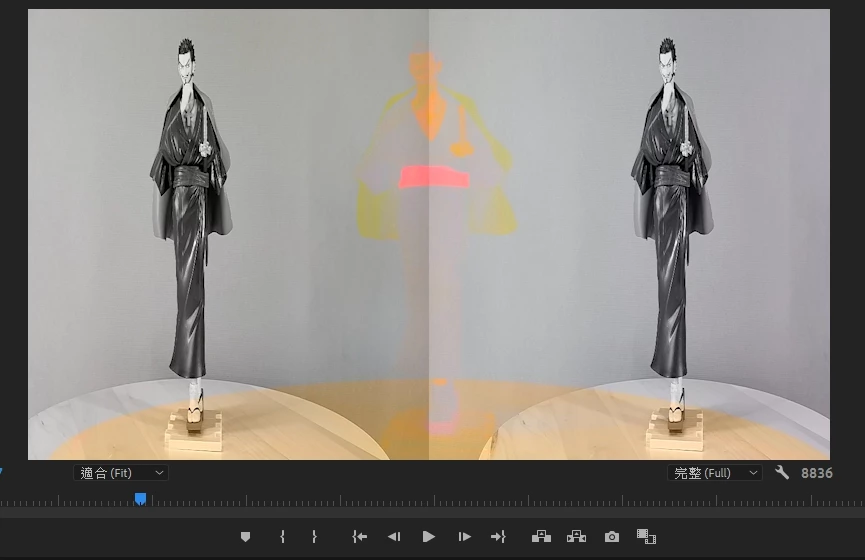
what happen to my Premiere ?

  • February 8, 2020
  • 4 replies
  • 165 views

This topic has been closed for replies.

4 replies

Stan Jones
Community Expert
Community Expert
February 8, 2020

I think Ann is on the right track. What does MediaInfo show for the properties of the source file? What are the sequence settings?


Stan

Ann Bens
Community Expert
Community Expert
February 8, 2020

Seen this before: are these vob's?

BTW have no solution.

Peru Bob
Community Expert
Community Expert
February 8, 2020

Try resetting the preferences:
https://community.adobe.com/t5/Premiere-Pro/FAQ-How-to-reset-trash-preferences-in-Premiere-Pro/td-p/8236158

If that doesn't work, try resetting the Workspaces:
Reset a workspace
Reset the current workspace to return to its original, saved layout of panels.
1. Do one of the following:
• Click the Workspace menu icon and select Reset to Saved Layout.
• Choose Window > Workspace > Reset to Saved Layout.
from here:
https://helpx.adobe.com/premiere-pro/using/workspaces.html

If that doesn’t work, try updating or rolling back your graphics driver directly from the video card manufacturer’s site.