Participating Frequently
August 19, 2020
Question

What's wrong with my Premiere Pro Exporting settings?

  • August 19, 2020
  • 3 replies
  • 258 views

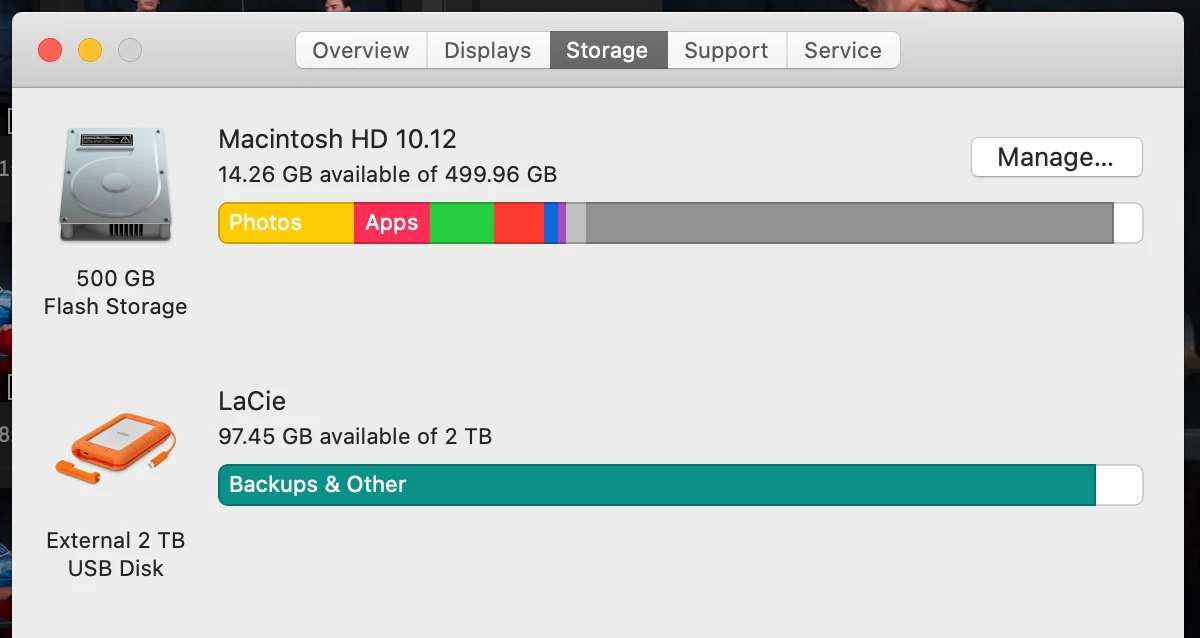
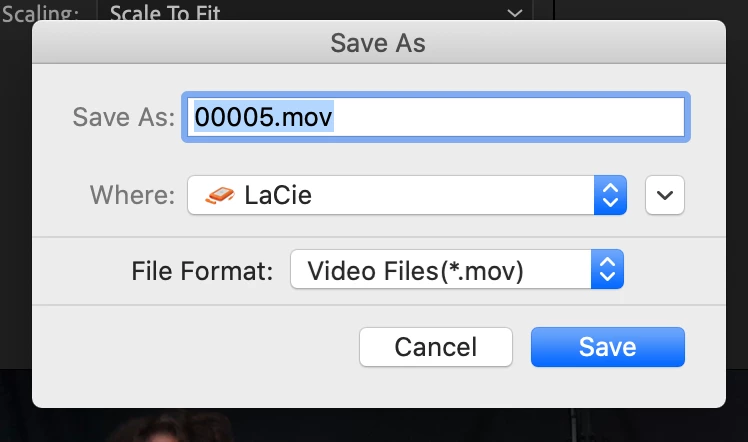
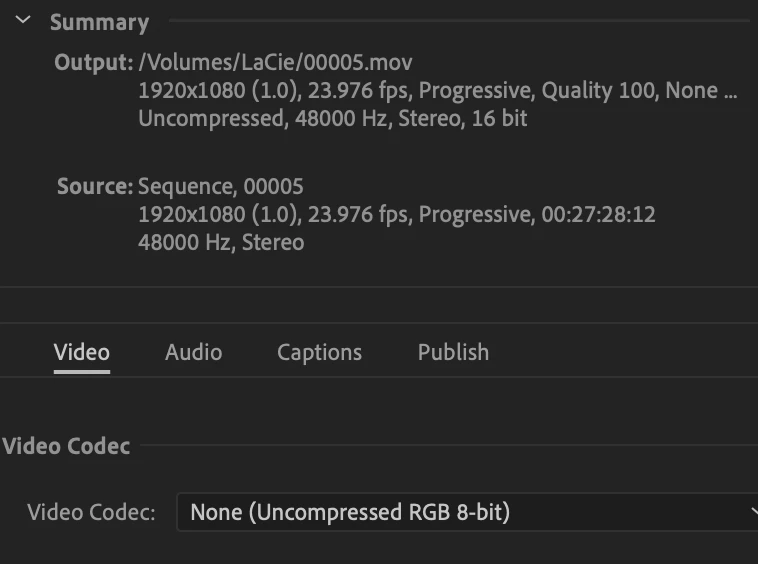
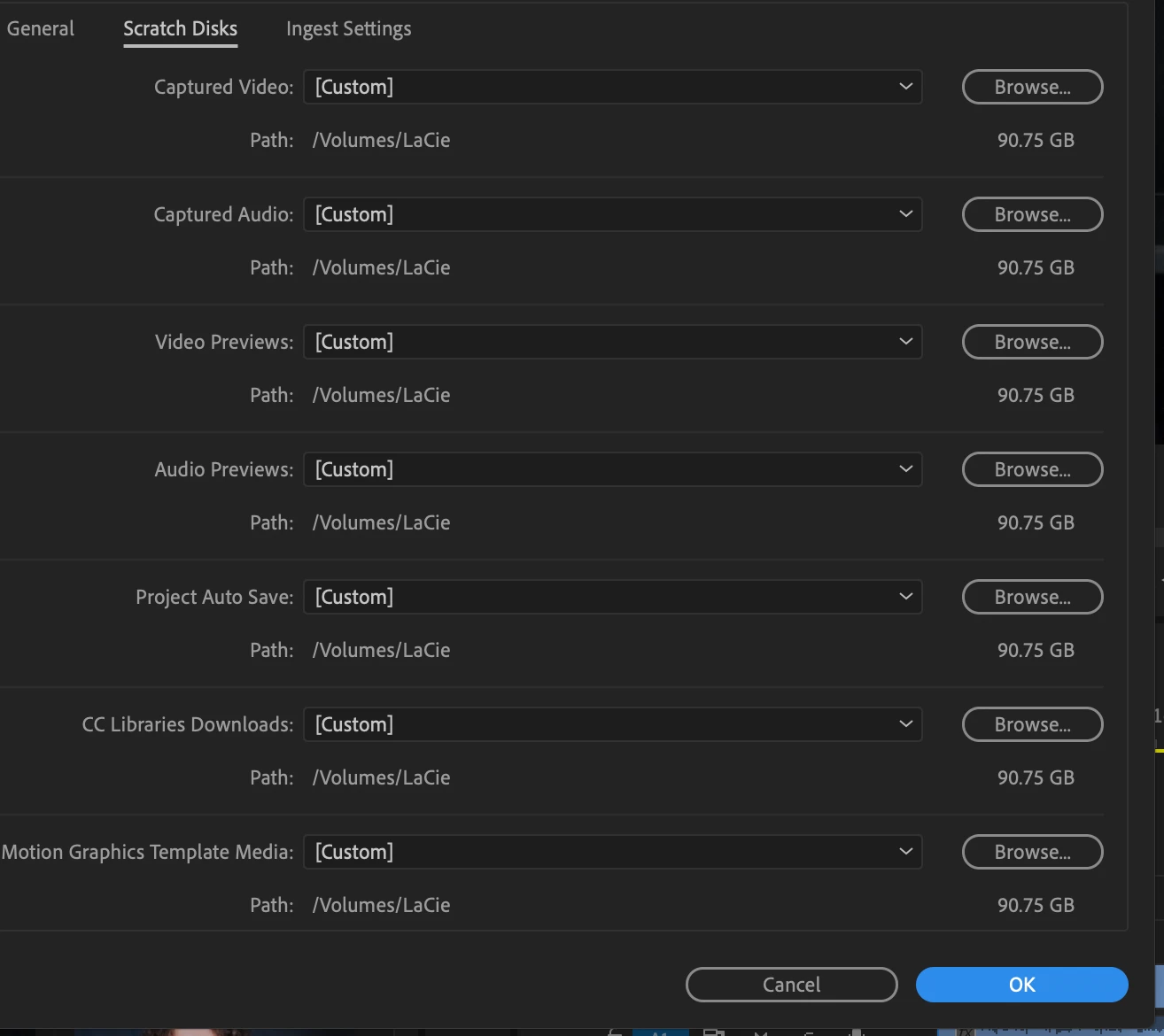
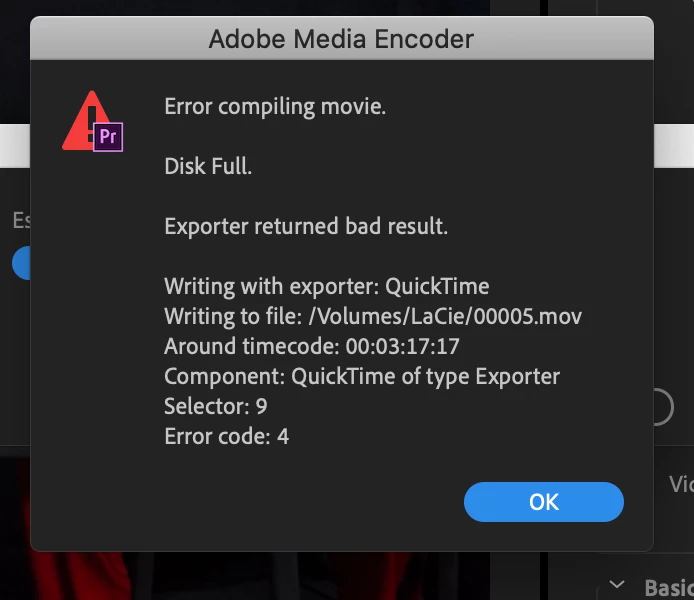
Hi, I've chosen my Lacie to export to, which has about 100 GB available, and have chosen my scratch locations for the same external hardrive. But  after a few minutes of exporting, Premiere Pro gives an error message saying disc is full, which obviously it is not.


What's wrong? 

screenshots attatched.


This topic has been closed for replies.

3 replies

R Neil Haugen
Legend
August 19, 2020

Depends on the size of the final file. I've had exported files that were 20GB and more, and that size of an export would be problematic with only 97GB available. Within the 4-5x range.


This is one possibility remember, not definitive statement for this export.


Neil

Everyone's mileage always varies ...
R Neil Haugen
Legend
August 19, 2020

Yea there's several things a bit more information for the users would be helpful on.


Including that Premiere needs 4-5 times the final size of the expected output file clear in order to do the export. You are running a bit full on those drives, that might be it right there.


Neil

Everyone's mileage always varies ...
Participating Frequently
August 19, 2020

Hmmm, i don't think i'm understanding you. The top drive in the  photo, the one on  the PowerBook, isn't the one i selected in the other photos, meaning the Lacie. So are you saying that 97 Giga Bits on the Lacie isn't enough to  output a 25 min video?

R Neil Haugen
Legend
August 19, 2020

Please drag/drop those images directly onto your text reply area, so the images show in your post. This method requires others to download strange files to their computer ... not something a lot of people are comfortable with.


Neil

Everyone's mileage always varies ...
Participating Frequently
August 19, 2020

Ohh, ok will do. It would  have been helpful if the Adobe website said as much when i posted them.