
Participant
June 2, 2022
Question

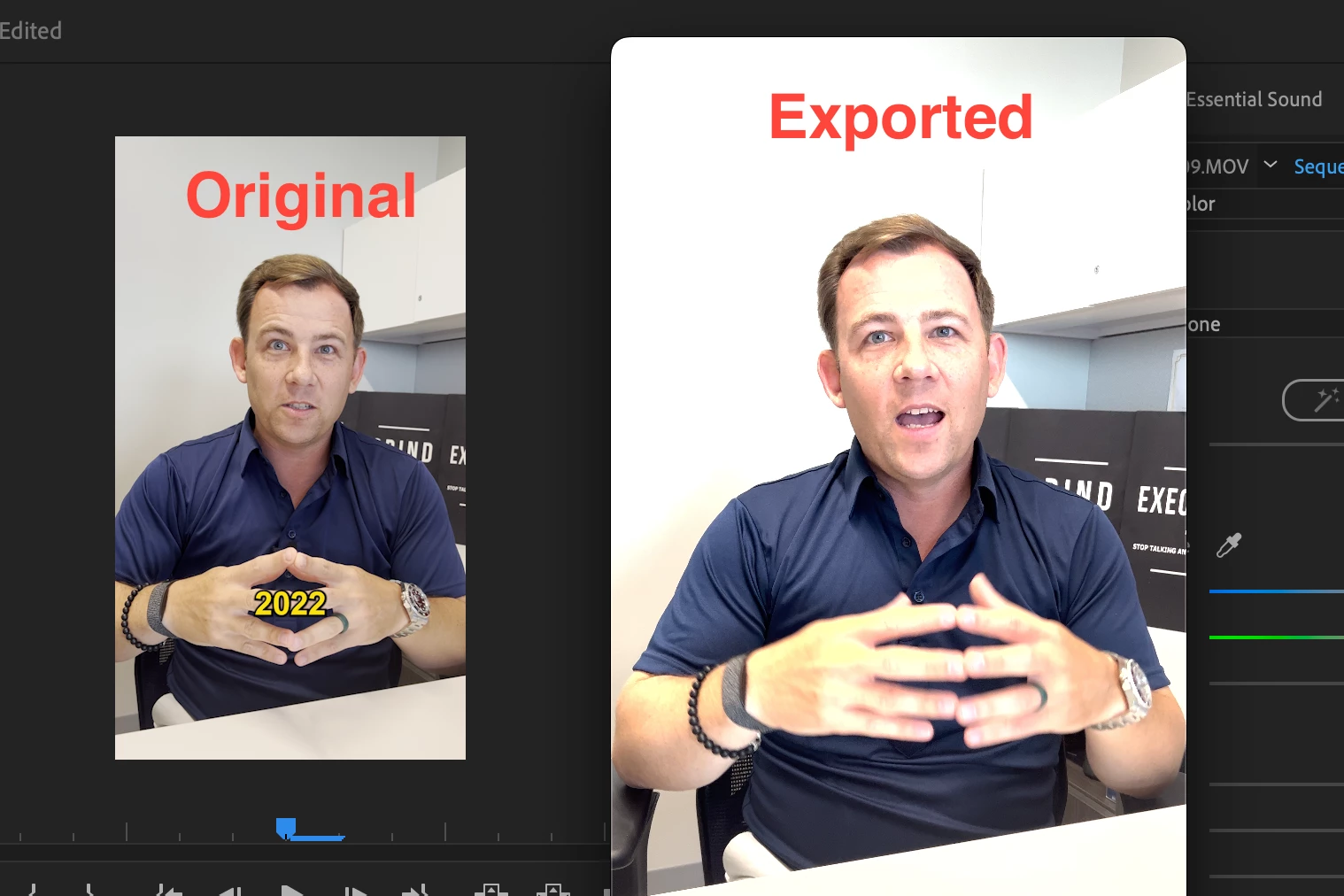
When exporting video the color is over saturated and exposure on iMac
  • June 2, 2022
  • 3 replies
  • 3082 views

I am currently using film from my Iphone 13 pro and iMac. Everything looks fine in the edits but when I export the footage it comes over saturated or over exposure. I tried multiple solutions and still having the same issue. Can someone help me? 


3 replies

R Neil Haugen
Legend
June 2, 2022

iPhone and other HLG media must be reset to Rec.709 in color management when used on a Rec.709 timeline.


So ... select clips in the bin, right-click/Modify/Interpret Footage, select the Override option and set to Rec.709.


Neil

Everyone's mileage always varies ...
Participant
February 29, 2024

Bless you!!! The only fix I have found that works!!

R Neil Haugen
Legend
February 29, 2024

The newer 24.x versions of Premiere simplify this ...


Lumetri panel, SETTINGS tab ...  a new location where ALL color management settings are gathered together as I requested back in 2019 ... yay!


Display color management should be on unless you are a CM expert working on a calibrated, profiled system done by an expert calibrator.  Or very few other users. (Most Mac users should also set Extended Dynamic Range on also.)


Auto detect log should be on, as well as auto-tonemap. Combining the above means that no matter whether you use a Rec.709 or HLG sequence, you should get the appropriate transform to the sequence space.


Setting "display gamma" is a user's choice ... pick your poison. (Most colorists, based on Macs, still only use the full Rec.709/gamma 2.4 setting for all Rec.709 workflows. But your choice.)


And of course, use presets based on the proper sequence color space, ONLY use presets with HLG or PQ in the preset name for sequences in those two HDR forms respectively.

Everyone's mileage always varies ...
Averdahl
Community Expert
Community Expert
June 2, 2022

You need to see this regarding Color Management in Premiere Pro: Premiere Pro V22 - Understanding Color Spaces, HDR, and what that might mean to you - YouTube