
Breadcrumb separator customization in UI for frameless output
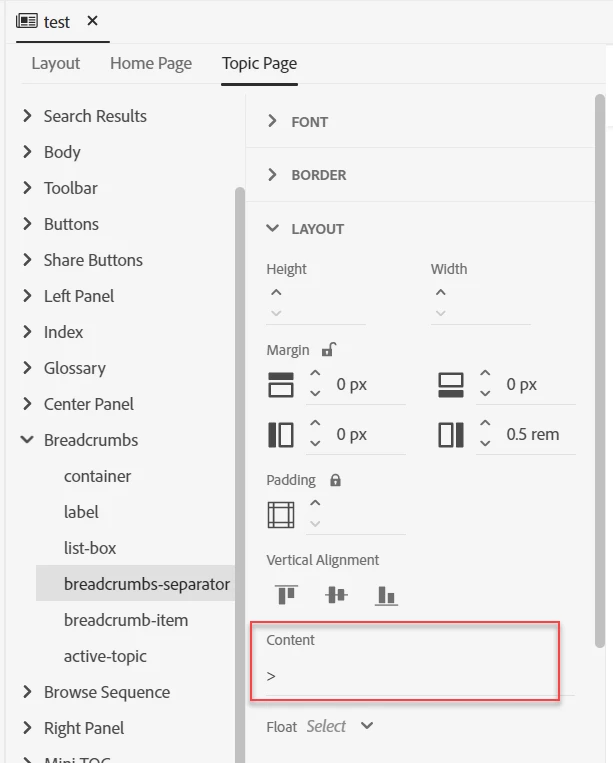
I'm trying the change the breadcrumb separator from a forward slash (/) to a greater than symbol (>) for my frameless template. RoboHelp appears to give you the ability to change the separator in the UI (when you open the template on the Topic Page tab, navigate to Breadcrumbs > breadcrumbs-separator > Layout > Content). I changed the this field from a forward slash to a greater than symbol, but the breadcrumb separator in my output is still a forward slash. I've tried creating multiple frameless output templates using the sample project and only customizing this single field, but I still can't get the separator to use the new value. I know I can customize the CSS, but I'm creating a template for multiple authors and want to make the process as simple as possble.
Am I correct in thinking this field should update the breadcrumb separator? Does this field work correctly to control the breadcrumb separator for anyone else?



 AdChoices