


Inspiring
July 13, 2021
Question

Cannot delete active review

  • July 13, 2021
  • 6 replies
  • 437 views

Using RoboHelp 2020.5.71


I have a couple old "active" reviews I want to delete. I found this recent post, How to delete active reviews? but using the new Delete option in RoboHelp results in an error: 
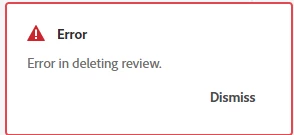
The Help menu does not have an option to view the error log, so I can't tell what went wrong or how to fix it. Is there another way to delete old "active" reviews?

Thank you!

    This topic has been closed for replies.

    6 replies

    Peter Grainge
    Community Expert
    Community Expert
    July 14, 2021

    That's about all I can think of. Let us know how you get on with Support.

    ________________________________________________________
    See www.grainge.org for free Authoring and RoboHelp Information

    Use the menu (bottom right) to mark the Best Answer or Highlight particularly useful replies. Found the answer elsewhere? Share it here.
    Peter Grainge
    Community Expert
    Community Expert
    July 14, 2021

    Just wondering, do you have the Creative Cloud Desktop application installed? You don't have to have a Creative Cloud subscription but you do need to desktop app. It should show in your Start menu as Adobe Creative Cloud.


    https://creativecloud.adobe.com/apps/all/desktop/pdp/creative-cloud

    ________________________________________________________
    See www.grainge.org for free Authoring and RoboHelp Information

    Use the menu (bottom right) to mark the Best Answer or Highlight particularly useful replies. Found the answer elsewhere? Share it here.
    Inspiring
    July 14, 2021

    I do, yes. In fact, it just finished updating InDesign.

    Peter Grainge
    Community Expert
    Community Expert
    July 14, 2021

    When I create a review, it shows up in the Active Reviews list. After I select one or more topics and click the Share button, while RH is churning to create the review, the review DISAPPEARS from the Active Review list, never to be seen again.


    That sounds familiar. Wondering if there is a similar post?

    ________________________________________________________
    See www.grainge.org for free Authoring and RoboHelp Information

    Use the menu (bottom right) to mark the Best Answer or Highlight particularly useful replies. Found the answer elsewhere? Share it here.
    Peter Grainge
    Community Expert
    Community Expert
    July 14, 2021

    I would have thought a review should only appear in the relevant project. I'm wondering if you are just getting the error with ones that are not related to the project?

    ________________________________________________________
    See www.grainge.org for free Authoring and RoboHelp Information

    Use the menu (bottom right) to mark the Best Answer or Highlight particularly useful replies. Found the answer elsewhere? Share it here.
    Inspiring
    July 14, 2021

    That's what I wondered too. I wanted to create a test review to see if I could delete it, but then the reviews started disappearing. So I reinstalled RH and upgraded to Update 5. The problem -- creating a review that vanishes after I share it -- remains:

    The link it created is live, but the review doesn't show up in Active Reviews. If I close that Test Review tab, it's gone forever. 😞

    Inspiring
    July 14, 2021

    I think the two projects that show up in the Review tab are reviews I created before I installed Update 5. They show up no matter which project I have open -- aren't they supposed to appear only for the project they were created in?

    While I wait for my IT dept to connect with Support, I tried some troubleshooting on my own. Here's what I've noticed:


    When I create a review, it shows up in the Active Reviews list. After I select one or more topics and click the Share button, while RH is churning to create the review, the review DISAPPEARS from the Active Review list, never to be seen again. The review link is live, however, and I can add comments and so forth.

    <rub chin emoji>


    Jeff_Coatsworth
    Community Expert
    Community Expert
    July 13, 2021

    According Vivek, that got fixed in Update 5 - you'd better contact support about what's going on in your system - see https://helpx.adobe.com/contact/enterprise-support.other.html#robohelp for your support contact options.

    Inspiring
    July 13, 2021

    Thanks! Will do.