


Participant
April 27, 2022
Question

Customizing tile icons on home page

  • April 27, 2022
  • 3 replies
  • 231 views

We would like to customize the icon for topics in the home page of online help. We know that there is a way to add icon for topic while customizing the layout using UI option which will be applied across the help. But we want specific image to be customized for each of the topics. Can you advise us how we can perform the same in Robohelp?


RH Output:
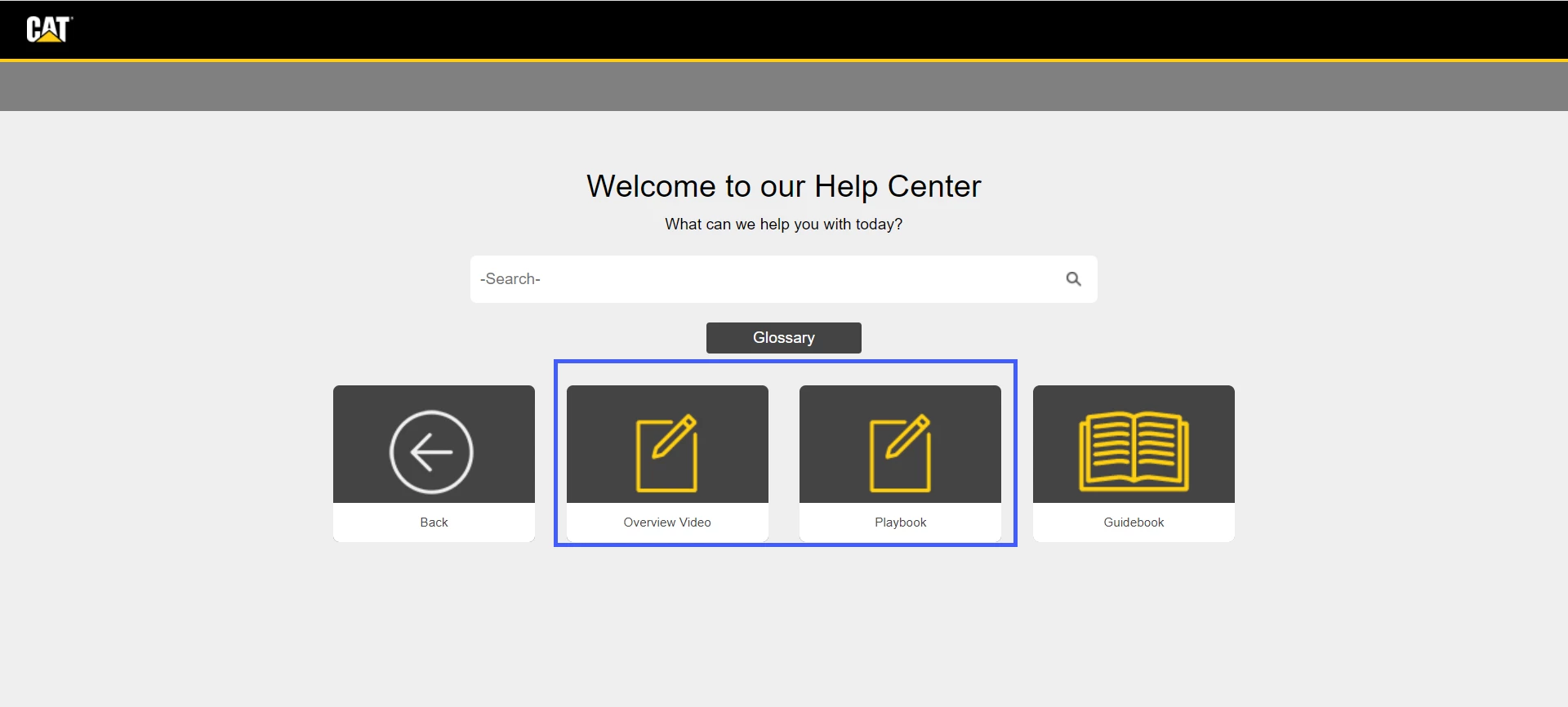
Expected Output:
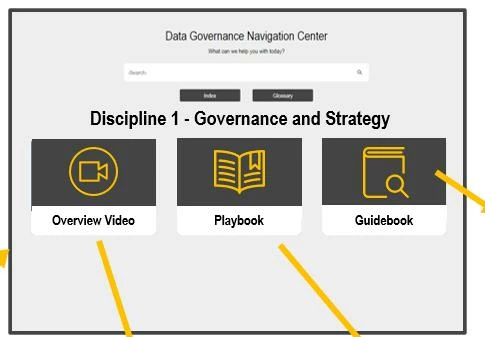
 

    This topic has been closed for replies.

    3 replies

    Community Expert
    April 29, 2022

    It may be possible in RH2019 Classic. But probably complex. See if the following posts help.


    Start with this for a hack to enable old, hidden custom icon functionality:

    https://community.adobe.com/t5/robohelp-discussions/rh2017-roll-back-to-update-1/td-p/9946379


    If the above doesn't do everything you want then try this one. Ignore the discussions about merged help as you haven't mentioned merging and you shouldn't need to implement it. The posts of interest talk about the image on the back button, then further ones about updating the  toc_c_images.css file - the principles should apply to a regular, single project. It will require a fair amount of confidence with css coding and browser developer tools:

    https://community.adobe.com/t5/robohelp-discussions/rh2017-indigo-multiple-levels-of-custom-toc-tile-icons/td-p/10044648


    Peter Grainge
    Community Expert
    Community Expert
    April 28, 2022

    I think you need a feature that is only in frameless skins in 2020. There you can define a specific icon for each TOC entry. There was a post recently reporting a bug in that whereby you lose the fields that let you position the tiles but a workaround was posted.


    Future development of skins will focus on frameless so you might want to consider that too.

    ________________________________________________________

    My site www.grainge.org includes many free Authoring and RoboHelp resources that may be of help.


    Use the menu (bottom right) to mark the Best Answer or Highlight particularly useful replies. Found the answer elsewhere? Share it here.
    Peter Grainge
    Community Expert
    Community Expert
    April 28, 2022

    This is the thread I mentioned.

    https://community.adobe.com/t5/robohelp-discussions/tip-for-frameless-skin-editor-tile-box-indicators-not-showing/td-p/12878838

    ________________________________________________________

    My site www.grainge.org includes many free Authoring and RoboHelp resources that may be of help.


    Use the menu (bottom right) to mark the Best Answer or Highlight particularly useful replies. Found the answer elsewhere? Share it here.
    Jeff_Coatsworth
    Community Expert
    Community Expert
    April 27, 2022

    You posted on a really old thread - let's start you off with your own.
    What version of RH are you using (include the point version so we can tell if you're up to date).
    What Preset or skin are you using?

    Participant
    April 27, 2022

    Hi,

    Thank you for contacting. I will ask my tech lead to provide all those information with you soon tomorrow.


    Participant
    April 28, 2022

    Hi Jeff, 


    The version of RH that we are using is RoboHelp 2019 Classic version. The Skin which we have selected is Indigo layout. 


    Regards, 

    Saini