


Inspiring
May 14, 2021
Question

Frameless generation failed with empty error

  • May 14, 2021
  • 20 replies
  • 1107 views

Robohelp 2020.4.173 with Git Integration
Windows 10
He all, 
We began to observe the next issue:
Almost every time, when you are trying to generate Frameless output, we get an error with on Indexing references (All log before is clear)
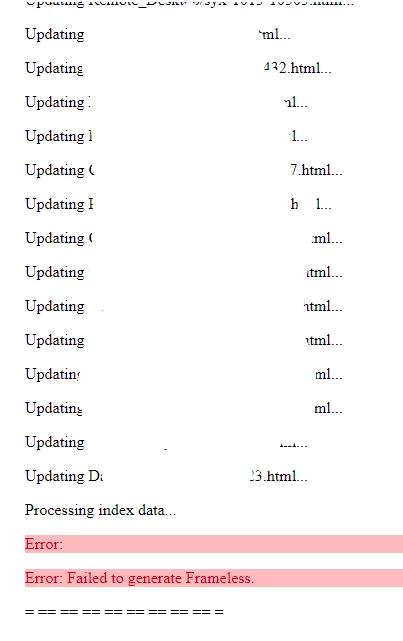

If you try to generate once more, you will get this:
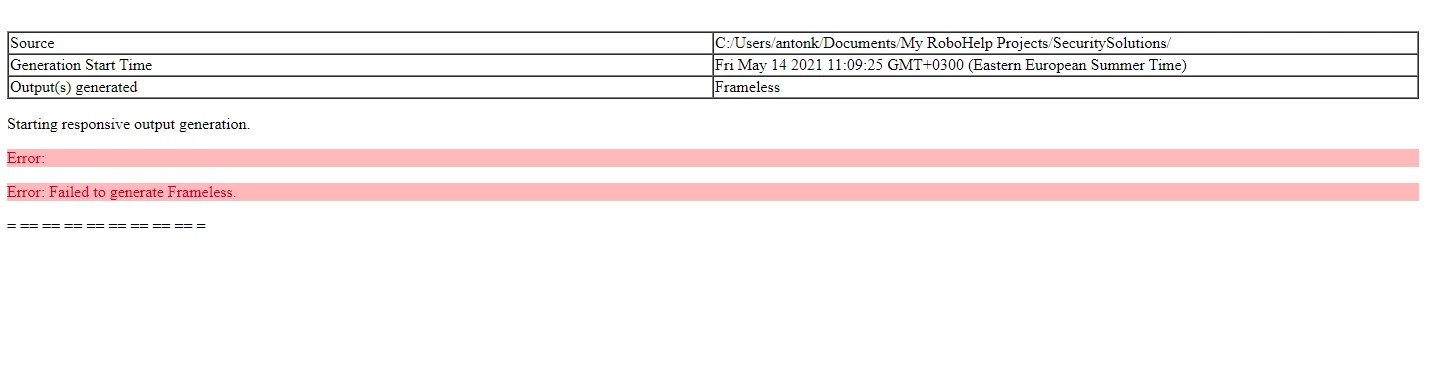
Restarting Robo for 1-2-3 times will fix this for 1 generation and after it you will always get an error as on screen #2 

This topic has been closed for replies.

20 replies

Vivek Kumar
Adobe Employee
Adobe Employee
June 19, 2021

I have notified Adobe Support. They should get in touch with you. Please send me a message if you don't see any progress.

Jeff_Coatsworth
Community Expert
Community Expert
June 18, 2021

You might try updating to Patch 5 & see if that helps any - you can also try e-mailing the RH folks again or DM-ing some of the RH employees in this forum.

Inspiring
June 18, 2021

I can't use phone...

Peter Grainge
Community Expert
Community Expert
June 14, 2021

You need to chase Support direct as they will not see anything here. The link also gives phone numbers.

________________________________________________________
See www.grainge.org for free Authoring and RoboHelp Information


Use the menu (bottom right) to mark the Best Answer or Highlight particularly useful replies. Found the answer elsewhere? Share it here.
Inspiring
May 28, 2021

Changed logo:

First time - generated. Second - same error.
Will try to contact support. 

Inspiring
June 14, 2021

3-d week without any answer...


Jeff_Coatsworth
Community Expert
Community Expert
May 27, 2021

If you swap out the image with something else, does it still crash? If not, then it's got something to do with that image - format, layers, metadata, who knows?

Peter Grainge
Community Expert
Community Expert
May 27, 2021

Not from me. See https://helpx.adobe.com/contact/enterprise-support.other.html#robohelp for your support contact options.

________________________________________________________
See www.grainge.org for free Authoring and RoboHelp Information

Use the menu (bottom right) to mark the Best Answer or Highlight particularly useful replies. Found the answer elsewhere? Share it here.
Inspiring
May 24, 2021

Rolled back into few previous commits and my project compiles well. Looks like problem cames with adding logo back into the home page. Tried to change, resize picture. Every time I'm adding logo - this causes an errors. 
Also, unlocking sizes on background do not work. If you will unlock it, you still cannot set different sizes. (tried rectangular logo - error still here)

Cant even imagine, how the logo can do this...

Inspiring
May 27, 2021

Any suggestions?

Peter Grainge
Community Expert
Community Expert
May 17, 2021

Does the project have a large index? That has caused some issues. Try deselecting the index when you generate.

________________________________________________________
See www.grainge.org for free Authoring and RoboHelp Information

Use the menu (bottom right) to mark the Best Answer or Highlight particularly useful replies. Found the answer elsewhere? Share it here.
Jeff_Coatsworth
Community Expert
Community Expert
May 17, 2021

Can you give us a screenshot of your sample projects folder after reinstallation just to verify what you're talking about?