


Participant
June 24, 2021
Question

FTP Connection Issue - 'Error: Timeout while connecting to server'

  • June 24, 2021
  • 1 reply
  • 570 views

I am having issues with publishing my RoboHelp project to my FTP server. The publish profile was set up and functioning correctly the last time I attempted to use it ( roughly 1 month ago ), but I am now unable to publish my project to the desired location.

The following error message is displayed when I attempt to publish my generated RoboHelp project to my FTP server:
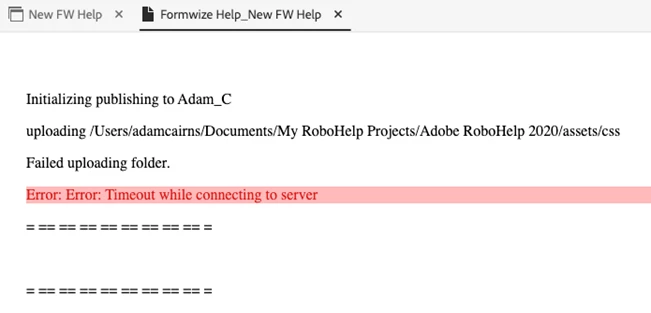
My team has confirmed that no changes have been made to the FTP server.  These settings that were configured for my publish profile are the exact same as the settings I was using when this feature was functioning as expected.

  • I am using the latest version of RoboHelp 2020
  • I have searched within the RoboHelp community forms and the also in the user guide and cannot find an answer or solution to my bug


Thank you in advance for any help.

    This topic has been closed for replies.

    1 reply

    Peter Grainge
    Community Expert
    Community Expert
    June 24, 2021

    Check the path is still there following the upgrade to 2020.5. In this post it was a new connection but the user thought it was a valid path. Solved: RH2020 FTP profile - INVALID SERVERS - Adobe Support Community - 11622031


    Then check you can otherwise connect to the server and then try a new Publish configuration.


    Beyond that you may need to contact Support. See https://helpx.adobe.com/contact/enterprise-support.other.html#robohelp for your support contact options.

    ________________________________________________________
    See www.grainge.org for free Authoring and RoboHelp Information

    Use the menu (bottom right) to mark the Best Answer or Highlight particularly useful replies. Found the answer elsewhere? Share it here.