This topic has been closed for replies.
Correct answer Stefan Gentz

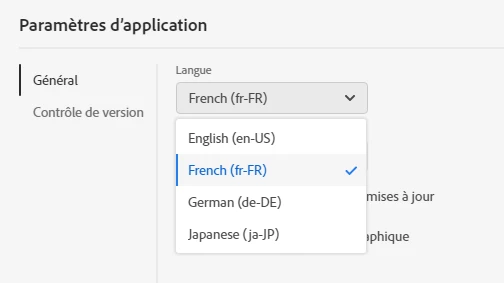
The languages shown in your screenshot are the available user interface languages (menus etc.) of RoboHelp.

Like Peter Grainge wrote, you can set the base language of your project in File > Project Settings:
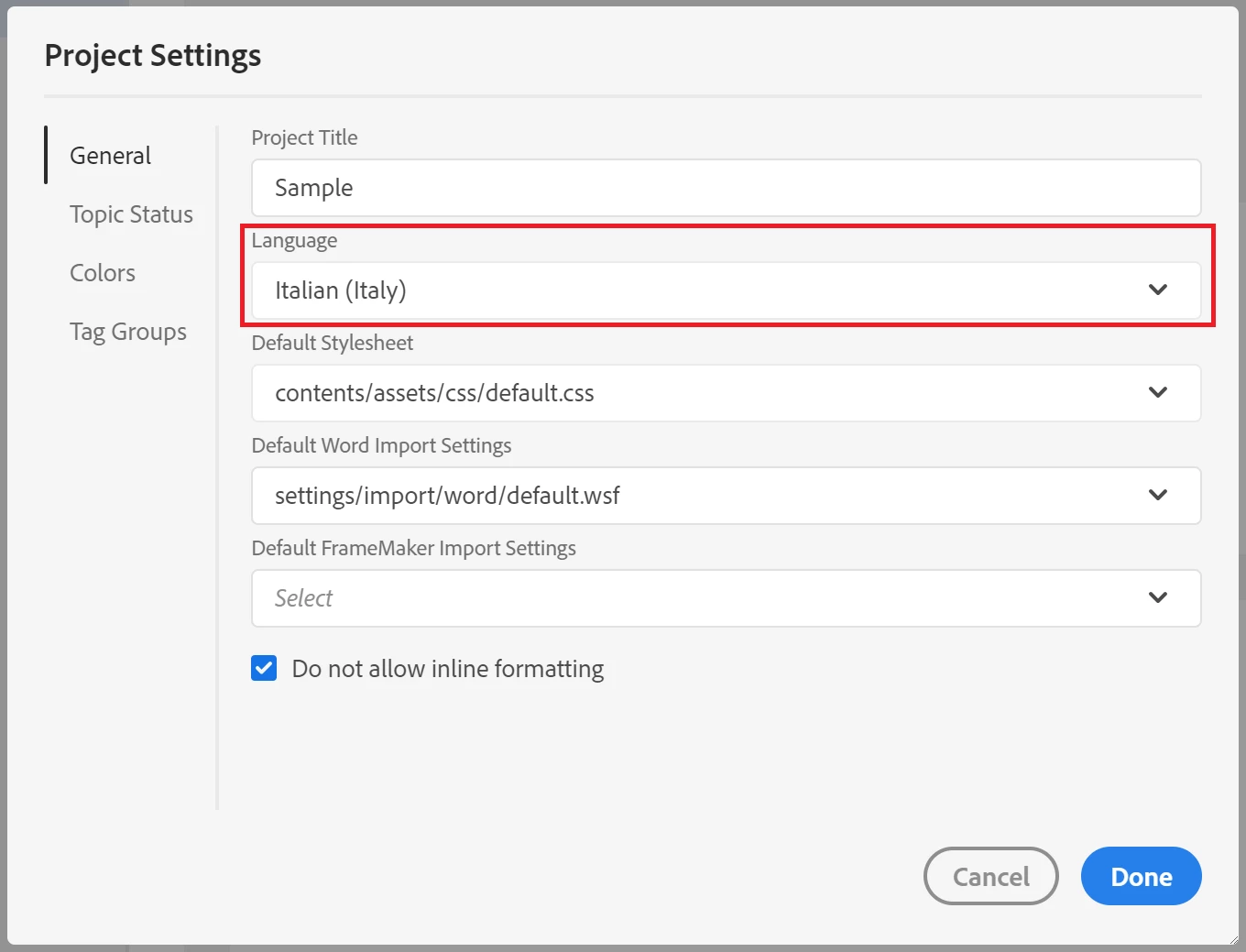
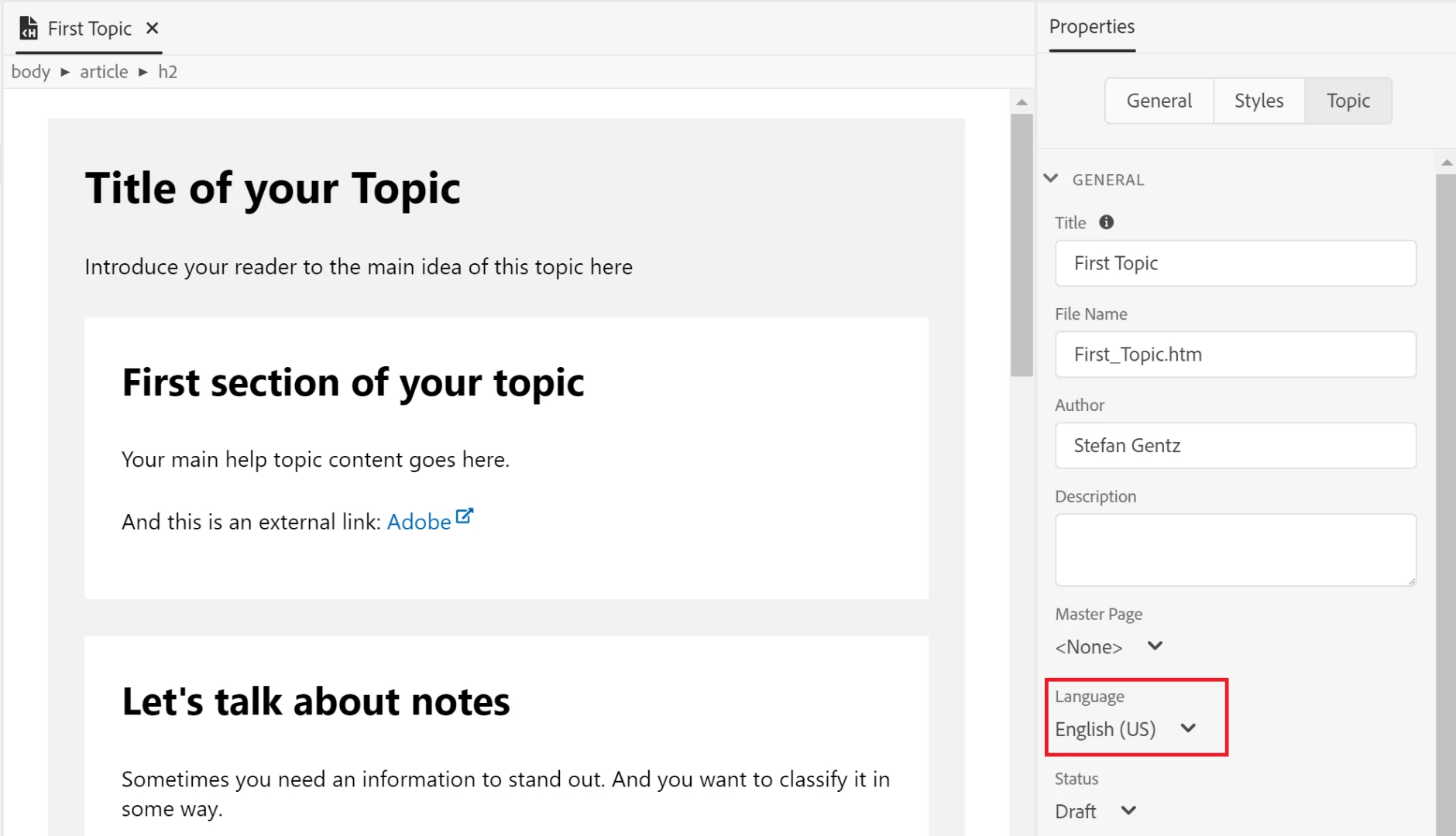
In addition, you can define the language on Topic level:
2 replies

Stefan GentzCommunity ManagerCorrect answer
Community Manager
January 10, 2019

The languages shown in your screenshot are the available user interface languages (menus etc.) of RoboHelp.

Like Peter Grainge wrote, you can set the base language of your project in File > Project Settings:

In addition, you can define the language on Topic level:

Peter Grainge
Community Expert
Community Expert
January 9, 2019

Those languages appear to be for installing RoboHelp. You need to look in File > Project Settings for the spellcheck languages.

Also I suggest you apply the updates before doing any further work. They fix many issues and add to the functionality.


See www.grainge.org for free RoboHelp and Authoring information.

@petergrainge

Use the menu (bottom right) to mark the Best Answer or Highlight particularly useful replies. Found the answer elsewhere? Share it here.
Peter Grainge
Community Expert
Community Expert
January 9, 2019

The languages you have shown control the interface and will be the same for all your projects. Within each project you can set a default language for that project alone.


See www.grainge.org for free RoboHelp and Authoring information.

@petergrainge

Use the menu (bottom right) to mark the Best Answer or Highlight particularly useful replies. Found the answer elsewhere? Share it here.
Participant
January 10, 2019

thanks.
I already had Italian in project settings.
It looks like the topic setting solve the problem.

thank you all