



Numbered Lists - adding an empty paragraph when I promote list to new level - Robohelp 2022 5.83
I have attempted to create a "list style" for some numnbered lists that we have that are pretty simple. These lists have 3 levels. first level is decimal, 2nd level is lowercase alpha and 3rd level is lowercase roman numeral. See below for example:
1. Test
2. Test
a. Test
b. Test
i. Test
ii. Test
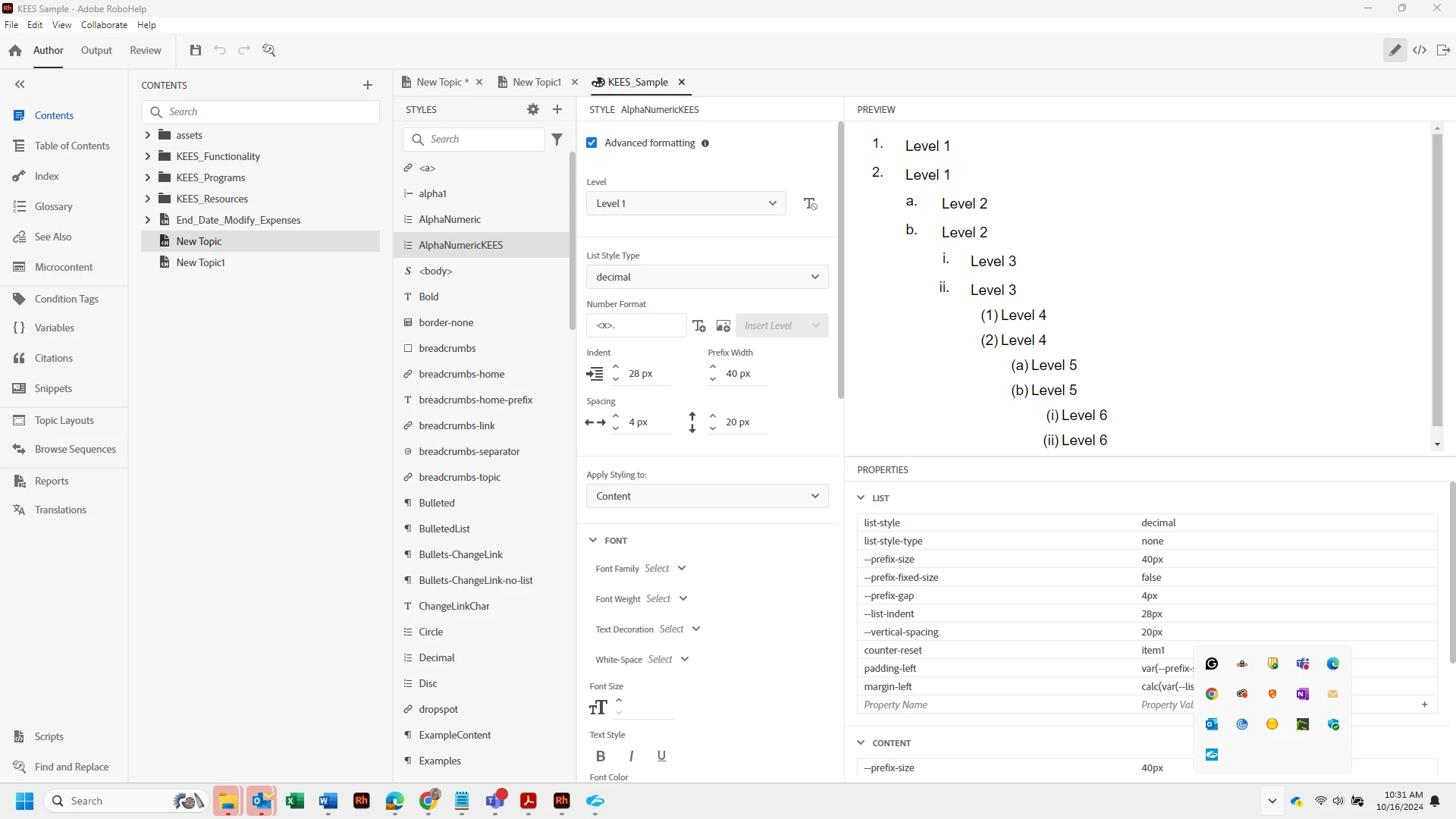
The steps I took to create my list style is to right click on the Alphanumeric style and choose Duplicate and then name the duplicated style AlphanumericKEES. From there, I edit the style and I setup Levels 1, 2, and 3 for both content and numbering settings by making changes to indents, spacing, line height, vertical spacing, padding, margins, if necessary. The Preview is showing me that my list is working and looks exactly like I want it to look.
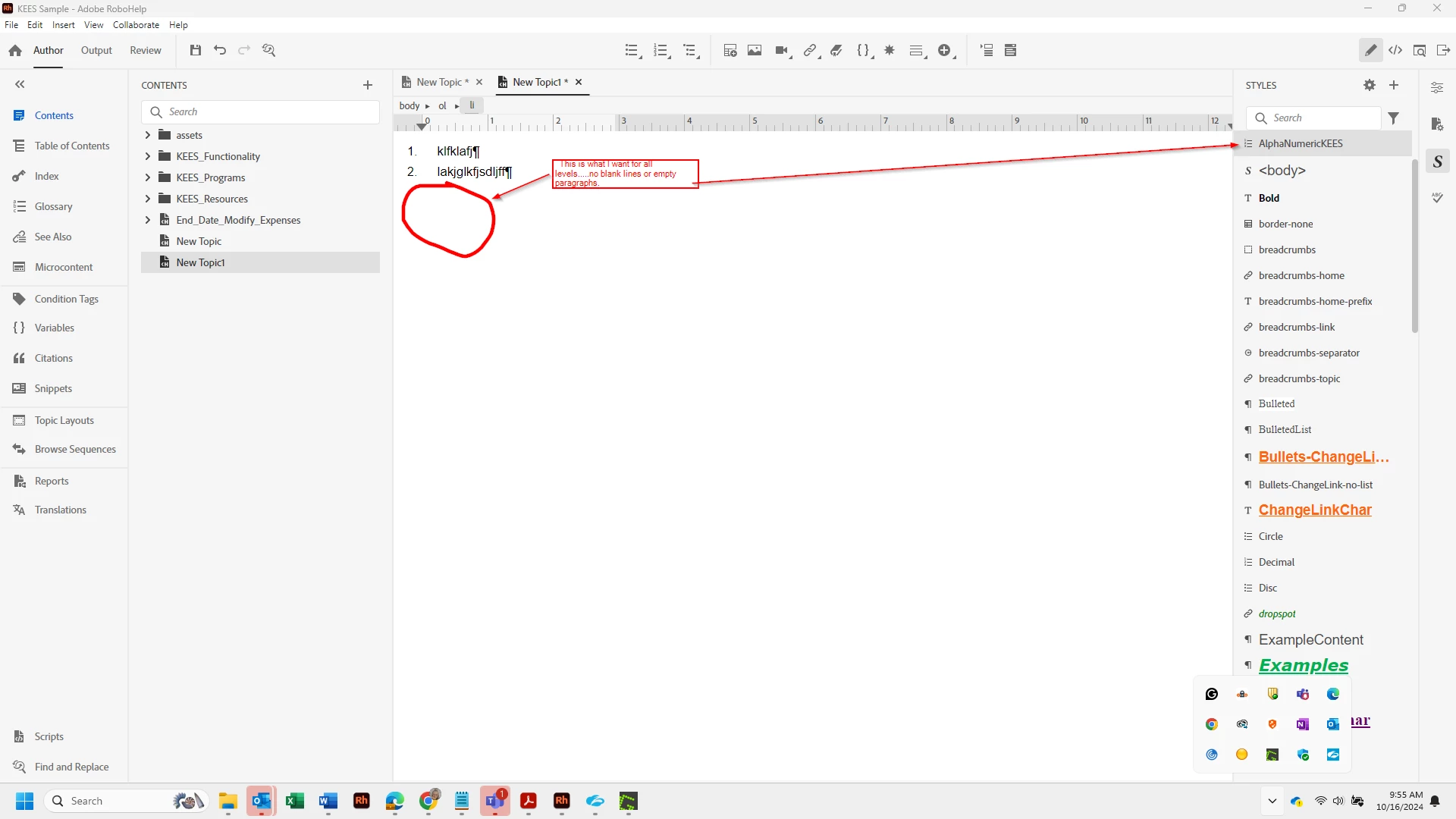
I am now typing in my document and when I need to insert a list, I choose the AlphanumericKEES style from my list of styles and level 1 looks perfect:
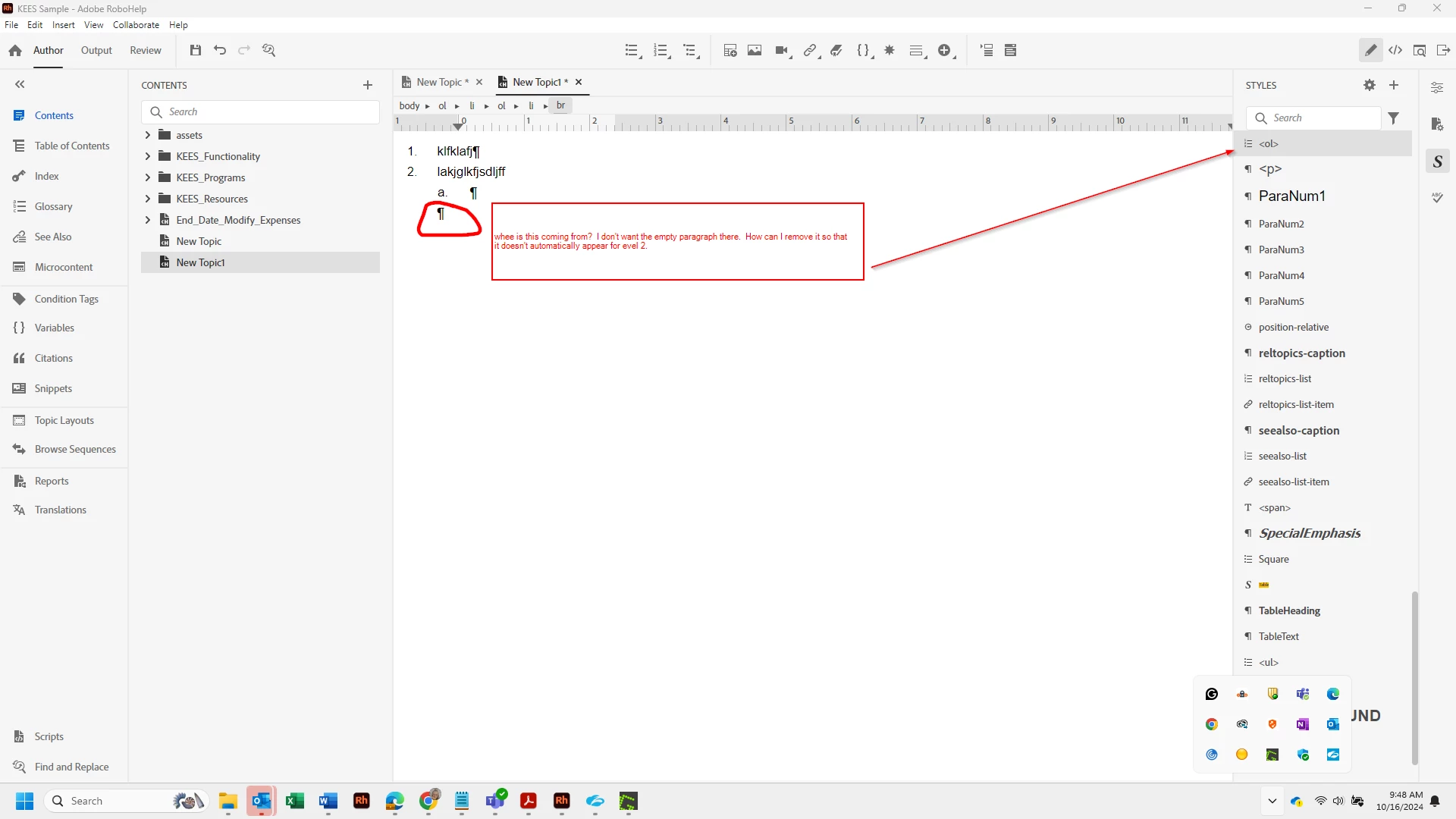
The problem comes in when I press Tab to go to level 2. When I do this, it moves in and gives me the a. but it also then gives me a blank paragraph that I cannot remove which means the vertical spacing on my list is now a way that I don't want. I also notice that it switches off of the AlphanumericKEES style to the <ol style. I understand that this is an ordered list. What is the difference between AlphanumericKEES and ol.......I obviously know that this is an important piece. But, all of my levels are set up under the AlphanumericKEES style. Where does the empty paragraph space come from?
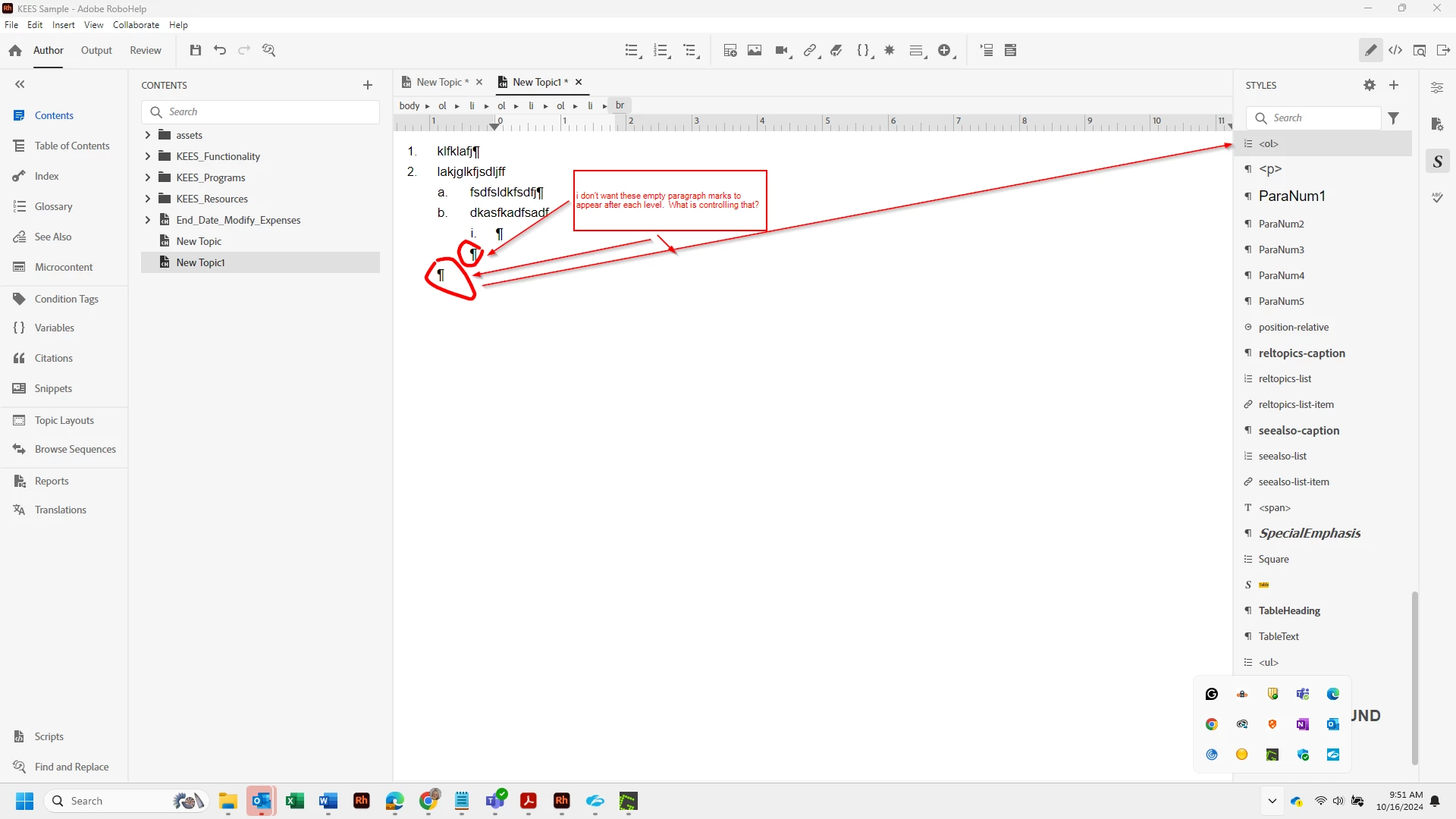
It does the same thing when I tab to go from a level 2 to a level 3.
Can anyone explain if it's supposed to do this? Can I make it not do this and if so, how do I do that? The end result of all of these paragraphs is this:
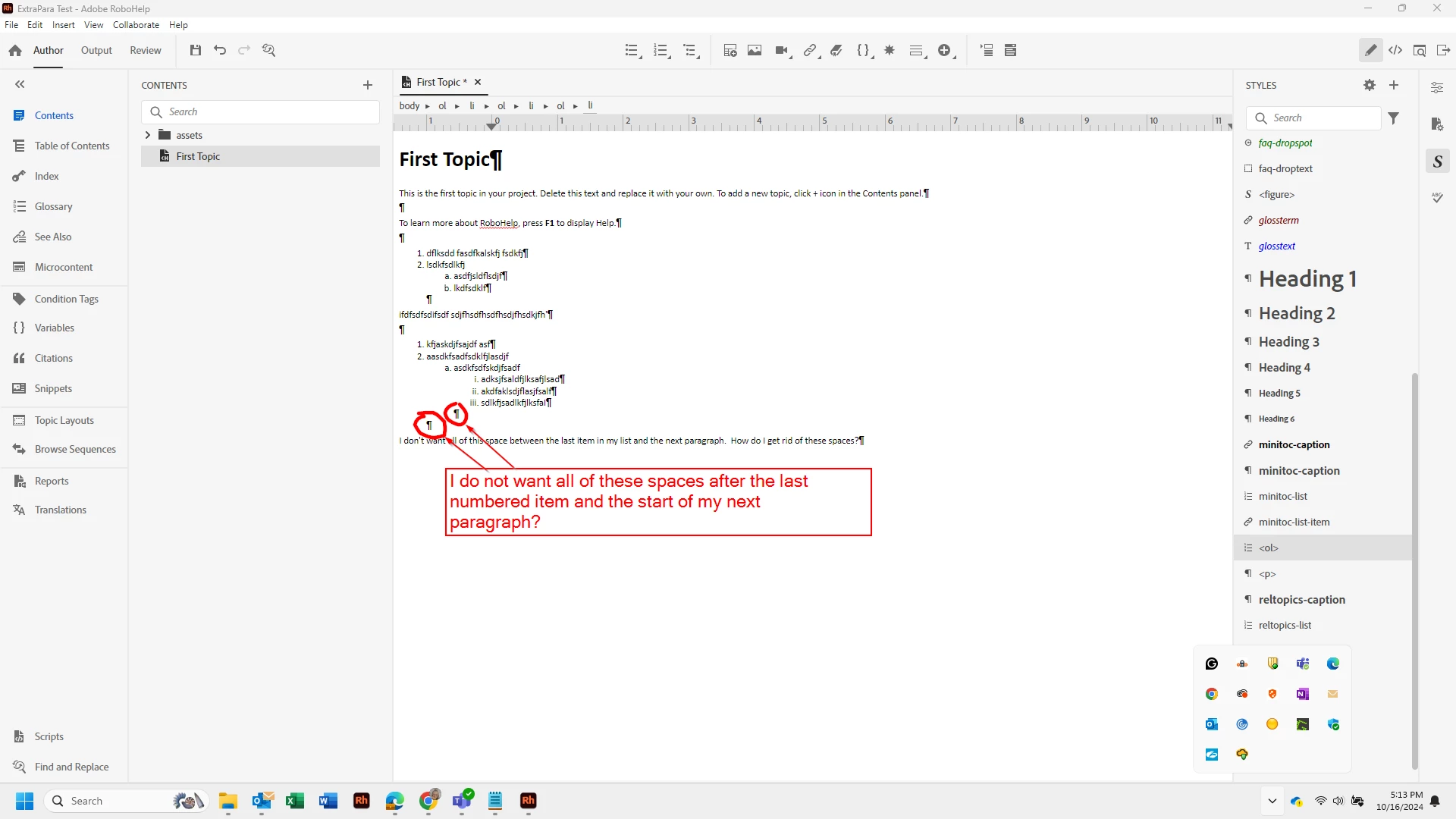
I'd like to be able to control my spacing between numbered items and between numbered items and regular paragraphs. Maybe this lies in the fact that I'm not exactly sure if I'm using lists, numbered lists or autonumbers or what the difference is for each? All I know is that when I click on the button at the top of my Robohelp screen that says Multilevel List - the style shows as Alphanumeric and so this is the style that I chose to duplicate and modify. I"m not sure why it moves to <ol and I'm not sure it even matters. Any help would be appreciated.
Numbered Lists - adding an empty paragraph that I don't want when I promote list to new level - Robo
 AdChoices