chelluvsGod
Inspiring
April 9, 2021
Question

RoboHelp 2017 Do not understand how to add an index

  • April 9, 2021
  • 15 replies
  • 241 views

I have looked online and at the help within RoboHelp. I need specific instructions on how to create an index. I know you can do it manually and use the wizard but neither meet my needs. The wizard puts items in the index that simply make no sense, but doing it manually, I am unable to link to bookmarks, only topics. 


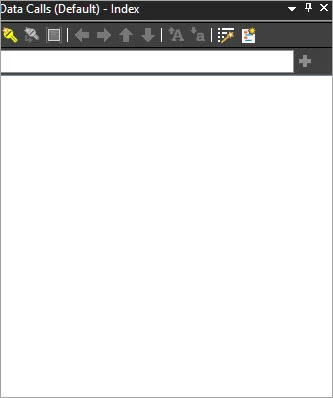
I have an empty index and there are a couple words displaying in the online output. Why are they displaying if I have nothing in the index?


Thank so much.

Michele
 

    This topic has been closed for replies.

    15 replies

    Peter Grainge
    Community Expert
    Community Expert
    April 14, 2021

    I have corrected that post, my apologies. Do not delete the XPJ file, delete the CPD file.

    ________________________________________________________
    See www.grainge.org for free Authoring and RoboHelp Information

    Use the menu (bottom right) to mark the Best Answer or Highlight particularly useful replies. Found the answer elsewhere? Share it here.
    Jeff_Coatsworth
    Community Expert
    Community Expert
    April 14, 2021

    Yes, try the .cpd one.

    chelluvsGod
    Inspiring
    April 14, 2021

    Peter,


    If I delete an xpj file, doesn't that delete the project? 


    Thank you,

    Michele

    Peter Grainge
    Community Expert
    Community Expert
    April 13, 2021

    Ooh, one I should have thought of is did you try deleting the CPD file and restarting the project?

    ________________________________________________________
    See www.grainge.org for free Authoring and RoboHelp Information

    Use the menu (bottom right) to mark the Best Answer or Highlight particularly useful replies. Found the answer elsewhere? Share it here.
    chelluvsGod
    Inspiring
    April 13, 2021

    UPDATE:


    Thanks everyone for posting answers for me.

    I created a new project and did not have the issues I first described. All is good with this new one so I just copied all the information from the old one to the new and I then created a new Index. I was able to drag and drop bookmarks and the phantom words are no longer appearing.


    I do not have any idea what was up with the other project. The only thing I can think of is that I used the Index Wizard first and that messed things up. I will create the indexes from scratch for now on. 


    Thanks again for all your help.

    Michele 🙂

    Community Expert
    April 13, 2021

    I had an idea. Could the index keyword be a topic keyword inserted in a snippet?


    When you click on the mystery index entries, what displays in the web address field? (Or does it drop down a list of "topics" like mysnippet.hts in which case the topic keyword is entered into multiple snippets.)


    If it's something like "www.mysite.com/help/mysnippet.hts", then that's a snippet. Open the snippet in RH, switch to code view and look for something like:


    <meta name="MS-HKWD" content="index_entry" />


    If you delete that, the index keyword should be removed.

    Jeff_Coatsworth
    Community Expert
    Community Expert
    April 12, 2021

    You haven't identified what the mystery index terms are - are they links to topics or something else?
    Can you create a new blank project using dummy text & still have the same issues? If so, then send that to Peter to experiment with?

    Peter Grainge
    Community Expert
    Community Expert
    April 12, 2021

    In that case all I can suggest is contacting Adobe Support. See https://helpx.adobe.com/contact/enterprise-support.other.html#robohelp for your support contact options.

    ________________________________________________________
    See www.grainge.org for free Authoring and RoboHelp Information

    Use the menu (bottom right) to mark the Best Answer or Highlight particularly useful replies. Found the answer elsewhere? Share it here.
    chelluvsGod
    Inspiring
    April 12, 2021

    I just updated and this is the version I have:


    I am still unable to move bookmarks to the index. 


    Unfortunately, my corporation will not allow me to send you my projects. I've explained that nothing confidential will be sent but they still will not allow it. 


    Michele

    Peter Grainge
    Community Expert
    Community Expert
    April 12, 2021

    Have you got updates applied? 


    Can you share the project? If you can, then see the Contact page on my site and send the project as instructed there. Do make sure you include a link to this thread and please do not email the project direct.

    ________________________________________________________
    See www.grainge.org for free Authoring and RoboHelp Information

    Use the menu (bottom right) to mark the Best Answer or Highlight particularly useful replies. Found the answer elsewhere? Share it here.