Participating Frequently
October 12, 2023
Answered

Robohelp 2022 Review disappears from Active Reviews

  • October 12, 2023
  • 7 replies
  • 852 views

Robohelp 2022.3.93

My review disappears from my review tab. I cannot work out what's happening here. What am I missing?

  • Created a review but did not invite reviewers, just for testing. 27_09_27_a test
  • Posted a review to Adobe cloud and invited 4 reviewers 2023_10_06_a
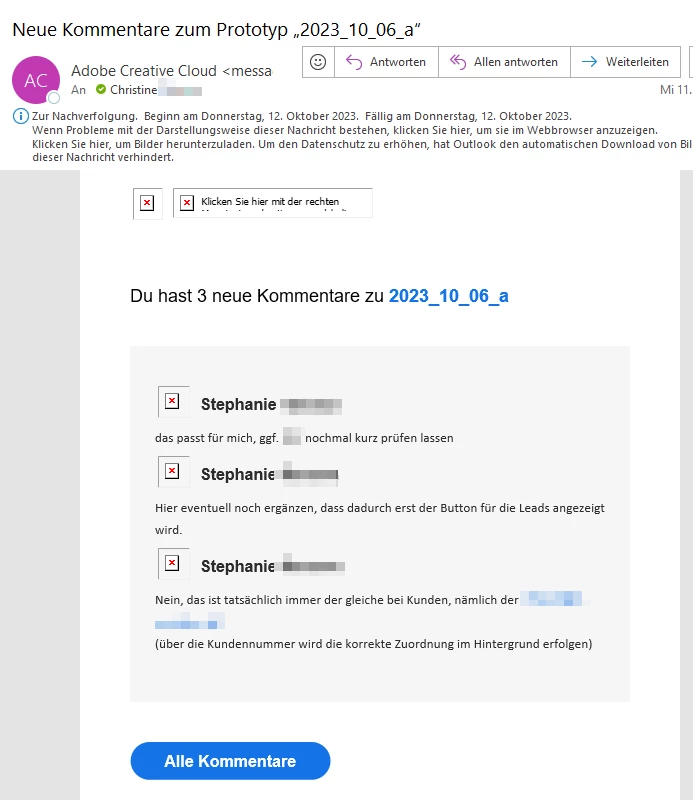
  • Got feedback from Adobe Cloud via E-Mail with comments from 2023_10_06_a
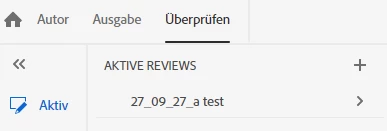
  • Cannot access 2023_10_06_a in the Review tab in Robohelp, it is not listed as an active review any more.
  • I can still access topics in the review tab from 27_09_27_a test
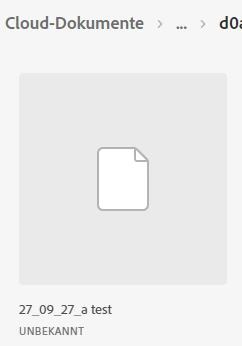
  • I can see both reviews in the cloud, but only one in my review tab.


    This topic has been closed for replies.
    Correct answer Peter Grainge

    Still testing. We are trying to recreate the problem which has not happened again so far but we have run into new issues instead. Will be back.


    If the issues are different, it might be better to start a new thread with a link to this one.


    Meantime Adobe have confirmed that at the moment all reviews remain active. Marking them as complete will be in a future update.

    ________________________________________________________

    My site www.grainge.org includes many free Authoring and RoboHelp resources that may be of help.


    7 replies

    Peter Grainge
    Community Expert
    Community Expert
    October 18, 2023

    Apologies. I found that link late yesterday evening and forgot that what goes into the RHPJ file changed in later versions.


    I'm pretty sure the reviews can only be done with an ID other than your own. I don't think the workflow is designed for you to work on the cloud copy. I have two Adobe IDs for testing any review stuff.


    I really think you need to go to Adobe as they can screenshare and see what you are getting wrong. 

    ________________________________________________________

    My site www.grainge.org includes many free Authoring and RoboHelp resources that may be of help.


    Use menu (bottom right) to mark as Best Answer or to Highlight particularly useful replies. Found the answer elsewhere? Share it here.
    Participating Frequently
    October 18, 2023

    I will report this to Adobe Support and post results.

    Participating Frequently
    October 24, 2023

    Still testing. We are trying to recreate the problem which has not happened again so far but we have run into new issues instead. Will be back.

    Peter Grainge
    Community Expert
    Community Expert
    October 17, 2023

    I just found this thread. https://community.adobe.com/t5/robohelp-discussions/activate-reviews-are-gone-after-sharing/td-p/11921849


    See if it helps.

    ________________________________________________________
    My site www.grainge.org includes many free Authoring and RoboHelp resources that may be of help.


    Use menu (bottom right) to mark as Best Answer or to Highlight particularly useful replies. Found the answer elsewhere? Share it here.
    Participating Frequently
    October 18, 2023

    Testing Cloud review.

    Thank you. Now I can see there is no value called <cloudid> in my .rhpj file.

    There is however a line that says <id>d0a8bb1c-3c87-4e8a-9e7c-27cc15c59944</id>, which is the same for all of my three test projects when displayed in the cloud when I go to "Deine Dateien (Your files)"

    Opened review, clicked Freigeben (Share), copied link, pasted to Chrome

    Review opens, I can open a topic and comment.

    Does this mean, I cannot open my review files directly in my cloud when I go to "Deine Dateien (Your files)", but I can open them when I copy the link from my review? Am I getting this right?

    Peter Grainge
    Community Expert
    Community Expert
    October 17, 2023

    So for 2023.10.16 it is showing locally but not in the cloud. That is obviously why your reviewer cannot see it. The issue is why it is not in the cloud.


    Please go to this part of your review. Does it show an icon for the reviewer there?


    It might help your testing and anyone following to include Test nn in your title.

    ________________________________________________________

    My site www.grainge.org includes many free Authoring and RoboHelp resources that may be of help.


    Use menu (bottom right) to mark as Best Answer or to Highlight particularly useful replies. Found the answer elsewhere? Share it here.
    Peter Grainge
    Community Expert
    Community Expert
    October 17, 2023

    Is that the review that is good on your system and in the cloud? Anything not showing in both is suspect.


    An English translation of the words might help.

    ________________________________________________________

    My site www.grainge.org includes many free Authoring and RoboHelp resources that may be of help.


    Use menu (bottom right) to mark as Best Answer or to Highlight particularly useful replies. Found the answer elsewhere? Share it here.
    Participating Frequently
    October 17, 2023

    Here's a quick translation. The message says:

    "No access to this link. You have no access right to display the link, or the link is not available. Ask the owner to send an invitation to you, or switch to a different account."

    Comment: I did invite and the reviewer's email address is correct.


    I am not sure about the second question. Is this good?

    This is my review as it is shown in Robohelp:

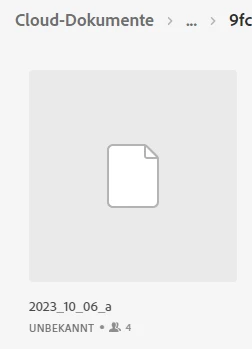
    This is the same active review as shown in the cloud, "Unbekannt" means "Unknown". Is that what is should look like?


    Peter Grainge
    Community Expert
    Community Expert
    October 13, 2023

    Adobe feel that the missing review is the result of a bug so please report that. Please follow this link to report bugs or request new features. https://tracker.adobe.com. Post the link to your bug report / feature request in this thread and others can vote for it. The more people who do so, the higher it gets prioritised.


    Maybe hold back until you have done your further testing. If you can't recreate the problem, it is likely one of those things that they won't be able to reproduce either. If you can, then include the steps in your report.


    It appears the only way to remove a review from Active is to delete it. No need to request a feature request for that as it is already on Adobe's list. That said, making a request may help get it prioritised.

    ________________________________________________________

    My site www.grainge.org includes many free Authoring and RoboHelp resources that may be of help.


    Use menu (bottom right) to mark as Best Answer or to Highlight particularly useful replies. Found the answer elsewhere? Share it here.
    Participating Frequently
    October 17, 2023

    I am still testing but a new problem arises. This may or may not be related to the disappearing review issue, I don't know.

    I invited a reviewer who has an Adobe ID which is linked to the E-Mail adress I used for the invitation.

    He reported that he has no access to the review.


    Peter Grainge
    Community Expert
    Community Expert
    October 13, 2023

    It's not clear what changes a review from Active to Complete and how completed reviews are accessed locally. I am trying to get some answers on that.


    Meantime my guess is that somehow you marked the review as complete and RoboHelp is not offering the option to review them locally. 


    • You don't need to invite yourself.
    • You can have any number of Active reviews.


    You can either write this off to a one off issue unless and until it happens again or go to Adobe Support. See https://helpx.adobe.com/contact/enterprise-support.other.html#robohelp for your Adobe Support options. The email link tcssup@adobe.com is recommended as it reaches a team dedicated to Technical Communication Suite products including RoboHelp.


    If I find out more, I will post back.

    ________________________________________________________

    My site www.grainge.org includes many free Authoring and RoboHelp resources that may be of help.


    Use menu (bottom right) to mark as Best Answer or to Highlight particularly useful replies. Found the answer elsewhere? Share it here.
    Participating Frequently
    October 13, 2023

    Thank you, Peter.

    In the meantime, I will do another test next week and if the review disappears again will contact support.

    Peter Grainge
    Community Expert
    Community Expert
    October 12, 2023

    In a quick test, clicking the + icon to create a new review and then giving it exactly the same name brings it back. Have you tried that?

    ________________________________________________________

    My site www.grainge.org includes many free Authoring and RoboHelp resources that may be of help.


    Use menu (bottom right) to mark as Best Answer or to Highlight particularly useful replies. Found the answer elsewhere? Share it here.
    Participating Frequently
    October 13, 2023

    Hi Peter, thanks for this tip. I don't think this has worked, though. I added a new review with the same name and this remained empty. I tried adding the same topic as in the previous review which worked, but did not have my colleague's annotations.

    I'm wondering if I'm getting the concept right.

    • Should I invite myself along with the other reviewers, would that help?
    • Is it possible to have more than one active review at the same time?

    I have read the instructions in Adobe's online help and also on your website. I suppose there is something I'm not doing right but have not been able to work out, what it is.