


Search URL/Breadcrumbs are not displaying the same way for all files
Maybe this has been discussed, but I could not find an answer after searching. Some of the Search URL/Breadcrumb paths are not displaying all the same way in my project.
I would like all the search result URL to display as breadcrumbs, but some are not. I'm pretty sure this has to do with the TOC structure, but is there some kind of a workaround? I have confirmed that the files which display the filenames only are indeed in the TOC.
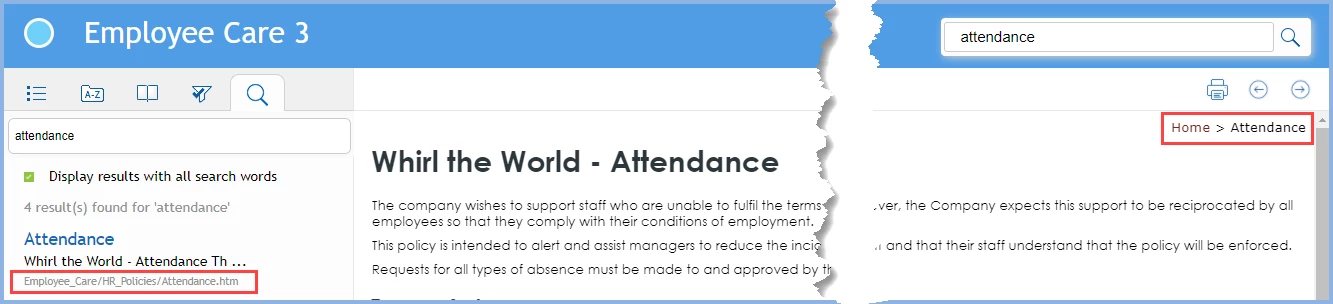
For all the files which display the breadcrumbs on the content page as:
Home > Section
The search results URL displays the filename and folder, NOT the breadcrumb path. For example,
++++++++++++++++++++
Getting Started
Requirements, Administrator Tasks...
getstarted/overview.htm
+++++++++++++++++++++++
In the case above, it would be great of the search displays the breadcrumb:
Home > Getting Started
For all the files which display the breadcrumbs on the content page as:
Home > Section > Subsection
The search results URL display the breadcrumbs in the search results. For example,
+++++++++++++++++++
Prerequisites
System and software requirements...
Home > Installation > Prerequisites
+++++++++++++++++++++
RoboHelp 2017 (13.0.0.257)
Responsive HTML
Azure layout
Thank you! Stay safe everybody!

 AdChoices