

michelled60596123
Known Participant
December 4, 2019
Question

Snippets not being created

  • December 4, 2019
  • 22 replies
  • 1272 views

I am using RoboHelp 2019.0.9

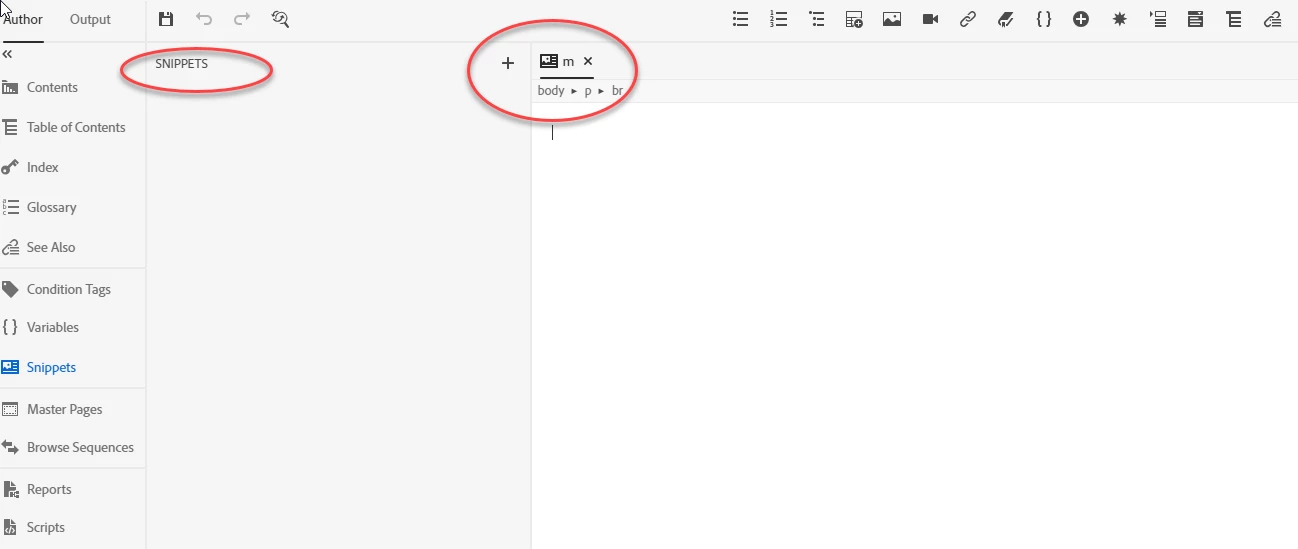
When I create Snippets they do not appear in the Snippets pane as demonstrated in the following screenshot. Does anyone else have this issue?

We are due a RoboHelp update, does anyone know when it is coming?

Kind regards

Michelle
 

This topic has been closed for replies.

22 replies

Erwin.Timmerman
Inspiring
December 4, 2019

Yes, I had this as well at some point. Creating new snippets just didn't do anything at all IIRC.

My workaround was open the folder in Windows explorer, and copy an existing snippet to another file name. This will show up in the GUI and then you can edit it from there. Not ideal, but it works 🙂

michelled60596123
Known Participant
December 4, 2019

I will give that a go, thanks

Peter Grainge
Community Expert
Community Expert
December 4, 2019

Snippets are working correctly and I think they have from the beginning. Does this occur if you create a new project just to test?


The RoboHelp Reimagined sample project has information about how to create Snippets. Just double check you are doing the right thing.


Let us know if that helps.


www.grainge.org

Use the menu (bottom right) to mark the Best Answer or Highlight particularly useful replies. Found the answer elsewhere? Share it here.
michelled60596123
Known Participant
December 4, 2019

I tried it with a new project before I posted here. I will double check to see if I am creating them correctly.