
ae1992
Participant
July 22, 2016
Answered

ToC books not opening in Chrome

  • July 22, 2016
  • 14 replies
  • 13595 views

Hi all,

I am using RoboHelp 11 and RoboHelp Server 9.

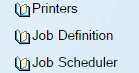
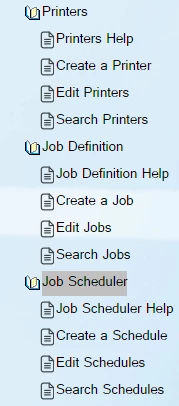
Some of my ToC books are not opening, but the rest are working just fine. I have these same books on a different project, and they're opening fine. Both projects are published on the same server but in different areas. They have been working just fine up until this point.
Thank you!

This topic has been closed for replies.
Correct answer Peter Grainge

The official fix is on Adobe's site at Cannot collapse the ToC of Webhelp output in Google Chrome


See www.grainge.org for free RoboHelp and Authoring information.

@petergrainge

14 replies

adganguly
Participant
June 11, 2018

Hi,

I am facing a similar issue, the TOC is working fine with IE but my books are not opening in google chrome for Robohelp 11. Has the issue been resolved with Robohelp. If yes what are the steps that needs to be taken.

Peter Grainge
Community Expert
Community Expert
June 11, 2018

See Post 115 in this thread.


See www.grainge.org for free RoboHelp and Authoring information.

@petergrainge

Use the menu (bottom right) to mark the Best Answer or Highlight particularly useful replies. Found the answer elsewhere? Share it here.
Peter Grainge
Community Expert
Peter GraingeCommunity ExpertCorrect answer
Community Expert
September 12, 2018

The official fix is on Adobe's site at Cannot collapse the ToC of Webhelp output in Google Chrome


See www.grainge.org for free RoboHelp and Authoring information.

@petergrainge

Use the menu (bottom right) to mark the Best Answer or Highlight particularly useful replies. Found the answer elsewhere? Share it here.
TatuMbili
Inspiring
April 26, 2018

Same thing, didn't notice the problem until I opened in Chrome on my personal laptop. Applied the file fix (I've done all my patches for RoboHelp 2015) and I'm working now!

Thanks, Peter!

Helen

Inspiring
March 6, 2018

This fix is not working for me. I'm on RH17 (13.0.2.334) using Chrome Version 63.0.3239.132 (Official Build) (64-bit). I modified the whthost.js file according to Peter's post, cleared the browser cache, and still the TOC books do not open properly. Is there something else I should try?

Jeff_Coatsworth
Community Expert
Community Expert
March 6, 2018

Try updating the Chrome version? I just checked & mine is set to 64.0.3282.186 now.

Participant
March 2, 2018

Peter, thank you so much!

Inspiring
February 27, 2018

I tried this for my webhelp project (RH 2017) and it worked out well. Thank you.

Known Participant
January 30, 2018

I applied the fix you suggested, but we're still having problems with our Help Files TOC expanding in Chrome Version 63.0.3239.132 (Official Build) (64-bit).  Everything works fine in IE, and fortunately, the software defaults to IE - which is probably why we haven't had a lot of customers calling to complain.  We're running on a Web Server.

Jeff_Coatsworth
Community Expert
Community Expert
January 30, 2018

katgentry​ - what version of RH?

Known Participant
January 30, 2018

Sorry I didn't add - RH 2015

Participant
January 19, 2018

Another voice heard from - this solved the problem for us as well (using RoboHelp 10).  Thanks to everyone!

Inspiring
January 8, 2018

Can anyone else confirm this?  I logged into Chrome this morning, went to the Help > About page, saw my system update to the release build listed above, went to the WebHelp I had open, was able to open multiple books, but was not able to close any of the books.  I refreshed the page, and then i was no longer able to open a book after selecting a topic.  I closed an re-opened the browser, went to a different project, and I could not open any of the books again.

Known Participant
January 8, 2018

I confirm it's still NOT working for me with Version 63.0.3239.132 (Official Build) (64-bit). A mix of what's described by Timothy and by WriterJeanne...

Known Participant
January 5, 2018

While it may not be progress, it is at least still motion.

See you guys after the next update

Peter Grainge
Community Expert
Community Expert
January 8, 2018

UPDATE - In Version 63.0.3239.132 (Official Build) (64-bit) books are opening OK.


See www.grainge.org for free RoboHelp and Authoring information.

@petergrainge

Use the menu (bottom right) to mark the Best Answer or Highlight particularly useful replies. Found the answer elsewhere? Share it here.
Known Participant
January 5, 2018

It looks like there was a new build on Thursday, and now I can't recreate this issue.  Maybe Google did us a solid?

Known Participant
January 5, 2018

Never mind.  False alarm

Inspiring
January 5, 2018

Interesting.  My supervisor contacted my yesterday to let me know it looked as if the issue had been resolved, but then--even before I had a chance to verify the information--he let me know it was not working again.  Anyone else have the experience of seeing the TOC books work correctly in Google Chrome in the last day or so?  Wondering if there was a recent Chrome update where it did work but then a subsequent Chrome update that broke it again. Thanks.