
Inspiring
May 8, 2020
Answered

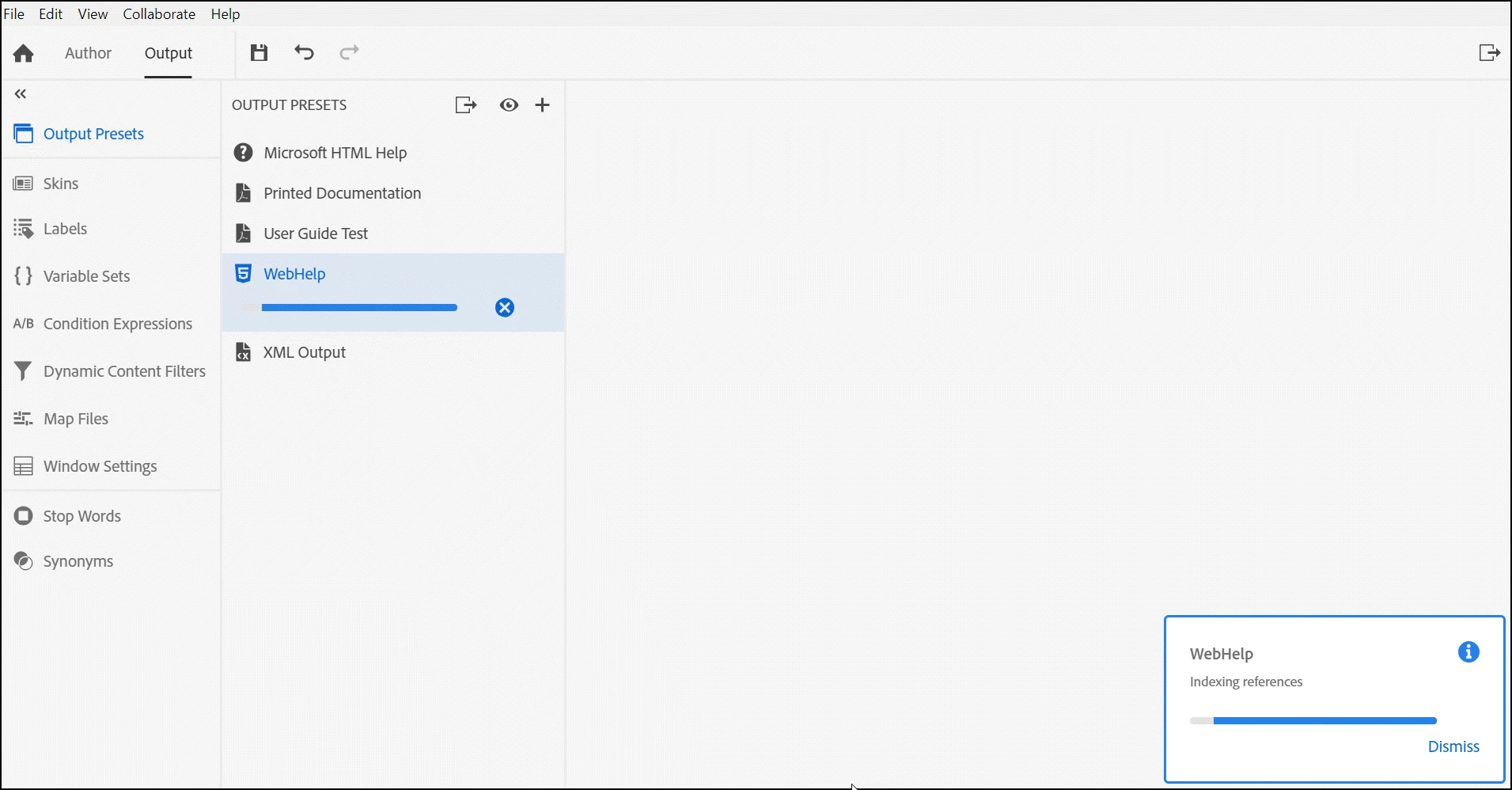
WebHelp project won't generate and hangs on "Indexing references"

  • May 8, 2020
  • 16 replies
  • 880 views

Hi there,


On Wednesday I upgraded to the most current version of RH 2019. I believe (not positive) I was using a version two updates back. My issue is that WebHelp never completes. It hangs on "Indexing references" (image attached). I noticed another posted issue (https://community.adobe.com/t5/robohelp/rh-2019-full-upgraded-robohelp-project-fails-to-generate-indexing-references/td-p/11042112?page=1) that perhaps addresses what I'm experiencing. Problem is, if this is the same issue, I have a TON of image maps in my project that would be exceptionally time consuming to remove. Any thoughts? Many thanks!
This topic has been closed for replies.
Correct answer brendan716

Okay, Peter, here's what I found ... 

The old adage, "when all else fails, reboot," is appropriate here. I was basically able to get it working by following your instructions. However, I needed to reboot between making changes (yes, I know it sounds odd). So, here's what I did in case someone else runs into this issue:

1) Edited the Webhelp Output Presets to use a new skin and select all options under "select files to exclude from search."

2) Saved and closed project.
3) Rebooted machine.

4) Updated and saved new skin.

5) Regenerated Webhelp.

I have not yet worked through each option in "select files to exclude from search" yet.

Thanks much for your assistance.

16 replies

Peter Grainge
Community Expert
Community Expert
May 12, 2020

Another possibility is the CSS that was upgraded. Create a new 2019 project and copy default.css from that. Rename to avoid overwriting if you need to.


In the Topic List report, select all topics and right click. Apply the clean default.css. Obviously it will screw up the appearance of your topics but it won't change their code. It will be OK when you revert to the correct CSS.


The point here is to rule out the CSS.


I have seen both the things I have suggested help in some cases.


Use the menu (bottom right) to mark the Best Answer or Highlight particularly useful replies. Found the answer elsewhere? Share it here.
Peter Grainge
Community Expert
Community Expert
May 12, 2020

Next step has to be a new preset. Any joy with that?


Use the menu (bottom right) to mark the Best Answer or Highlight particularly useful replies. Found the answer elsewhere? Share it here.
Inspiring
May 12, 2020

Peter, the skin does not appear to be the issue. So, I used a different skin and it works the first time or two times I try to generate WebHelp, but then, at some point, after I've added a new topic or updated the TOC and try to regenerate, I get an error. It's quite inconsistent. But as soon as it fails once, it never seems to want to recover--and this is with using RH's prefab skin and excluding those files from my search.


Twice now I've copied over older versions of my Help to test and see this occurring. 

Peter Grainge
Community Expert
Community Expert
May 11, 2020

I'm guessing the skin is the issue. With a skin that does work, you could try deselecting the search options again to sort of prove it.


Use the menu (bottom right) to mark the Best Answer or Highlight particularly useful replies. Found the answer elsewhere? Share it here.
Inspiring
May 11, 2020

Thanks, Peter. So, yeah, it kind of worked. After excluding file types from search, it didn't work using my custom skin. However, I changed the skin to Azure_Blue_(RTL) and it generates sometimes. I suspect I might find the pattern of misbehavior if I keep trying.

Peter Grainge
Community Expert
Community Expert
May 9, 2020

Please always indicate New UI or Classic. In this case the image name gave me a clue. Also please use the photo icon to insert images into the body of a post. There are problems with attached images at the moment.


Image maps are not the only cause of hanging. In the preset go to the Search options and select all the file types to exclude from search.


Does the project then generate?


What skin are you using?


Use the menu (bottom right) to mark the Best Answer or Highlight particularly useful replies. Found the answer elsewhere? Share it here.