


Participating Frequently
November 19, 2021
Answered

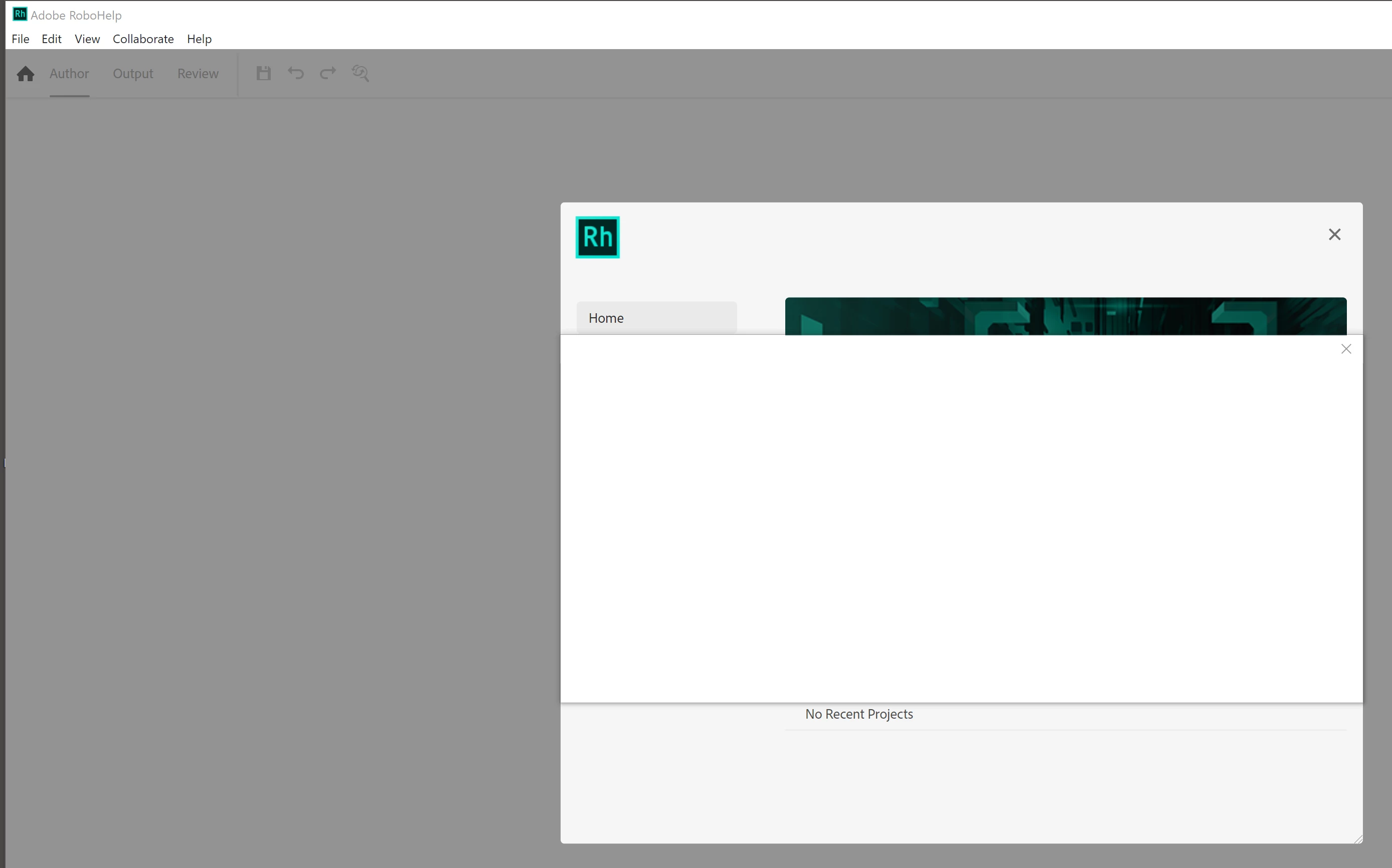
White window at startup after trial installation

  • November 19, 2021
  • 5 replies
  • 522 views

Hello I did just install the trial version.

The installation went through without errors (windows 10)

When I start RoboHelp to start my try-out journy I get a "third" white window over the start page "New Project", "Open Project" ...

I can move and rescale the white window but can not click anything behind it.

If I close the white window it will also close RoboHelp.

I assume that there is some login or other content intended to be in that window ... but nothing to click or finish with hitting enter ...

Any suggestions?
 

    This topic has been closed for replies.
    Correct answer Jeff_Coatsworth

    Supposedly this has been fixed at Adobe's end - https://community.adobe.com/t5/robohelp-discussions/white-screen-when-starting-robohelp/m-p/12551455#M141795

    5 replies

    Jeff_Coatsworth
    Community Expert
    Jeff_CoatsworthCommunity ExpertCorrect answer
    Community Expert
    November 29, 2021
    Peter Grainge
    Community Expert
    Community Expert
    November 19, 2021

    Sorry but the message in German is meaningless to me. 


    I think you have two options.


    1. See https://helpx.adobe.com/contact/enterprise-support.other.html#robohelp for your Adobe Support options. The email link tcssup@adobe.com is recommended as it reaches a team dedicated to Technical Communication Suite products including RoboHelp.
    2. Download & Install - Adobe Support Community Post a question there and hopefully someone will get back to you.


    I would try the first one first and give them some time. 


    Other thoughts are:

    • Did you install to the default location?
    • You are installing on an actual machine rather than a virtual machine?
    • You did unpack the download rather than try to run setup from within. I expect you did but I have seen people do similar things with a zip file. Has to asked.
    • Might be worth downloading the installer again just to make sure.


    Let us know how you get on. As you are trying it out, I can assure you this is not a normal experience.

    ________________________________________________________
    See www.grainge.org for free Authoring and RoboHelp Information

    Use the menu (bottom right) to mark the Best Answer or Highlight particularly useful replies. Found the answer elsewhere? Share it here.
    Peter Grainge
    Community Expert
    Community Expert
    November 19, 2021

    Did you just reinstall over the top or uninstall, reboot and reinstall?


    To the best of my knowledge admin user must install but then the regular user does not need admin rights. I can check that but timezone differences mean I won't get a quick answer.


    Not sure about this but try getting the admin user to open RoboHelp, go to the help menu and sign out, then get the ordinary user to sign in, unless that is what you did.


    Beyond that I believe there is a special support area for installation issues but I can't find the details. I'll see if I can find more about that.

    ________________________________________________________
    See www.grainge.org for free Authoring and RoboHelp Information

    Use the menu (bottom right) to mark the Best Answer or Highlight particularly useful replies. Found the answer elsewhere? Share it here.
    Participating Frequently
    November 19, 2021

    Starting as admin-user leads to:

    Peter Grainge
    Community Expert
    Community Expert
    November 19, 2021

    What version is showing in the Help menu?

    ________________________________________________________
    See www.grainge.org for free Authoring and RoboHelp Information


    Use the menu (bottom right) to mark the Best Answer or Highlight particularly useful replies. Found the answer elsewhere? Share it here.
    Participating Frequently
    November 19, 2021

    I don't get to the help menu ... but system tells me 2020.6.0.76

    Peter Grainge
    Community Expert
    Community Expert
    November 19, 2021

    I don't know what has gone wrong but first try simply rebooting.


    Does it still happen if you do that?

    ________________________________________________________
    See www.grainge.org for free Authoring and RoboHelp Information

    Use the menu (bottom right) to mark the Best Answer or Highlight particularly useful replies. Found the answer elsewhere? Share it here.
    Participating Frequently
    November 19, 2021

    Yes, I tried reboot and yes the situation persists.

    I can try reinstall ...

    Participating Frequently
    November 19, 2021

    Same situation after reinstallation ... By the way: Installation is done with an admin-user, usage is with a standard-windows-user (without admin-rights). Any further hints?
