


Participant
December 7, 2018
Answered

Acrobat DC

  • December 7, 2018
  • 3 replies
  • 1108 views

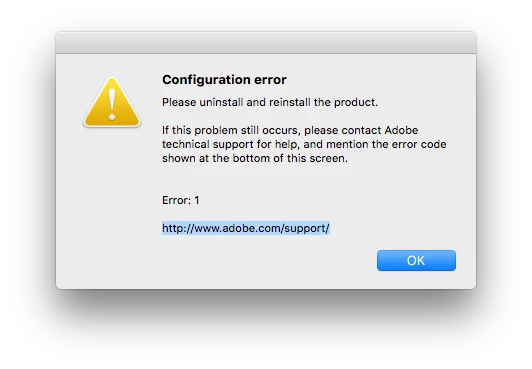
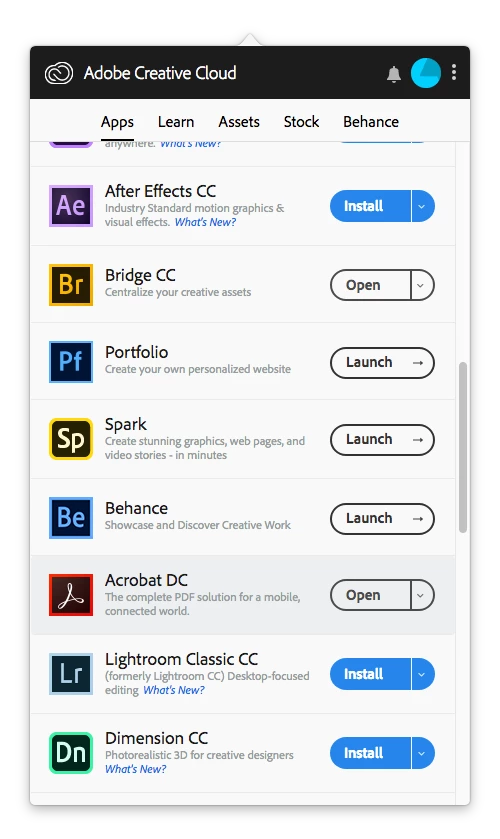
I get a Configuration error: 1 with Acrobat DC. Its not installed but the Creative Cloud app has an open button near it. When I click the button I get the configuration error. Fixing permissions does not work. Reinstalling does not work. Its not installed. Help!

I am using a MacPro mid 2012 with newly installed macOS High Sierra 10.13.6 with the requested firmware update.
Thanks in advance for any help!

This topic has been closed for replies.
Correct answer Adorobat

As you have tried all the troubleshooting steps given in the above-mentioned help document, please visit the following link to contact support: Contact Customer Care

3 replies

Participant
December 10, 2018

Yes, I am getting the Configuration error 1.

None of these solutions work.

The solutions here did not work: Resolve installation failure | Adobe Creative Cloud desktop application

Solution 1: Still error code 1 and Acrobat shows in the list as installed when it is not

Solution 2: Clicked uninstall and got this response: "Couldn't uninstall Creative Cloud for desktop. You will still have Creative Cloud applications installed on your computer that require it.

Adorobat
Community Manager
AdorobatCommunity ManagerCorrect answer
Community Manager
December 10, 2018

As you have tried all the troubleshooting steps given in the above-mentioned help document, please visit the following link to contact support: Contact Customer Care

Adorobat
Community Manager
Community Manager
December 10, 2018

Hi olemissman,

As per the issue description mentioned above, you are getting Configuration error: 1 with Acrobat DC, is that correct?

Try the troubleshooting steps given in the following help document:

Resolve installation failure | Adobe Creative Cloud desktop application

You may also refer to the following forum threads discussing the similar issue:

Configuration Error: Error 1

Configuration error 1 - please uninstall and reinstall the product

Let us know if you need any help.

Shivam

Inspiring
December 8, 2018

I was having the same error. I have attempted to uninstall and reinstall, but now I get more errors (codes below) and although I've tried all the solutions on the Adobe site, including attempting to install in Safe mode (and reinstalling the CC Desktop tool), I'm stuck.

Although this error code seems very old (I found such posts from 2015), I had no problems until updating to CC 2019 and Mojave. FWIW, I'm having weird problems in Photoshop CC 2019, too, all of this on a totally fresh install (but using my old home folder).

Thanks for any ideas.

Exit Code: 7

Please see specific errors below for troubleshooting. For example,  ERROR: DW003, DW006 ...

-------------------------------------- Summary --------------------------------------

- 0 fatal error(s), 2 error(s)

----------- Payload: Adobe Acrobat DC 19.8.20071.0 Acrobat DC/Acrobat DC Installer.pkg_19.008.20071 -----------

ERROR: DW006: Apple Package failed to install successfully.

ERROR: DW003: Third party payload installer /tmp/108CB89A-F6DD-4452-9FD1-C5E2102070DA/Acrobat_DC_Web_WWMUI/Acrobat DC/Acrobat DC Installer.pkg failed with exit code: 1

-------------------------------------------------------------------------------------