


Question
Adding a certificate (digital signature) to a fillable PDF form does not provide a check box to lock
Adding a certificate (digital signature) to a fillable PDF form does not provide a check box to lock the document after signing it. On the fillable form I select the "sign" fillable box and the window pops up to add a signature, which does not give the check box to lock the form.
On the other hand, on a non-fillable form, when selecting "Certificates" and then dragging a custom box after clicking "Digitally Sign", a check box is provided.
I need to know how to lock a fillable form after putting a digital signature on it.
I've added two pictures to show the difference between boxes.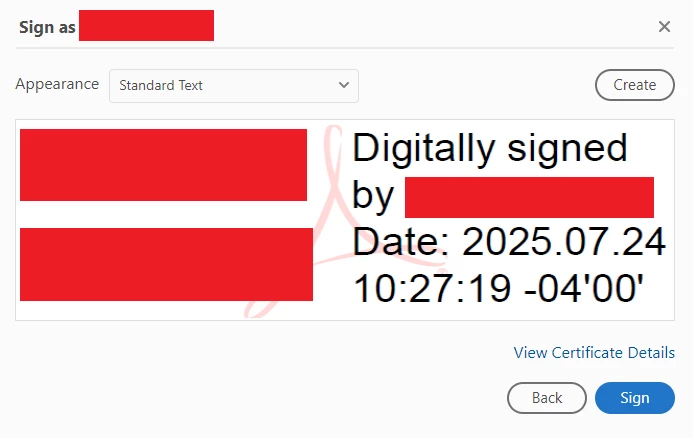
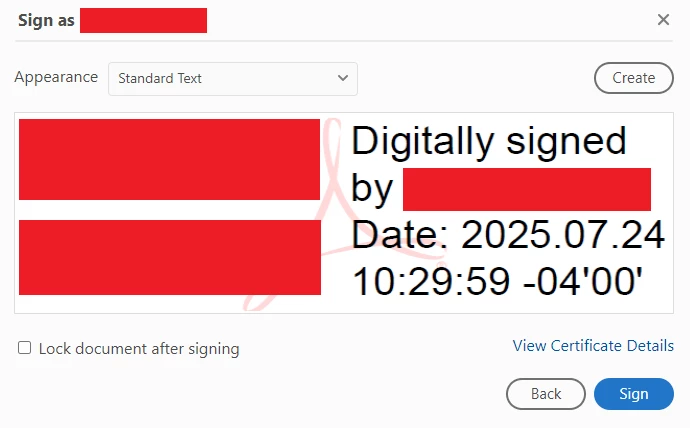
I'm on version 2025.001.20577 using Adobe Acrobat (64-bit)
 AdChoices