


Participant
September 25, 2023
Question

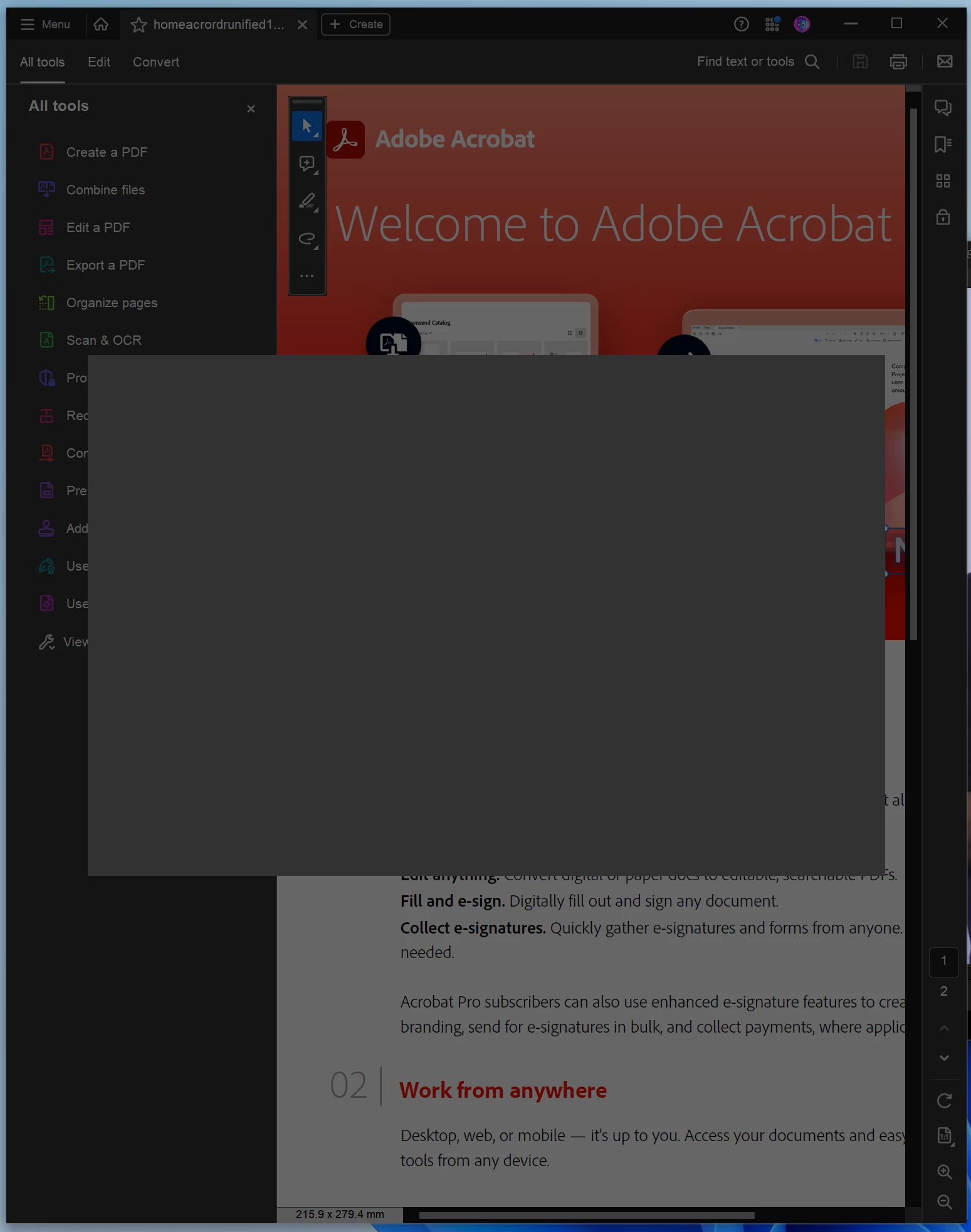
Adobe acrobat 23.0 "What is new" screen keep open and freze program

  • September 25, 2023
  • 2 replies
  • 1690 views

Adobe acrobat 23.0 "What is new" screen keep open and freze program

I am using windows 11 latest version

i did uninstall and install again but the same error

Any help to stop this screen?
This topic has been closed for replies.

2 replies

Meenakshi Negi
Community Manager
Community Manager
September 26, 2023

Hi Mohamed32506862fr49,


Thank you for reaching out, and sorry about the trouble caused.


Please try the troubleshooting steps suggested in the following help document: https://helpx.adobe.com/acrobat/kb/acrobat-dc-crashes-on-windows-os.html.


If that does not help, try removing the application and running the cleaner tool (https://www.adobe.com/devnet-docs/acrobatetk/tools/Labs/cleaner.html). Reboot the machine and install Acrobat Pro DC from the following page: https://helpx.adobe.com/acrobat/kb/acrobat-dc-downloads.html.


If the issue still occurs, share the Acrobat and OS versions on the machine.

We may require logs for the issue.


Thanks,

Meenakshi

Participant
October 4, 2023

Hello again,
i did those steps and it is the same.

Since i know how to remove that screen by press Esc i do my work and thats it but the problem still there.

that screen "What's New" i should start when the program is fresh installed so i am sure it world make poeple feel bad but my advise is to press Esc.

Participant
September 25, 2023

Gray window keep showen but i discover now it goes when i press Esc key
but why that is happening?

Eric Dumas
Community Expert
Community Expert
September 25, 2023
Participant
September 25, 2023

thank you for your replay
I did that and it is the same problem
even I did install fresh new windows 11 and the same gray screen whenever i open what's new or if it start by it self