



NursingNnenna
Participant
June 17, 2026
Answered

All Tools Pane Disappears/Empty When I Select Edit PDF?

  • June 17, 2026
  • 61 replies
  • 8523 views

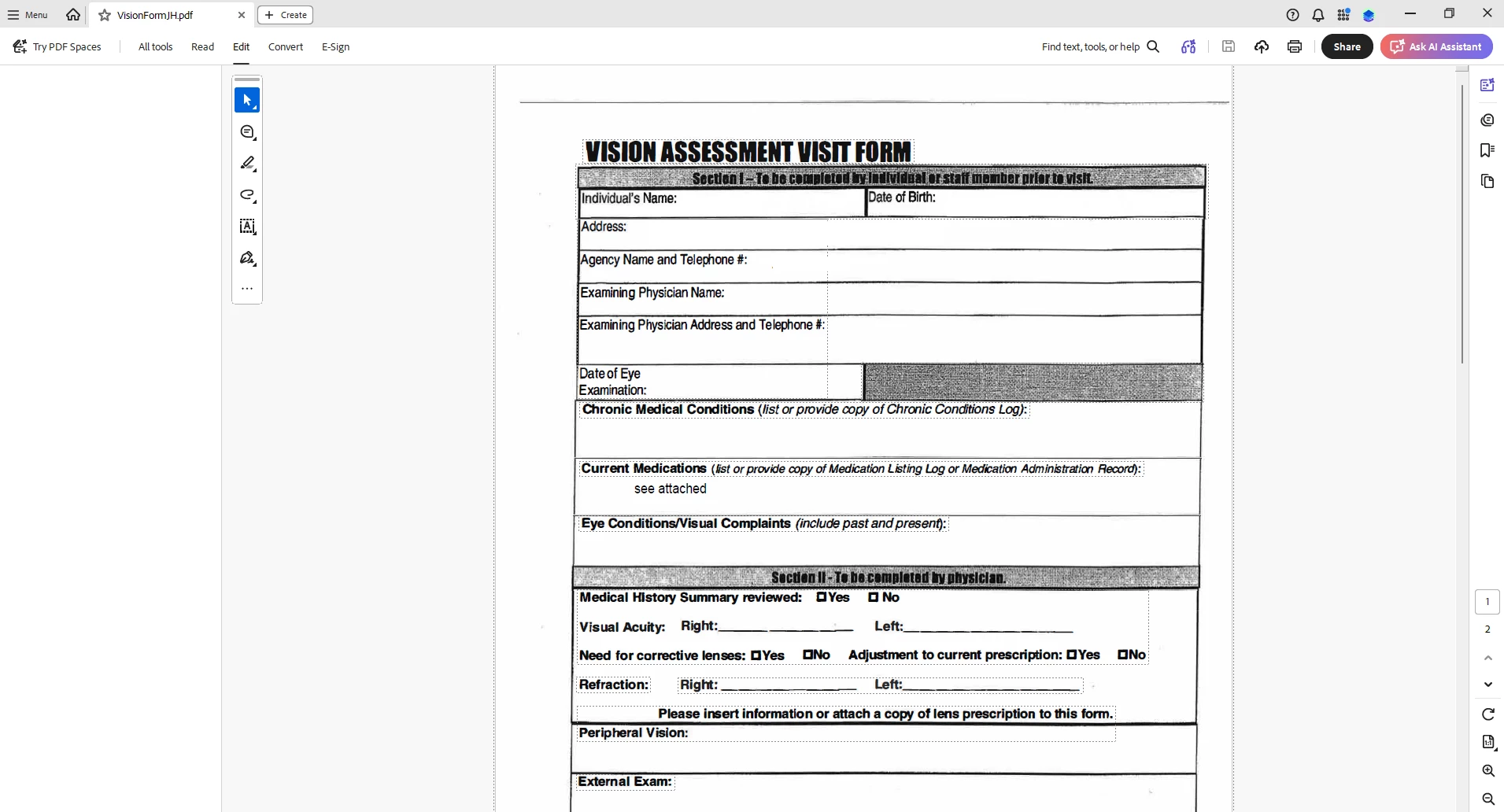
When I select “Edit PDF” option, the “All Tools” pane disappears.

This issue seems persistent.

I’ve tried looking at the view/show settings.

Running a repair on the installation.

Uninstalling and Reinstalling Adobe Acrobat.


Can someone please help or provide some suggestions?


Thank you,
 

    Correct answer Anand Sri Bhattacharya

    Hi All!


    Thanks for your patience and cooperation on this.


    Please try the following suggestions, and let us know if this fixes the issue for you.

    Please note: Create a backup of the registry settings before making any changes. To create a backup, check this article: https://support.microsoft.com/en-us/topic/how-to-back-up-and-restore-the-registry-in-windows-855140ad-e318-2a13-2829-d428a2ab0692


    • Go to the registry location: "Computer\HKEY_LOCAL_MACHINE\SOFTWARE\Policies\Adobe\Adobe Acrobat\DC\FeatureLockDown"
    • Right-click on the right blank space > select New > DWORD 32-bit value.
    • Rename it to:  bGenCoverPagesLabelStrings
    • Right click on the new value > Click Modify > add the value as ‘1’ (numeric one)
    • Restart the Acrobat and the machine and check the performance.

    Let us know if you experience any issues.

    Regards,

    Anand Sri.

    61 replies

    KGoodwin2
    Participant
    June 17, 2026

    I am having the same issue.  

    K.
