


Certificate Signature is not working
Hi,
I'm trying to sign a PDF with an official certificate from the FNMT (the official certificate issuer in Spain). I can import it into Windows 10, validate it, and use it to sign in other applications without any problems, but when I try to sign it in Adobe Acrobat Pro, the option to use a certificate doesn't appear.
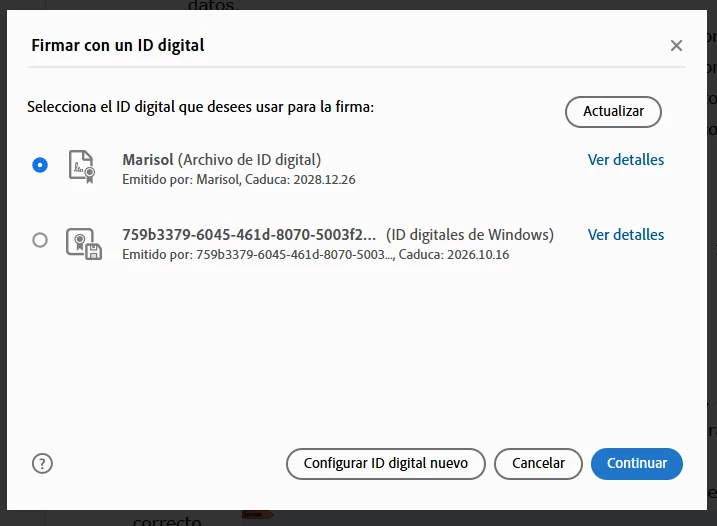
I can use the personal certificates he created, but the certificates from the Windows certificate store don't appear.
If I try to sign by setting up a new digital ID, I can select the certificate, enter the password, and add it.
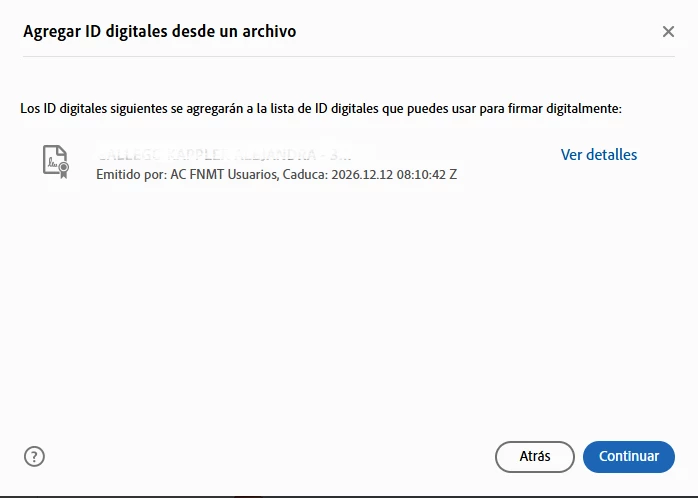
But when I click the Next button, the "Sign with a digital ID" option appears again with the same two digital IDs as before, and nothing happens.
I've tried all the solutions: disabling Protected View, reinstalling, unchecking revocation verification, switching from PKCS#7 to CAdES, etc., but nothing works. I've tried it in another version of Adobe Acrobat Pro and in Acrobat Reader with the same results, so I think it may be related to the certificate, but it works correctly in three other different applications.
Additionally, I discovered that if I click "More" on either of these two options, Adobe crashes.
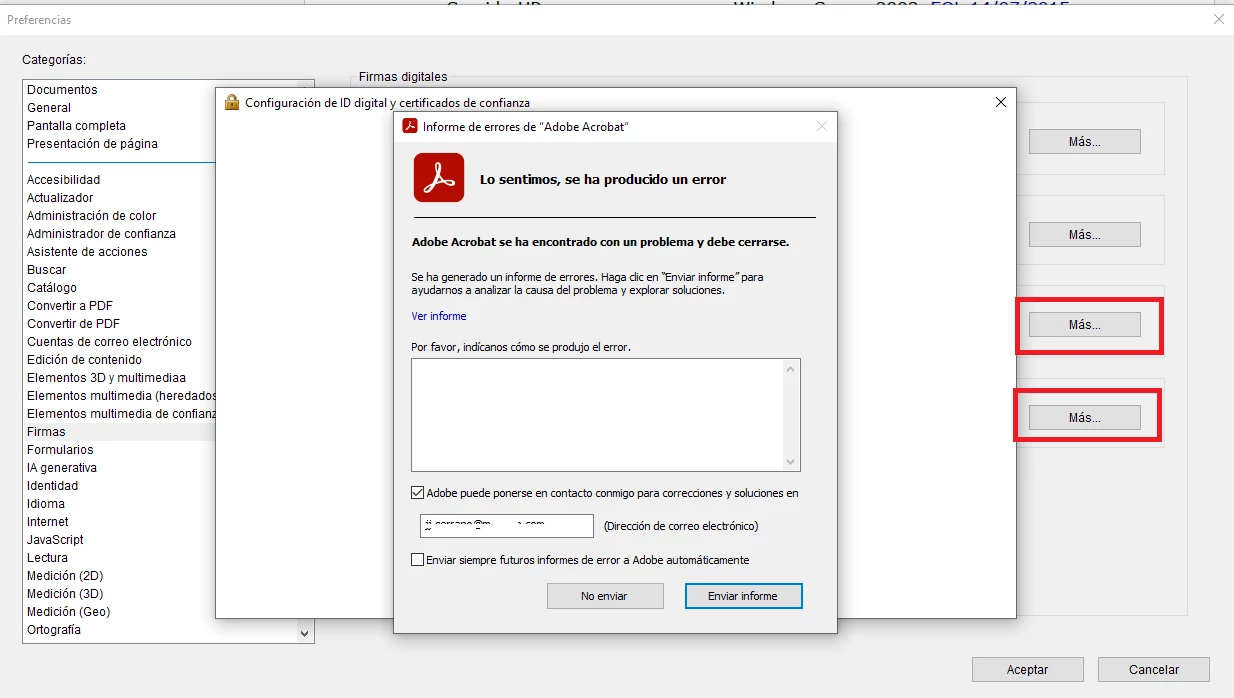
But I don't think it's related to the signature issue, since I can click them on another machine with Acrobat Pro installed.
Any ideas? Thanks.

 AdChoices