


Participant
May 31, 2018
Answered

Duplicating form fields without duplicating the name?

  • May 31, 2018
  • 1 reply
  • 7752 views

Is it possible to copy or duplicate multiple fields from one page to another, but have it create new, unique field names?  I am having to go to each individual field and change the name, one at a time - so tedious and frustrating!!!
This topic has been closed for replies.
Correct answer JR Boulay

You can automatically rename fields when duplicating on one page, using : right-clic : Create Multiple Copies

Then copy-paste (in place) on other pages.

Otherwise, you can use a "dot naming" convention for fields' names.

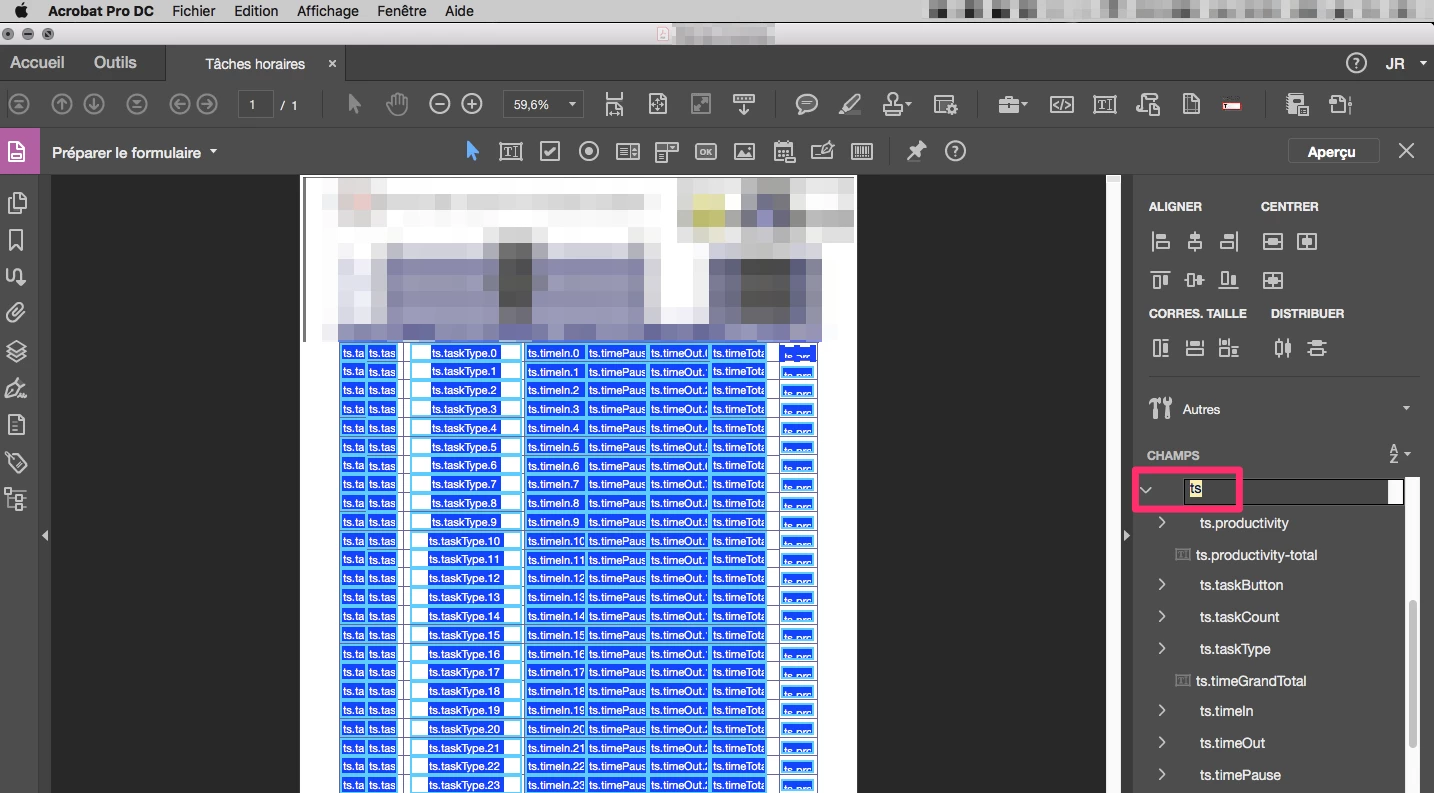
So you can easily rename multiples files by editing the root in the Field pane:

page1.user1.name

page1.user1.address

page1.user2.name

page1.user2.address

etc.

Copy-paste all fields then rename all in one clic and one input:

(clic the A/Z menu to sort fields by name)

page2.user1.name

page2.user1.address

page2.user2.name

page2.user2.address

etc.

1 reply

JR Boulay
Community Expert
JR BoulayCommunity ExpertCorrect answer
Community Expert
May 31, 2018

You can automatically rename fields when duplicating on one page, using : right-clic : Create Multiple Copies

Then copy-paste (in place) on other pages.

Otherwise, you can use a "dot naming" convention for fields' names.

So you can easily rename multiples files by editing the root in the Field pane:

page1.user1.name

page1.user1.address

page1.user2.name

page1.user2.address

etc.

Copy-paste all fields then rename all in one clic and one input:

(clic the A/Z menu to sort fields by name)

page2.user1.name

page2.user1.address

page2.user2.name

page2.user2.address

etc.

Acrobate du PDF, InDesigner et Photoshopographe