


How can I change the name that appears by default when I comment in Adobe Acrobat?
Hi,
My Adobe is linked to an old email address that starts with "mad_cat" (don't judge, I was 14!)
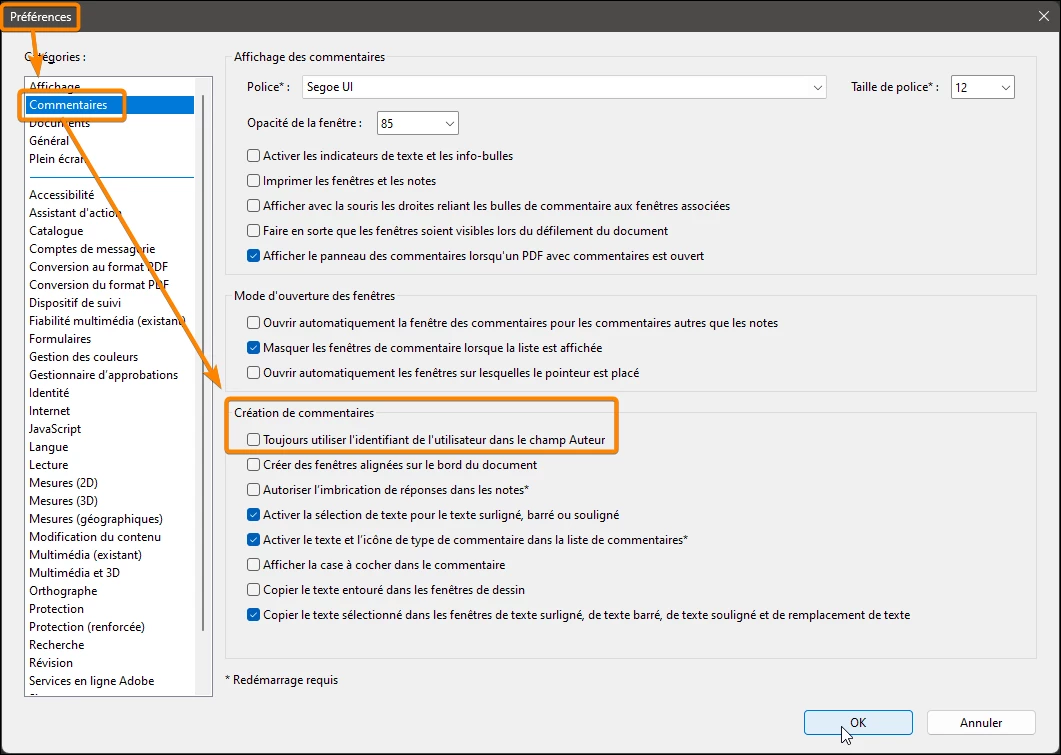
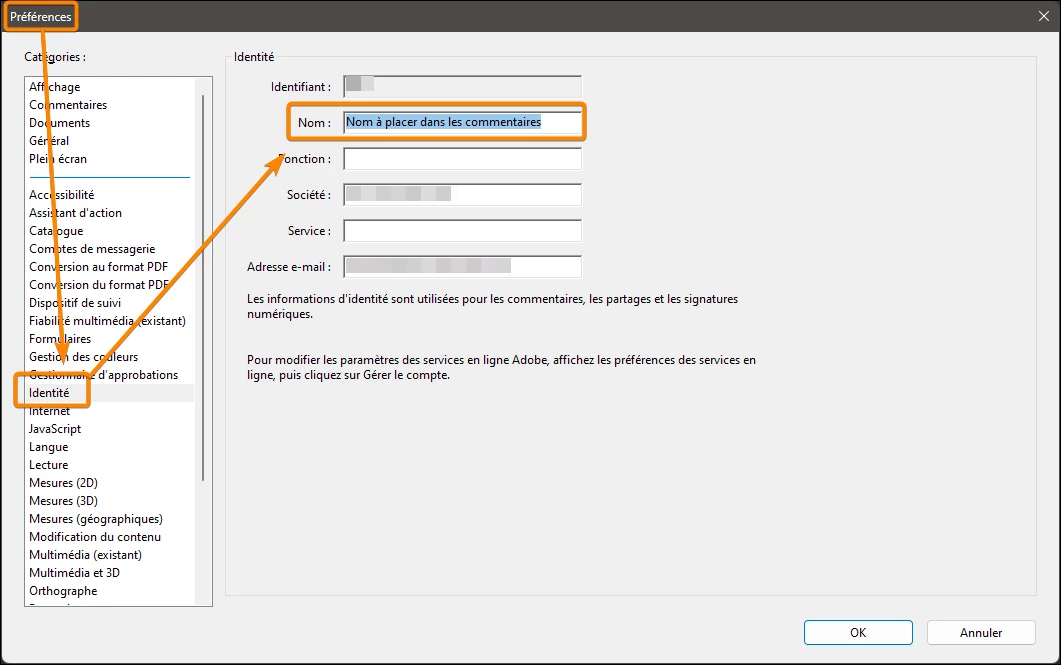
I use this same Adobe account to proofread PDFs; however, the username that appears when I comment is "mad_c". I'd like to change this to my actual name. When I go into Preferences / Identity in the desktop app, in the Username field it says "mad_c" and is grayed out: I can't change it. When I go into the Account section on the website, I don't see mad_c anywhere and in username it says my real name. So I don't know where I have to make the change.
So: how can I change mad_c to something different AND get it to appear by default? (I'm able to force Acrobat to use another name, but I have to do it every time I comment a new document and I'd rather skip that step.)
Thanks in advance.
 AdChoices