Answered
How to disable 'send as a link' attachment after April 2024 update
I can't figure out how to disable the 'send as a link' attachment after this new update. Any advice? Hey, Adobe, quit trying to make 'send as a link' happen.

I can't figure out how to disable the 'send as a link' attachment after this new update. Any advice? Hey, Adobe, quit trying to make 'send as a link' happen.
Bring up Acrobat's preferences and then go to the "Email Accounts" category. Here you will see a checkbox that controls if documents are sent as a link or as a real attachment:
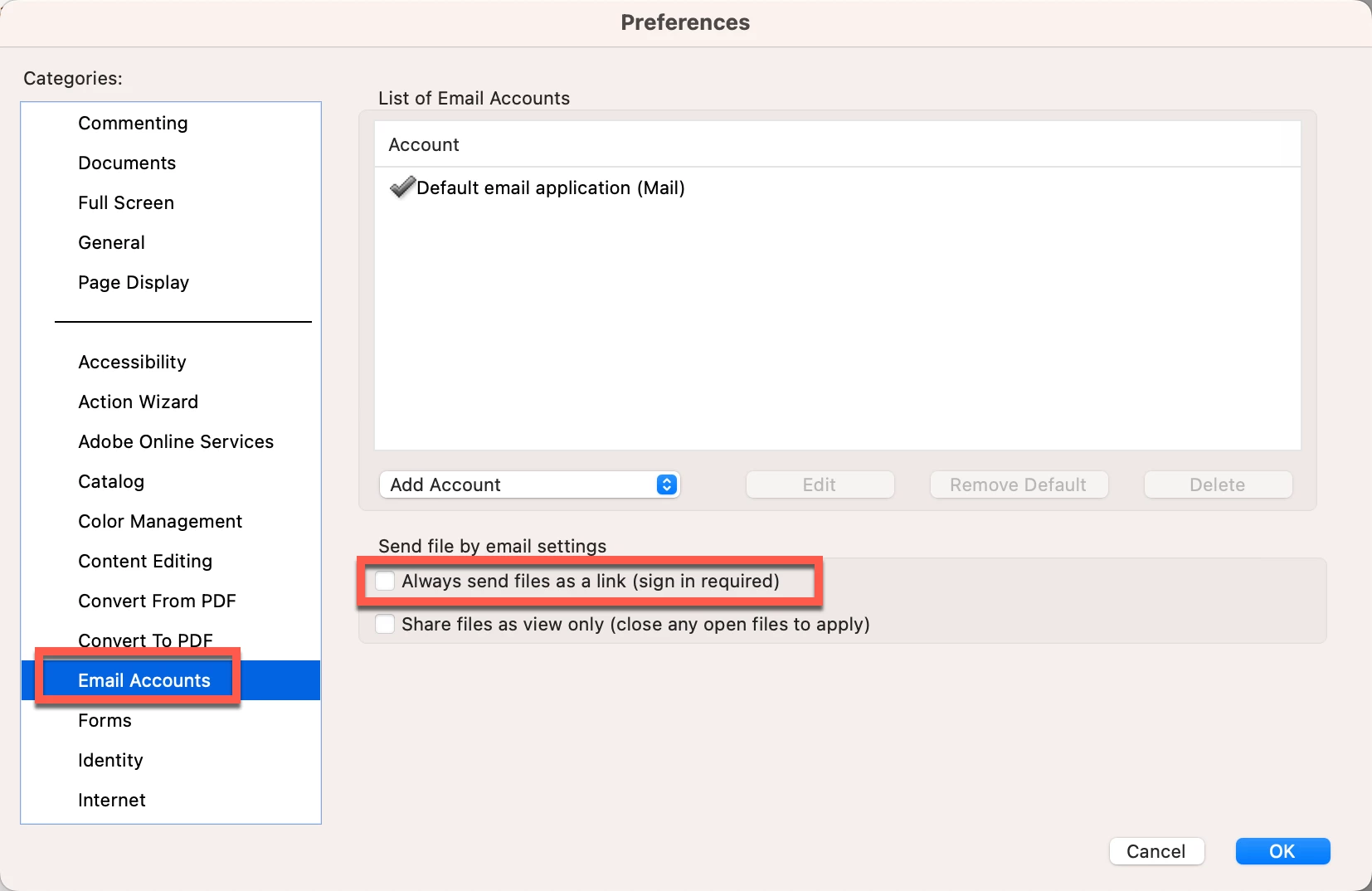
If you uncheck this checkbox and re-launch Acrobat, documents should be attached to your emails.
Already have an account? Login
Enter your E-mail address. We'll send you an e-mail with instructions to reset your password.
 AdChoices