
How to make a form field with a border and background only print if that field has been filled in
Hi everyone,
I'm having a bit of difficulty with form fields.
Basically I have some product labels, some of which require to show a "UN" number and some which don't.
The client wants to be able to add the UN number themselves to the products which need it, and if they don't need it then this field including the background colour and the border should not print.
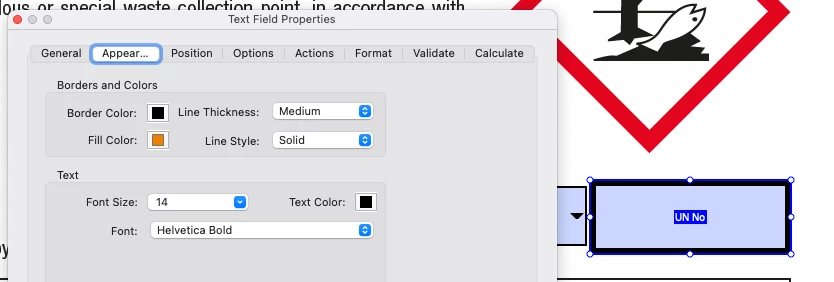
The UN number, if it shows, needs to appear in an orange box with a black border. So if they fill in this field when they print it out it will look like this:
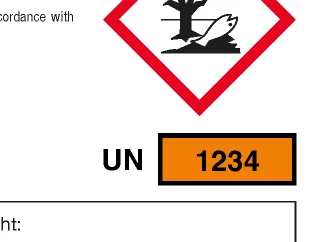
So far I have done all of the above and it is fine and works.
The problem is that if the field is NOT filled in because it has been purposely left blank I want it to not print at all so it looks like this:
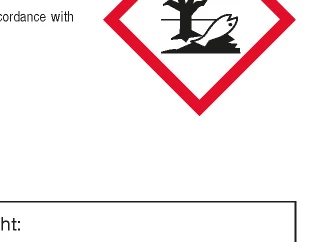
But it doesn't. It prints like this:
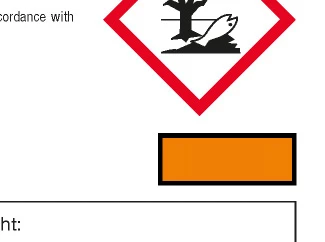
How do I make the box NOT print if the form field remains empty?
Thanks in advance for any help.
Richard


 AdChoices