


Participant
February 28, 2022
Answered

How to run imported Javascripts in the debugger?

  • February 28, 2022
  • 2 replies
  • 1456 views

Greetings,


I've recently created a script that takes a PDF and splits it up into many pieces, saving the pieces in whatever folder the PDF resides in. I'm searching for the simplest way to have my users use this script. So far my current method is copy - pasting it into the console, highlighting all the text (Ctrl + a), and then hitting Ctrl + enter.


After searching around, I found that Acrobat has a Javascripts folder in C:\Program Files (x86)\Adobe\Acrobat DC\Acrobat\Javascripts. I placed my script (saved as .js) in the folder, and enabled the debugger in settings. I now see my script loaded in the debugger, but I cant seem to run it. I assume the green button at the top would execute it, but no luck. I've attached a screenshot, my script is the "page1splitter.js"
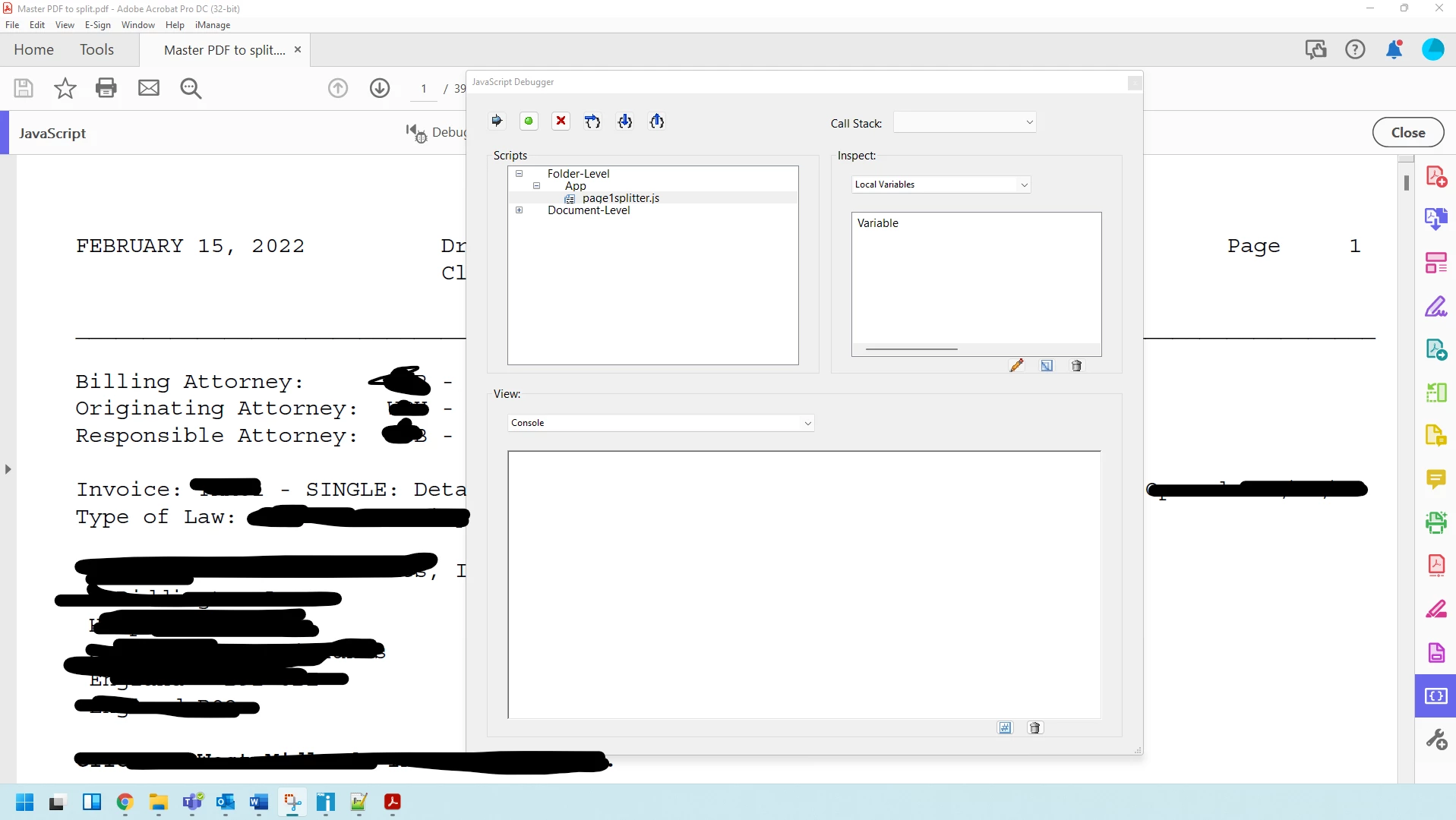
 

Am I missing something? Thanks in advanced!

This topic has been closed for replies.
Correct answer JR Boulay

If they use Acrobat Pro you should place your script in an Action, it's more user-friendly (double-clic to install).

2 replies

JR Boulay
Community Expert
JR BoulayCommunity ExpertCorrect answer
Community Expert
February 28, 2022

If they use Acrobat Pro you should place your script in an Action, it's more user-friendly (double-clic to install).

Acrobate du PDF, InDesigner et Photoshopographe
Thom Parker
Community Expert
Community Expert
February 28, 2022

Or a Custom Command.  Acrobat provides easy methods for exporting and importing both Actions and Custom Commands.


Thom Parker - Software Developer at PDFScriptingUse the Acrobat JavaScript Reference early and often
try67
Community Expert
Community Expert
February 28, 2022

If the script is located in a function you can call that function from the Console.

If it's not in a function then you can't call it, as it executes when the application opens.


Participant
February 28, 2022

Hey try67,


Thanks for providing me with some insight here. The function idea is good, it defeintly would be simpler than my current process. But I'd like to get it even simpler if possible.


I was hoping to load the script into the Javasccripts folder, then have a user click on a button of some sort that does the same as highlighting and Ctrl+enter on the text. Do you know if thats possible?

try67
Community Expert
Community Expert
February 28, 2022

Of course. You would still need to place the code in a function, but then you could call that function via a button, using the addToolButton method of the app object.