


New Participant
December 22, 2023
Question

Issue with opening some PDF files in Adobe Acrobat Pro and Adobe Acrobat Reader

  • December 22, 2023
  • 1 reply
  • 2771 views

We are developing a client application where we generate PDF documents. The issue we're encountering is that not all generated PDFs can be opened in Adobe, this seems to happen randomly. It's worth noting that these 'corrupted' PDFs can be opened correctly in other programs and web browsers.

Attached a photo of the error message and a PDF file that cannot be opened in Adobe.
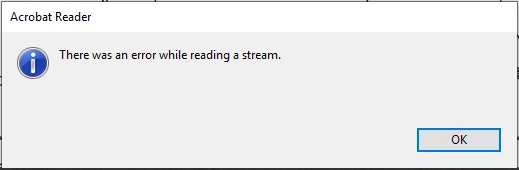
A few seconds after pressing the 'OK' button in the error window, the PDF data loads but without the image. The image remains black. It's worth noting that this image can be edited in Adobe Acrobat. When opening the image in the Paint program, it loads correctly.
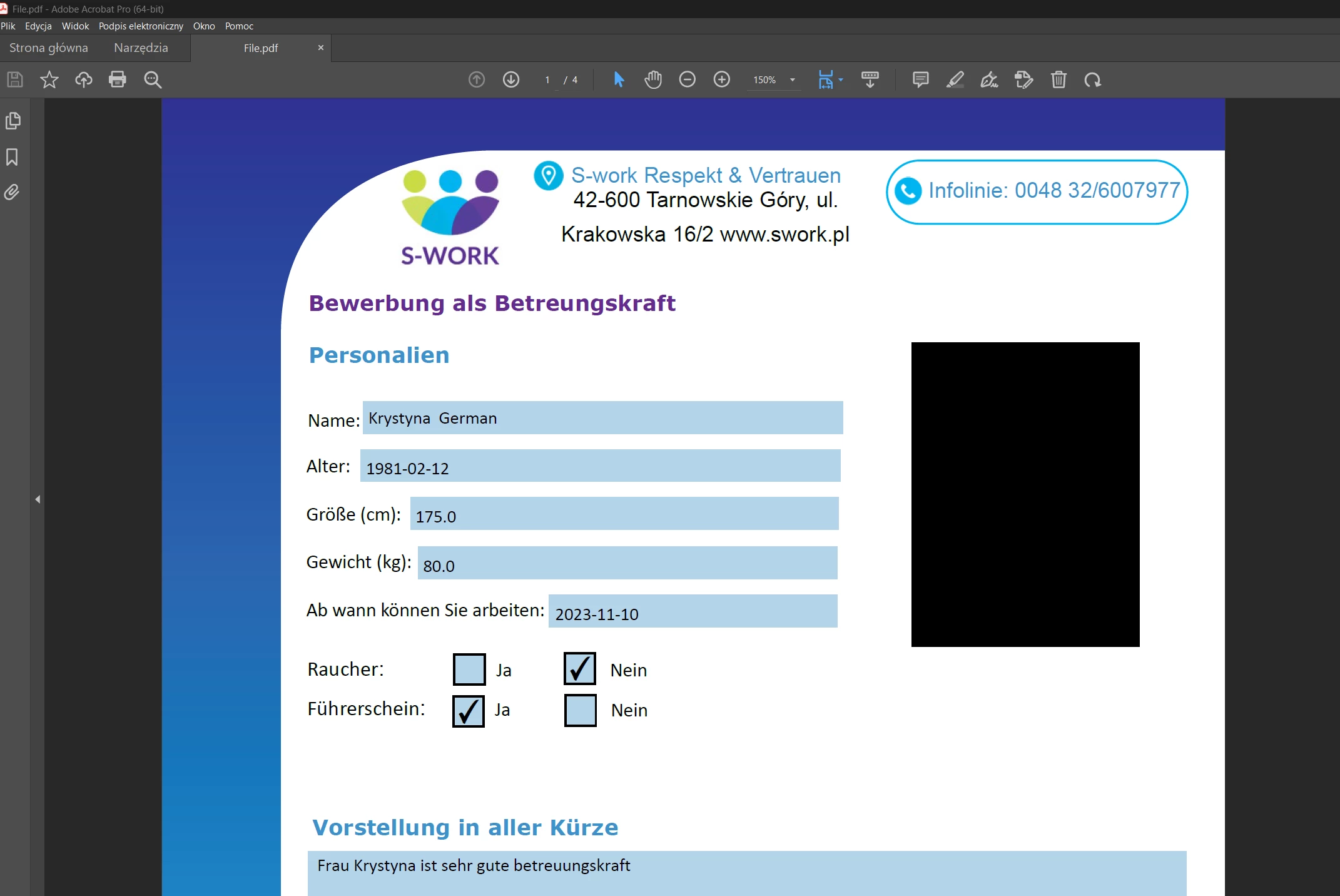
This is a very peculiar issue, especially considering it works in browsers and other programs like, for example, Foxit PDF Reader.

My Adobe acrobat version 23.003.20269

This topic has been closed for replies.

1 reply

jane-e
Community Expert
December 22, 2023
quote

We are developing a client application where we generate PDF documents.

By @Kamil34414135p2tx


Can you go to File > Properties > Description and post a screenshot?


I've moved your post from Using the Community (for questions about the forums) to Adobe Acrobat for you.


Jane


New Participant
December 22, 2023

Yes, i'm sending a screenshot


Bevi Chagnon - PubCom.com
Brainiac
December 22, 2023

Hi @Kamil34414135p2tx ,

First, let's clear up some language in your post.


"Adobe" is a software company with hundreds of programs and applications (I'm guessing at the number, but it's a LOT!) 


I believe you mean to say that you're opening the PDFs in Adobe Acrobat version 23.003.20269, which was released in August 2023. (See https://helpx.adobe.com/acrobat/release-note/release-notes-acrobat-reader.html).


Apologies for this long reply, but the issue is not a simple one to diagnose!


Suggestions:


My first reaction is that there's something miscoded in the PDF, probably the encoding of the photo itself since all other data is working. This goes back to how you're exporting or creating the PDFs, and the software involved to do that.


  1. Update your version of Acrobat and see if that corrects the error of reading/rendering the graphic.  When Acrobat is updated, so too is Adobe PDF Maker, the plug-in for MS Office apps that you're using to generate the PDF file (this is shown in your screen capture).


2. From your screen capture, it shows that iText Sharp is used to automatically generate the PDF and that might be out of date, as well. Check with developer websites like GitHub and StackOverflow and check for more recent versions of the open source version. The commercial version of iText is now owned by Apryse Software https://itextpdf.com/  so check there for updates as well.


Comments:

Browsers generally are not compliant with the PDF specification (ISO 32000 at https://www.iso.org/standard/75839.html and also at https://pdfa.org/resource/iso-32000-pdf/).  So it's questionable whether you should test PDFs in browsers. Although some browsers are now improving their processing/rendering of PDF files, they still miss a lot of PDF features, like forms and interactivity.  And there's nothing you or I can do about this: it's because of the browser's limitations and their non-conformance with the PDF ISO Standard 32000. But look for this to improve in the next few years.


Adobe created the PDF standard in the early 1990s and their software is still the leading creator and processor of PDF files. Since 2008 when the PDF file format was placed into the public domain and became an open source international standard, many other companies have created PDF software, including FoxIt and iText.


Generally, if Adobe PDF Maker is being used to create the PDF from MS Office, I'm not sure why iText is involved, as well. Usually the combo of exporting software/producers is Adobe PDF Maker for Word + Adobe PDF Library. iText Sharp is also a PDF Library that produces PDFs, but usually not with PDF Maker. (Although my iText knowledge is dated at this time.) 


I'm wondering if either the version of iText or how iText was implemented in your workflow is causing the encoding problem.


Hope this helps.


|    Bevi Chagnon   |  Designer, Trainer, & Technologist for Accessible Documents ||    PubCom |    Classes & Books for Accessible InDesign, PDFs & MS Office |