

Zaid Al Hilali
Community Expert
Community Expert
April 12, 2020
Answered

Missing Adobe Sign tool

  • April 12, 2020
  • 6 replies
  • 27848 views

For many years I have been using Adobe Creative Cloud on two machines, the main machine is a new Macbook Pro, while the secondary machine is a little old iMac. 

Acrobat Pro DC runs without any issues on both machines, and Acrobat is the latest version on both machines. In Acrobat Preferences I set the Language on both machines as English and Adobe Online Services settings are Synced on both too.


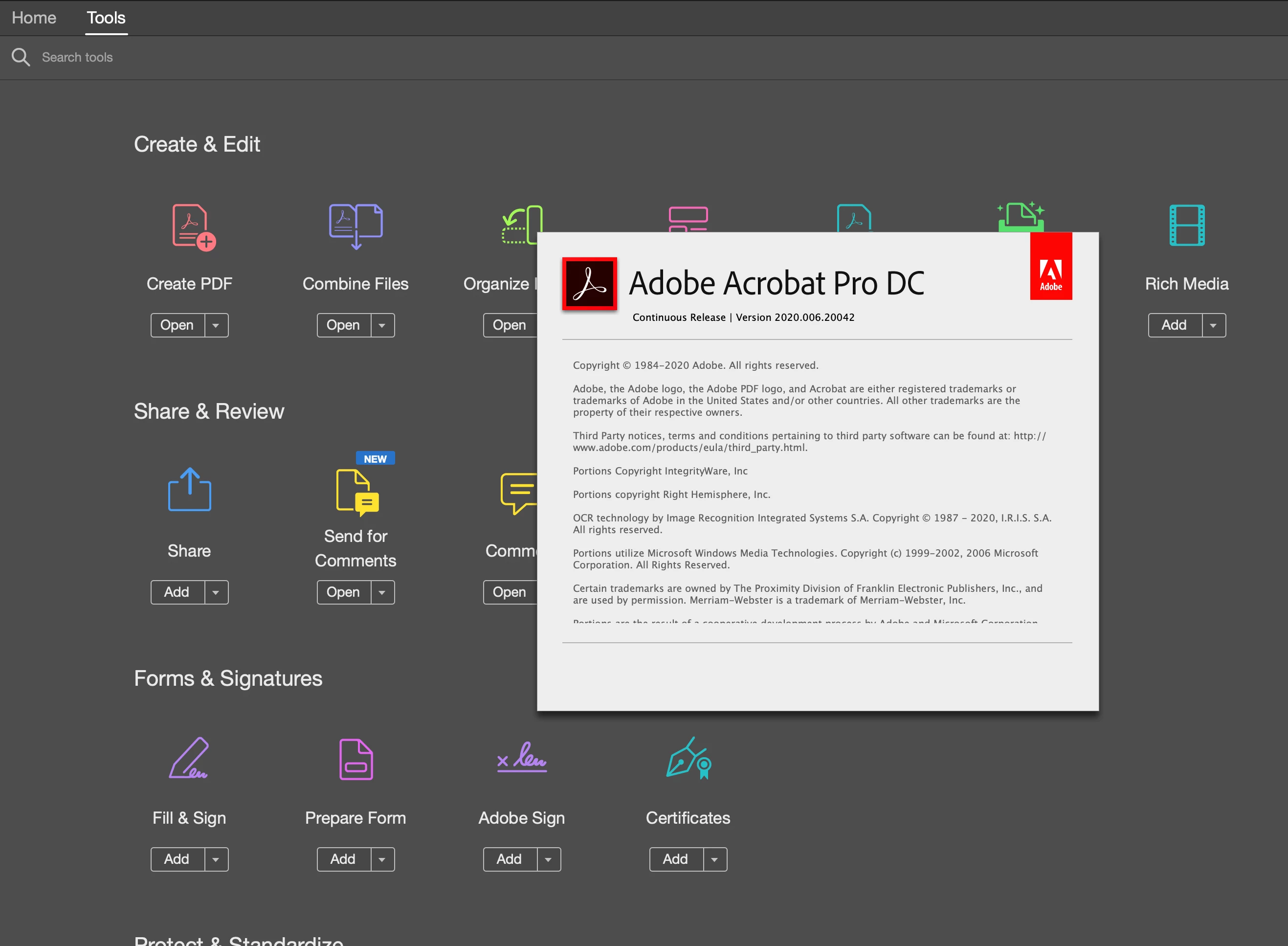
On my Macbook pro, I can see Adobe Sign tool as shown here
 

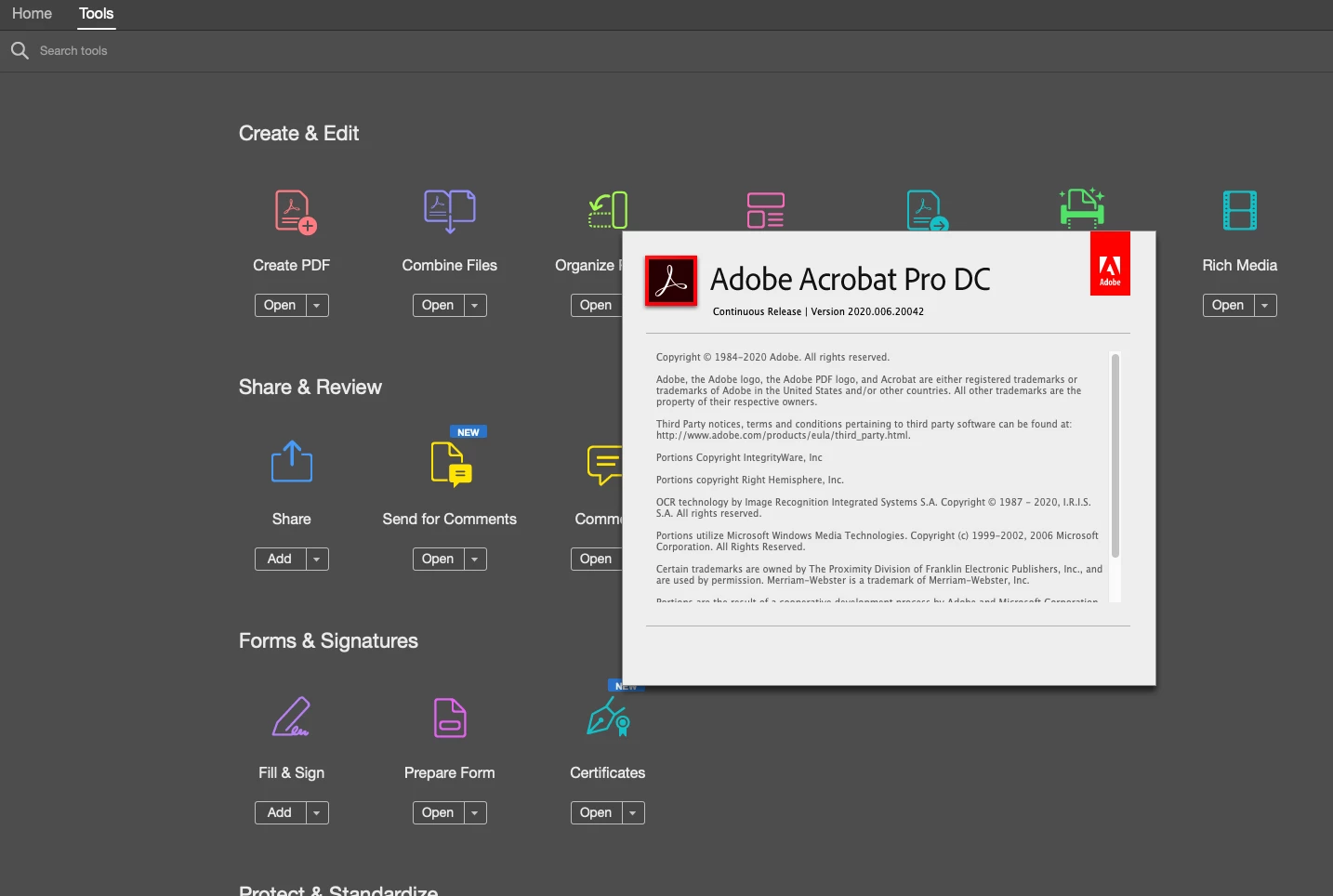
While I cannot see the Adobe Sign in Acrobat on my iMac as shown here
 

So far I tried Sign-Out, Uninstall / Reinstall, run Acrobat Cleaner tool to remove Acrobat then reinstall again. None of the above solved the issue, I'm still missing Adobe Sign tool in Acrobat Pro DC on my iMac.


Note. on the iMac I'm able to use Adobe Sign by running Fill & Sign then choose "Get others to sign". I'm also able to Sign through the browser at my account of Document Cloud.


Why is this tool missing?
This topic has been closed for replies.
Correct answer ls_rbls

+++Follow up


Hey Zaid,


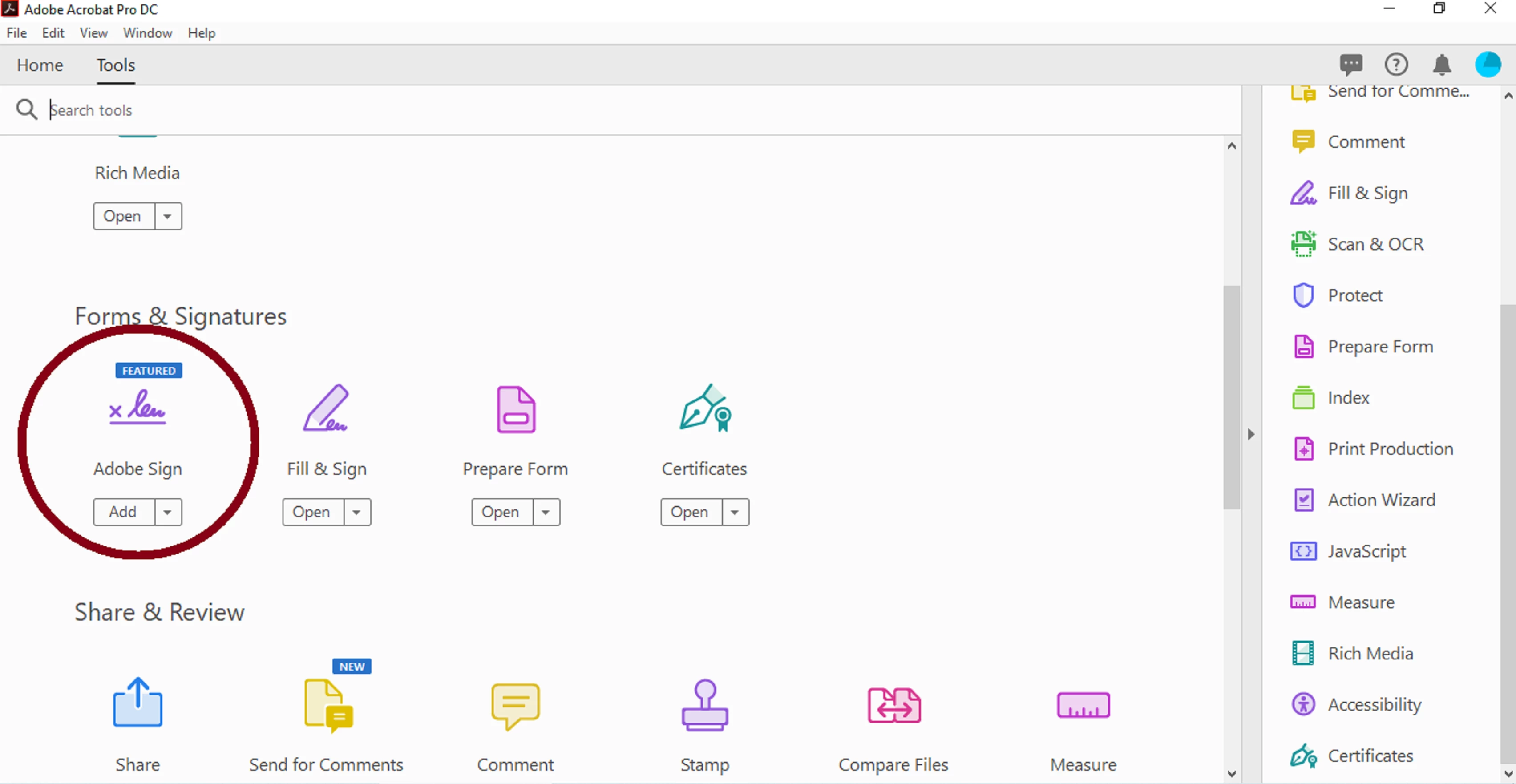
Just wanted to acknowledge that applying the last optional update for May 2020 brings back the icon tab for Adobe Sign and is featured again!


See screenshot:


6 replies

Participant
May 30, 2023

Hi all,

I also have the problem that after an update my icon is gone from request e-sign from the creative cloud. I've already been to IT but they can't help me either. Everything has been reinstalled and logged out and in. My colleague has also had Adobe's creative cloud for a few months and does have request e-sign
Who has the right solution for me.


Thanks in advance


Hopefully someone can help me.

ls_rbls
Community Expert
Community Expert
May 30, 2023

Hi @Erik Dan 


If you're on Microsoft Windows 10 (64-bit), or later, I think you may be able to work around that issue in two ways.


The first idea that comes to mind deals particularly with how did you installed Acrobat Pro.


For example, if you've downloaded and installed Acrobat using the Creative Cloud Desktop app (which is a 64-bit version of Adobe Acrobat), I would suggest to uninstall that version completely and run the AcroCleaner tool:


Then download and install the 64-bit version of Acrobat Pro DC from another server (not from the Creative Clous

dDesktop App).


You may use this Adobe official download link:


If this solution does not resolves the issue, you can download and isntall instead the 32-bit version of Acrobat Pro DC.


I am aware that the last option may not make too much sense, but this is how I roll my Adobe software on my Windows 10 computers and 90% or more of the  time I never get the issues that many Adobe users report in these support forums.


Participant
May 30, 2023

1

Participant
August 5, 2021

I am on version 2021.005.20066 and the function is gone again. Not sure whehter this will help, here is what I found:


I have found when you click on "Sign" button at the top bar, maybe called "e-sign", then press on "Prepare agreement"


And then you can add signature field here:


Which pretty much done the same thing with "Adobe Sign" - what a lame they removed that function.. 🙂


Participant
May 15, 2022

I'm facing the missing "Adobe Sign" problem new since about March 2022. First it was there on my desktop version of Adobe Acrobat Pro DC, now it is simply gone. Found also your work around, but the marvellous designed workflow is not available anymore (specifiy where to sign, give email address, automatically send out and replies tracked automatically, final signe dversion from all parties delivered to my inbox). Now I have to tell my boss we can't use Adobe Sign anymore? Why is Adobe doing this??! 


And I don't know why this problem is mmarked as "solved" (gelöst) it is far from solved in any thinkable way. 

Zaid Al Hilali
Community Expert
Community Expert
May 15, 2022

Hi Stephan,

Adobe removed Adobe Sign from Acrobat for Enterprise License holders. I'm not sure if you/your company are using an Enterprise license, if so then this explains why you cannot see or use Adobe Sign within Acrobat.


If you don't have an Enterprise license, then the other reason may be Acrobat Language is set to a language that is not supported. Change Acrobat Language to English for the sake of testing and see.

ls_rbls
Community Expert
ls_rblsCommunity ExpertCorrect answer
Community Expert
May 17, 2020

+++Follow up


Hey Zaid,


Just wanted to acknowledge that applying the last optional update for May 2020 brings back the icon tab for Adobe Sign and is featured again!


See screenshot:


Zaid Al Hilali
Community Expert
Community Expert
May 17, 2020

"applying the last optional update for May 2020 brings back the icon tab for Adobe Sign and is featured again!"

Thanks once again for the follow-up.

Indeed : ) the latest update (… 20063) brought back Adobe Sign on all machines. Thank you Adobe for solving this puzzle for us.

ls_rbls
Community Expert
Community Expert
April 28, 2020

Hey Zaid,


I just cam accross this interesting old discussion: https://community.adobe.com/t5/acrobat/fill-and-sign-missing/td-p/7530579?page=1


I don't think it has anything to do with the Adobe Sign tool  because it clearly says Fill & Sign. However one of the solutions in the thread poses a different twist.

Zaid Al Hilali
Community Expert
Community Expert
April 28, 2020

Hi there.

I know about the language issue, I experienced it back in 2015, setting the Language to Arabic for instance in Acrobat DC will make cloud service to disappear. That's why I wrote in my original post up here that I had Language set to English. I wish the solution would be as simple as changing the language only.

ls_rbls
Community Expert
Community Expert
April 12, 2020

Hi,


Here are some ideas that I can think of:


However, I may anticipate that this is a design behavior where the Fill & Sign tool interfaces with the Adobe Sign E-sign service.


I have Windows 10 and just like in your screenshots in your macOS,  Adobe Sign doesn't show as a separate tool, it is always accessed when you add the Fill & Sign tool to your workflow before sending a document out for signatures. It works perfectly fine when Fill & Sign is invoked. If this is your case I wouldn't worry.


It is different in mobile devices though, like in my case with Android (and the same would be true with iOS powered devices) the Adobe Sign is downloaded as a separate app that integrates with the Reader mobile app as a premium feature that is unlocked when you sign-in with the AdobeID that belongs to your paid subscription (but I may be wrong).


Zaid Al Hilali
Community Expert
Community Expert
April 13, 2020

Thank you so much for the comprehensive suggestions.

On the Mac, we don't have the option of Repair installation I'm afraid. I deleted preferences as suggested in the help topic even though I used Acrobat Cleaner Tool from Adobe which deletes preferences as it removes Acrobat and its components.

Regarding Fill & Sign on the Mac, I agree with you, although I'm able to perform Adobe Sign fully through Fill & Sign, yet it is strange that my account shows Adobe Sign on one machine and not on the other.

ls_rbls
Community Expert
Community Expert
April 13, 2020

You're very welcome. 


That behavior is interesting though. Even more curious that in both of your computer devices Acrobat is fully updated to same updates.