
terrytm
Participant
May 19, 2017
Answered

Override Calculation Based on Radio Button Value

  • May 19, 2017
  • 1 reply
  • 3181 views

Hello,

I'm using Adobe Pro DC and I have created a form that uses both text boxes and radio buttons. The text boxes and radio buttons that I'm focusing on are involved in calculations. I'm attempting to calculate a field based on a radio button selection.

Here are the involved text boxes: Commitment amount, Payment amount, # of payments, Total pledge

Here is the involved radio button group (Pledge payment frequency): Annual, Quarterly, Semi-annual, Monthly, Other

A text version of the calculation is as follows:

  • Commitment amount = Total pledge
  • Payment amount = Total pledge / # of Payments
  • # of payments = calculated based on the selected radio button (e.g., selecting Annual means # of Payments = 1, selecting Quarterly means # of Payments = 4, etc.)
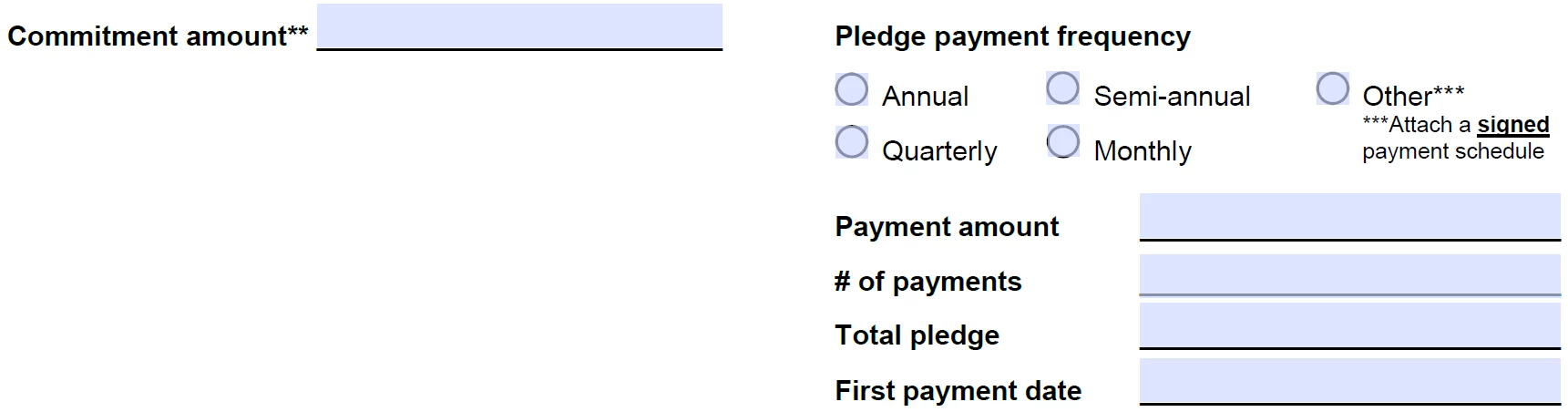
The calculation works perfect for all of the radio button options except for "Other". Here, I'd like for the user to be able to enter a value into # of Payments manually and have the Payment amount calculated based on the manual entry. Currently, it allows me to enter a value, but when I exit the # of Payments field, the value disappears.

Is there a way to allow both automatic and manual calculations in one field?
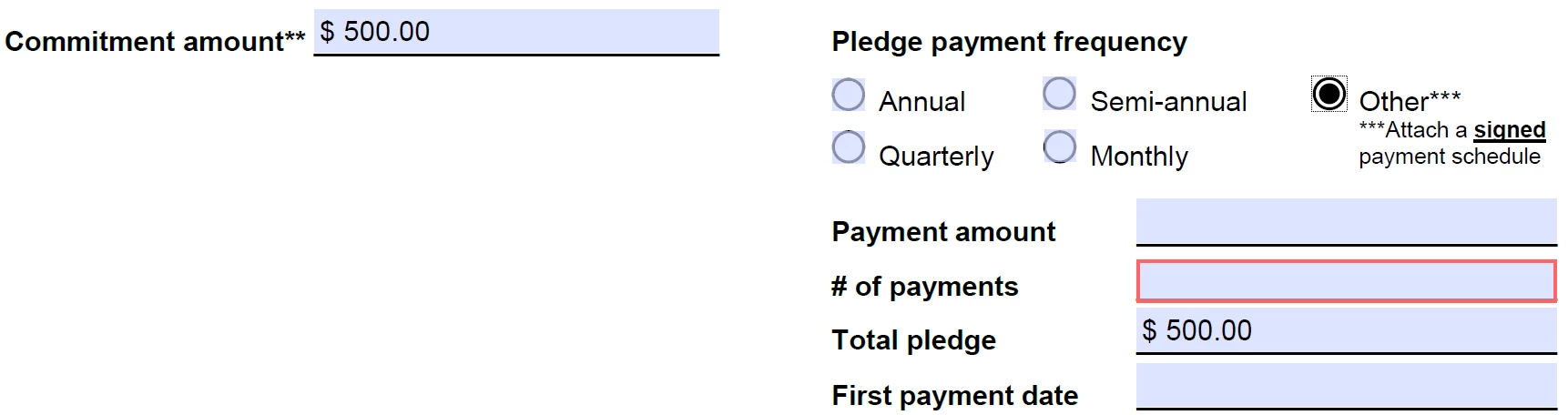
Custom calculation script for # of payments field

var frequency = this.getField("Pledge payment frequency").value;

var payment = this.getField("Number of Payments");

if (frequency == "Off") {

    event.value = "";

}

else if (frequency == "Annual") {

    event.value = "1";

payment.required=false;

}

else if (frequency == "Quarterly") {

    event.value = "4";

payment.required=false;

}

else if (frequency == "Semiannual") {

    event.value = "2";

payment.required=false;

}

else if (frequency == "Monthly") {

    event.value = "12";

payment.required=false;

}

else if (frequency == "Other") {

    event.value = "";

payment.required=true;

}

else {

    event.value == ""; // we don't know about this frequency type!

}

Thanks in advance!

This topic has been closed for replies.
Correct answer JR Boulay

Yes :

if (frequency == "Off") {

    event.value = "";

}

else if (frequency == "Annual") {

    event.value = 1;

payment.required=false;

}

else if (frequency == "Quarterly") {

    event.value = 4;

payment.required=false;

}

else if (frequency == "Semiannual") {

    event.value = 2;

payment.required=false;

}

else if (frequency == "Monthly") {

    event.value = 12;

payment.required=false;

}

// also test if the text field is not empty

else if (frequency == "Other" && this.getField("OTHER-TEXT").valueAsString.length > 0) { 


    event.value = this.getField("OTHER-TEXT").value; 


payment.required=true; 


}

else {

    event.value = ""; // we don't know about this frequency type!

}

//

.

1 reply

JR Boulay
Community Expert
JR BoulayCommunity ExpertCorrect answer
Community Expert
May 19, 2017

Yes :

if (frequency == "Off") {

    event.value = "";

}

else if (frequency == "Annual") {

    event.value = 1;

payment.required=false;

}

else if (frequency == "Quarterly") {

    event.value = 4;

payment.required=false;

}

else if (frequency == "Semiannual") {

    event.value = 2;

payment.required=false;

}

else if (frequency == "Monthly") {

    event.value = 12;

payment.required=false;

}

// also test if the text field is not empty

else if (frequency == "Other" && this.getField("OTHER-TEXT").valueAsString.length > 0) { 


    event.value = this.getField("OTHER-TEXT").value; 


payment.required=true; 


}

else {

    event.value = ""; // we don't know about this frequency type!

}

//

.

Acrobate du PDF, InDesigner et Photoshopographe
terrytm
terrytmAuthor
Participant
May 19, 2017

Thanks, JR!!!

I spent hours last night searching for answer on my own before posting to the forum.

I had to update the name of the field you added to the last else if, but otherwise it works perfectly!

I appreciate the quick and correct response!